De beste OpenClaw-alternatieven om zelf te hosten in 2026
Zeven open-source alternatieven voor OpenClaw, gerangschikt op wat mensen wegjaagt: standaard geen sandbox, een grote codebase, telemetrie en hardware-eisen.
In het kort
| Bot | Licentie | Chatapps | |||||
|---|---|---|---|---|---|---|---|
| OpenClaw | MIT | 394,2K | Ja | Nee | Telegram, WhatsApp, iMessage, Discord, Slack | Gratis | |
| ZeroClaw | MIT OR Apache-2.0 | 33,3K | Ja | Ja | Telegram, WhatsApp, Discord | Gratis | |
| NanoClaw | MIT | 31,1K | Ja | Ja | Telegram, WhatsApp, iMessage, Discord, Slack | Gratis | |
| Hermes Agent | MIT | 261,7K | Ja | Nee | Telegram, WhatsApp, iMessage, Discord, Slack | Vanaf US$ 20/mnd | |
| Rakazo | Apache-2.0 | 7,5K | Ja | Ja | Telegram, WhatsApp, iMessage, Slack | Vanaf US$ 10/mnd | |
| NemoClaw | Apache-2.0 | 23K | Ja | Ja | Telegram, Discord, Slack | Gratis | |
| PicoClaw | MIT | 30,1K | Ja | Nee | Telegram, WhatsApp, Discord, Slack | Gratis | |
| nanobot | MIT | 49,9K | Ja | Nee | Telegram, WhatsApp, Discord, Slack | Gratis |


Checklist
| OpenClaw | ZeroClaw | NanoClaw | Hermes Agent | Rakazo | NemoClaw | PicoClaw | nanobot | |
|---|---|---|---|---|---|---|---|---|
| Open-source licentie | Ja | Ja | Ja | Ja | Ja | Ja | Ja | Ja |
| Draait lokale modellen | Ja | Ja | Ja | Ja | Ja | Ja | Ja | Ja |
| Standaard in sandbox | Nee | Ja | Ja | Nee | Ja | Ja | Nee | Nee |
| Standaard geen telemetrie | Nee | Ja | Nee | Ja | Ja | Nee | Ja | Ja |
| Woont in je chatapps | Ja | Ja | Ja | Ja | Ja | Ja | Ja | Ja |
| Werkt door als je weg bent | Ja | Ja | Ja | Ja | Ja | Ja | Ja | Ja |
OpenClaw is de standaard open-source agent: MIT-licentie, 394.193 GitHub-sterren op 8 november 2026, 29 chatkanalen en apps op elke desktop en telefoon. De meeste mensen die een alternatief zoeken, zijn niet ontevreden over wat het kan. Ze voelen zich ongemakkelijk bij hoe het dat doet.
Waarom mensen OpenClaw verlaten
Er komen vier redenen terug, en die bepaalden de ranglijst hieronder.
Standaard geen sandbox. De sandboxing van OpenClaw staat standaard uit, dus de agent voert commando’s uit op uw host tenzij u zelf goedkeuringen of de sandbox inschakelt. Combineer dat met toegang tot uw e-mail en berichten en skills van derden, en promptinjectie wordt een reëel risico. De eigen maintainers waarschuwen dat het riskant is voor niet-technische gebruikers. We gaan hier dieper op in bij Is OpenClaw veilig?
Omvang en complexiteit. 142 officiële plugins en 64 model- en mediaproviders maken het krachtig, maar dat is veel code om te vertrouwen en bij te houden, en de installatie gaat uit van de commandline.
Telemetrie. Standaard neemt het dagelijks contact op met de server van het project met uw OpenClaw-versie, besturingssysteem, Node.js-versie en CPU-architectuur, plus een installatietelling en updaterapporten. Het is klein en update.checkOnStart: false zet het uit, maar het staat aan totdat u dat doet.
Hardware en runtime. Het vereist Node 24.16+ of 26.1+, wat prima is op een laptop en minder prima op een Raspberry Pi of een router.
We hebben de alternatieven gerangschikt op hoeveel van die problemen ze oplossen terwijl ze nog steeds de kerntaak doen: een altijd actieve agent waarmee u vanuit een chatapp praat.
1. ZeroClaw: het dichtst bij “OpenClaw met veilige standaarden”
ZeroClaw lost alle vier op. Het is één Rust-binary met één TOML-configuratiebestand en draait op macOS, Linux, Windows, FreeBSD, Android of een Raspberry Pi. Het aanbevolen Balanced-profiel vraagt toestemming vóór acties met gemiddeld risico, blokkeert acties met hoog risico, beperkt bestandstoegang tot de werkruimte en draait tools in een OS-sandbox (Seatbelt op macOS, Firejail op Linux). De documentatie stelt dat het geen telemetrie verstuurt.
Het addertje zit in de kanalen: Slack, iMessage en Signal zitten niet in de standaardrelease, dus dan bouwt u vanaf de broncode met extra features. Als u vooral WhatsApp, Telegram of Discord gebruikt, maakt dat niet uit. Volledige vergelijking: ZeroClaw vs OpenClaw.

2. NanoClaw: echte containerisolatie, kleine codebase
NanoClaw begon als een kleinere, in containers geïsoleerde variant van OpenClaw. Elke agent draait in zijn eigen Docker-container en ziet alleen de mappen die u koppelt, en uitgaande API-aanroepen lopen via een credential-gateway zodat agents nooit ruwe sleutels in handen hebben. De host is één Node-proces en een handvol bestanden.
Het staat om twee redenen onder ZeroClaw: het is gebouwd rond Claude en Claude Code (aanpassen betekent dat Claude Code uw fork bewerkt, en er zijn geen configuratiebestanden), en het verstuurt anonieme installatiediagnostiek tenzij u NANOCLAW_NO_DIAGNOSTICS=1 instelt. Zie NanoClaw vs OpenClaw.

3. Hermes Agent: de makkelijkste overstap
Hermes Agent van Nous Research is gebouwd met OpenClaw-gebruikers in gedachten. Het importeert uw OpenClaw-instellingen, herinneringen en skills met één commando, ondersteunt meer dan 20 chatplatforms, en het delen van statistieken staat standaard uit. Het voegt ook iets toe waar OpenClaw niet mee voorop loopt: na complexe taken schrijft en verfijnt het zijn eigen skills.
Het sandboxprobleem lost het echter niet op. De terminal-backend staat standaard op lokaal, en containerisolatie is optioneel. Kies het voor telemetrie en features, niet voor veiligheid. Meer in Hermes vs OpenClaw.

4. Rakazo: een sandboxcomputer per bot
Rakazo, dat wij zelf maken, geeft elke bot een eigen sandboxcomputer met een browser, terminal en desktop, zodat agentcommando’s daar draaien in plaats van op uw host. Het is Apache-2.0, een zelf gehoste installatie verstuurt geen productanalytics, en het draait lokale modellen via Ollama of LM Studio. U bepaalt welke acties uw goedkeuring nodig hebben.
Het is zwaarder dan de opties hierboven (Docker Engine met Compose), nog in bèta, en Telegram, WhatsApp en iMessage werken alleen als u zelf host.


5. NemoClaw: houd OpenClaw, voeg een kooi toe
Als u OpenClaw prima vindt en alleen bezwaar hebt tegen dat het vrij rondloopt op uw machine, dan is NemoClaw de stack van NVIDIA om OpenClaw binnen een OpenShell-sandbox te draaien. Niet-goedgekeurde netwerkbestemmingen worden geblokkeerd totdat een beheerder ze goedkeurt, en credentials blijven buiten de sandbox.
De andere drie bezwaren worden er wel erger door: minimaal 8 GB RAM (16 GB aanbevolen), een container-runtime, telemetrie naar NVIDIA tenzij u NEMOCLAW_DISABLE_TELEMETRY=1 instelt, en een alpha-status. Zie NemoClaw vs OpenClaw.

6. PicoClaw: voor piepkleine hardware
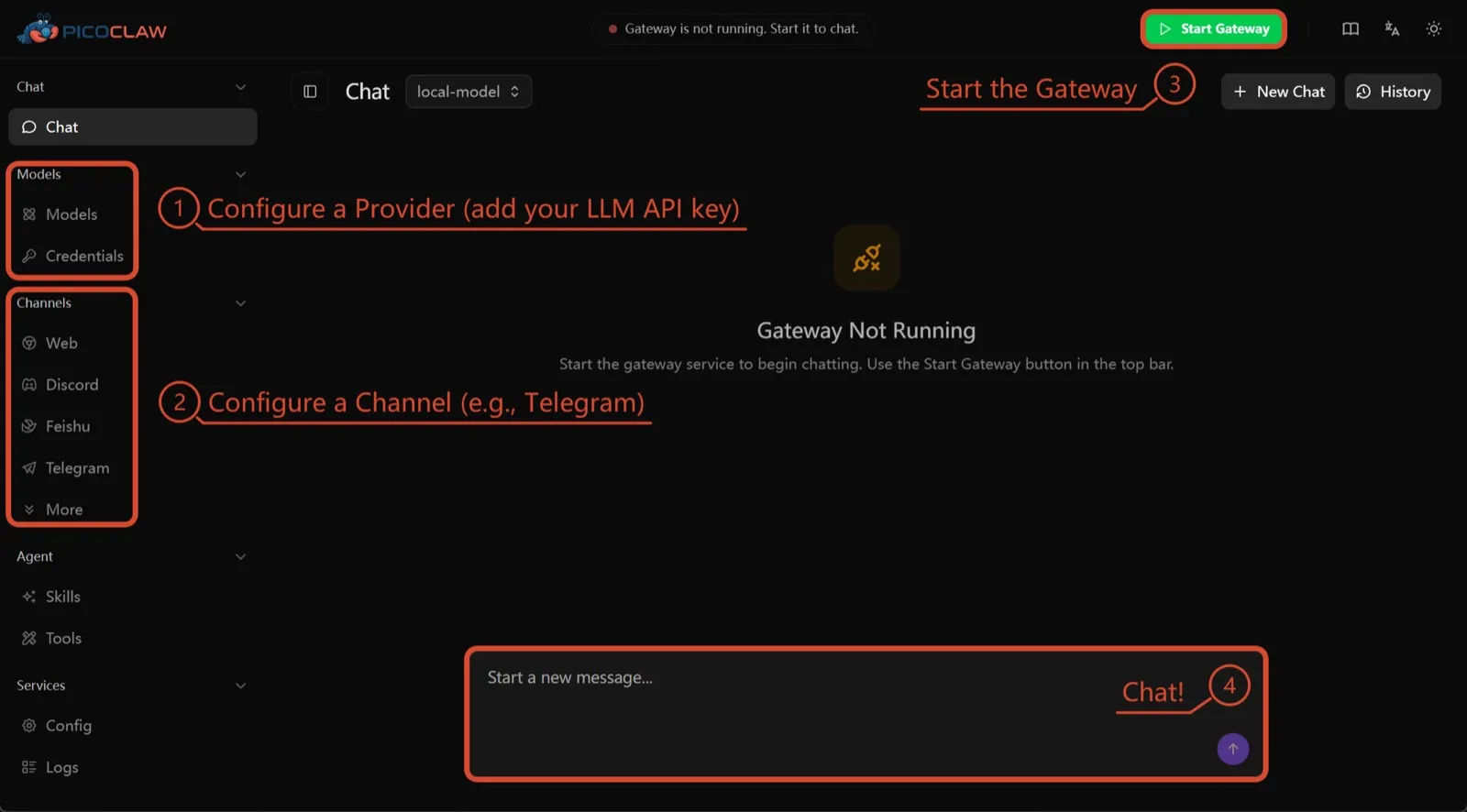
PicoClaw van Sipeed is één Go-binary die minimaal 10 MB vrij RAM nodig heeft (32 MB+ aanbevolen) en draait op x86, ARM, RISC-V en MIPS, inclusief borden van $10, routers en oude Android-telefoons. Er is geen telemetrie gedocumenteerd en er worden ongeveer 19 chatkanalen ondersteund.
Het staat hier alleen vanwege de hardware. Procesisolatie staat standaard uit, en het project zegt zelf dat u het vóór v1.0 niet in productie moet gebruiken.
7. nanobot: klein, leesbaar Python
nanobot van het Data Intelligence Lab van de University of Hong Kong is een compacte Python-agent met een verzorgde browser-UI, een terminal-UI, geplande automatiseringen en veel chatkanalen. Het heeft geen telemetrie en werkt met Ollama, vLLM of LM Studio.
Net als bij OpenClaw draaien de shellcommando’s niet in een sandbox totdat u bubblewrap of Seatbelt inschakelt, en Windows heeft helemaal geen sandbox. Kies het als u code wilt die u in één middag kunt doorlezen.

Welke moet u kiezen
- U wilt wat OpenClaw doet, met veilige standaarden en zonder telemetrie: ZeroClaw.
- U wilt elke agent in een container en hebt geen bezwaar tegen Claude Code: NanoClaw.
- U wilt uw OpenClaw-setup behouden en van de telemetrie af: Hermes Agent.
- U wilt OpenClaw zelf behouden, in een sandbox, en hebt het RAM ervoor: NemoClaw.
- U draait op een bordje of een oude telefoon: PicoClaw.
Voor een bredere lijst die niet rond OpenClaw is opgezet, zie de beste zelf gehoste AI-agents.
Alternatieven
Personal AI agent in one Rust binary, MIT or Apache-2.0, with local or cloud models, 30+ channels, approval gates and an OS sandbox on by default.
Meets every check: one Rust binary, approval gates and an OS sandbox on by default, no telemetry, local models.
Naar ZeroClawSterke punten
- Safe defaults: the recommended profile asks before medium-risk actions, blocks high-risk ones, keeps files in the workspace and runs tools in an OS sandbox
- One small Rust binary with one config file, running on macOS, Linux, Windows and boards like a Raspberry Pi
- More than 30 channels, plus a web dashboard for chat, memory, config and cron
- Provider fallback chains, local models through Ollama, and cryptographic receipts for tool calls
- States plainly that it sends no telemetry and needs no cloud account or license server
Zwakke punten
- Slack, iMessage, Signal and several other channels are not in the standard release; you build from source with extra features to get them
- `zeroclaw quickstart` only sets up the model provider; channels and risk profiles mean editing the TOML config file
- The Docker sandbox backend isn't picked automatically under the default native runtime
- Model costs are on you
Small, MIT-licensed OpenClaw alternative that runs each agent in its own Docker container and chats with you on WhatsApp, Telegram, Slack, Discord and more.
Every agent in its own container and a tiny codebase, but tied to Claude Code and sends setup diagnostics by default.
Naar NanoClawSterke punten
- Every agent runs in its own Docker container and sees only the folders you mount, so shell access stays off your host
- Small codebase (one host process and a handful of files) that you customize by having Claude Code edit your fork
- Agents never hold raw API keys: outbound calls go through a credential gateway with per-agent policies and rate limits
- Many chat channels, including WhatsApp, Telegram, Slack, Discord, iMessage, Teams, Matrix and email, with one or several agents per channel
- Scheduled tasks with optional script gates that skip waking the agent when there's nothing to do
Zwakke punten
- Built around Claude and Claude Code: customizing, debugging and adding channels all go through Claude Code
- Sends anonymous setup diagnostics unless you set NANOCLAW_NO_DIAGNOSTICS=1
- No config files by design, so every change means editing code in your own fork
- Needs Docker, and Windows only works through WSL2
Free, MIT-licensed AI agent from Nous Research that runs on your own machine or server, learns reusable skills, and chats with you on Telegram, Slack and more.
MIT licensed, no telemetry and lives in your chat apps, but commands aren't sandboxed by default.
Naar Hermes AgentSterke punten
- Free and MIT licensed, and runs on hardware you control
- Writes and refines its own skills from experience, on top of persistent memory and cross-session search
- One gateway for 20+ chat platforms, including Telegram, Discord, Slack, WhatsApp, Signal and email
- Run several separate agents as profiles, each with its own model, memory and skills, and let them talk in group chats
- Model-agnostic, with a one-command import from OpenClaw
Zwakke punten
- Setup expects comfort with the command line and with running your own server
- Model costs are on you unless you use free models, and hosted web search, images and speech need a paid Nous Portal plan or your own keys
- iMessage needs a separate BlueBubbles server on a Mac
- No native mobile app; Android support is a command-line install through Termux
Open-source, self-hostable platform for persistent AI bots that each get a job, a computer, memory and routines, using the model you choose.
Our own product. Meets every check: Apache-2.0, sandboxed bot computers, no telemetry by default, any model you connect.
Naar RakazoSterke punten
- Open source (Apache-2.0) and fully self-hostable, including with local models
- Choice of model per bot, including existing Claude or ChatGPT subscriptions
- Bots keep working on schedules and triggers with their own cloud computer
- Approval controls over which actions a bot may take on its own
Zwakke punten
- Still in beta, with frequent releases
- You supply and pay for the model on the hosted plans, unless you buy Rakazo credits
- Telegram, WhatsApp and iMessage/SMS are only available when self-hosted
- More setup than a single chat app
NVIDIA's Apache-2.0 stack for running OpenClaw, Hermes or Deep Agents inside locked-down OpenShell sandboxes with managed inference. Alpha.
Puts OpenClaw or Hermes in a locked-down sandbox, but it's alpha, heavy to run and sends telemetry by default.
Naar NemoClawSterke punten
- Puts OpenClaw or Hermes Agent in a sandbox with network, filesystem and process controls instead of running it on your host
- Unapproved network destinations are blocked and surfaced for an operator to approve
- Inference, messaging and MCP credentials stay outside the sandbox
- Backed by NVIDIA, with local inference through Ollama, vLLM or NIM and a tested path on DGX Spark
Zwakke punten
- Alpha: maintainers support it on a best-effort basis, and several channels are experimental
- A wrapper, not an agent: what the bot can do depends on the OpenClaw or Hermes version inside
- Heavier than running the agent alone: 8 GB RAM minimum, a 2.4 GB sandbox image and a container runtime
- The CLI sends operation telemetry to NVIDIA unless you set NEMOCLAW_DISABLE_TELEMETRY=1
Free, MIT-licensed personal AI agent written in Go that runs as one small binary on cheap boards, old phones and PCs, and chats on Telegram, Discord and more.
Runs on cheap boards in a few dozen MB of RAM with no telemetry, but it's pre-1.0 and commands aren't sandboxed by default.
Naar PicoClawSterke punten
- Tiny footprint: one Go binary that Sipeed says boots in under a second and needs only 10 to 20 MB of RAM
- Runs on hardware others can't, from $10 RISC-V boards and routers to old Android phones
- About 19 chat channels, including Telegram, Discord, Slack, WhatsApp, Matrix, LINE and Delta Chat
- Web search works without an API key through a built-in DuckDuckGo fallback
- Heartbeat check-ins, cron reminders, MCP tools and routing between several agents
Zwakke punten
- The project warns it is in early rapid development, may have unresolved security issues, and should not be used in production before v1.0
- The default workspace restriction only checks paths; true process isolation is off by default and implemented only on Linux and Windows
- Native WhatsApp needs a custom build or a separate bridge
- No built-in image generation, and voice messages are only transcribed if you add a provider such as Groq
Free, MIT-licensed personal AI agent in Python with a browser UI and terminal app, scheduled tasks, memory, and chat on Telegram, Discord, Slack and more.
Small, readable Python with a good web UI and no telemetry, but shell commands aren't sandboxed by default.
Naar nanobotSterke punten
- Free and MIT licensed, with a small Python core that is meant to be read and modified
- Polished bundled WebUI with projects, file diffs, an MCP app catalog and an automations calendar, plus a terminal UI
- Many chat channels, including Telegram, Discord, Slack, WhatsApp, WeChat, Feishu, Teams, Matrix and email
- Scheduled automations, long-running goals and a heartbeat that reports only useful results to your last chat
- Works with local models through Ollama, vLLM or LM Studio
Zwakke punten
- Shell commands are not sandboxed by default; the bubblewrap or macOS Seatbelt sandbox must be turned on, and Windows has none
- Model costs are on you, and voice messages need a separate transcription provider such as Groq or OpenAI
- No native mobile or desktop app; on a phone you use the WebUI in a browser or a chat app
- Missed scheduled runs are not replayed and interrupted subagent tasks are not relaunched after a restart
Functies
| OpenClaw | ZeroClaw | NanoClaw | Hermes Agent | Rakazo | NemoClaw | PicoClaw | nanobot | |
|---|---|---|---|---|---|---|---|---|
| Zoeken op het web | Ja | Ja | Ja | Ja | Ja | Ja | Ja | Ja |
| Afbeeldingen maken | Ja | Ja | Onbekend | Ja | Ja | Onbekend | Nee | Ja |
| Spraakmodus | Ja | Ja | Onbekend | Ja | Ja | Onbekend | Ja | Ja |
| Bestanden uploaden | Ja | Ja | Ja | Ja | Ja | Onbekend | Ja | Ja |
| Geheugen | Ja | Ja | Ja | Ja | Ja | Onbekend | Ja | Ja |
| Voert taken voor je uit | Ja | Ja | Ja | Ja | Ja | Ja | Ja | Ja |
| App-koppelingen | Ja | Ja | Ja | Ja | Ja | Ja | Ja | Ja |
| Werkt zelfstandig | Ja | Ja | Ja | Ja | Ja | Ja | Ja | Ja |
| Stuurt zelf eerst een bericht | Ja | Ja | Ja | Ja | Ja | Onbekend | Ja | Ja |
| Meerdere bots | Ja | Ja | Ja | Ja | Ja | Onbekend | Ja | Ja |
Bronnen
OpenClaw
- OpenClaw homepage and Foundation section
- OpenClaw integrations: channels, providers and plugins
- openclaw/openclaw on GitHub (MIT, v2026.11.1)
- OpenClaw docs: Sandboxing (off by default)
- Wikipedia: OpenClaw
- Notebookcheck: OpenClaw can burn through hundreds of dollars per day
- OpenClaw docs: Memory overview
- OpenClaw docs: Automations
- OpenClaw docs: Chat channels
- OpenClaw docs: iMessage
- OpenClaw docs: Heartbeat, now a default Proactive check job
- OpenClaw docs: Multi-agent routing
- OpenClaw docs: Platforms (macOS, Windows, Linux, iOS and Android apps)
- OpenClaw docs: Tools (exec, browser, web search)
- OpenClaw docs: Audio and voice notes (inbound transcription)
- OpenClaw docs: Image and media support (inbound media)
- OpenClaw docs: Install (system requirements, installer script, npm, desktop apps, Docker)
- OpenClaw docs: One-click deploy on Railway
- OpenClaw docs: Usage telemetry and update checks (on by default, feature statistics opt-in)
- OpenClaw docs: Ollama provider (local models)
ZeroClaw
- zeroclaw-labs/zeroclaw on GitHub (MIT OR Apache-2.0, v0.8.7, README)
- ZeroClaw website
- ZeroClaw docs: Sandboxing
- ZeroClaw source: risk presets (Balanced, recommended, has the sandbox on)
- ZeroClaw docs: Channels overview (default and standard release bundles)
- ZeroClaw docs: You own it (no telemetry)
- ZeroClaw docs: Docker and containers
- ZeroClaw source: tools (image generation, screenshot, web)
NanoClaw
Hermes Agent
- NousResearch/hermes-agent on GitHub (MIT, v0.23.0)
- Hermes Agent homepage and Nous Portal pricing
- Hermes Agent documentation
- Hermes Agent docs: Profiles, running multiple agents
- Hermes Agent docs: Bot Mode
- Hermes Agent docs: Voice mode
- Hermes Agent docs: Vision and image paste
- Hermes Agent docs: iMessage via BlueBubbles
- Nous Research on X: Meet Hermes Agent (February 25, 2026)
- Hermes Agent docs: Session heartbeats and cron watchdogs
- Hermes Agent docs: FAQ (Is my data sent anywhere?)
- Hermes Agent docs: Installation (desktop packages, install script, Docker)
- Hermes Agent docs: Platform support (no Linux desktop package; PyPI installs unsupported)
- Hermes Agent docs: Docker setup
- Hermes Agent docs: Configuration (terminal backend defaults to local)
- Hermes Agent docs: Security (approval modes, optional container isolation)
- Hermes Agent docs: Local models
- Hermes Agent example config (shared metrics off by default)
Rakazo
- Rakazo homepage
- Rakazo pricing
- Rakazo privacy policy
- Rakazo on GitHub (README and license)
- Rakazo changelog
- Rakazo releases
- Rakazo docs: Image and video generation
- Rakazo docs: Memory
- Rakazo docs: Connect apps
- Rakazo docs: Routines
- Rakazo docs: Chat apps
- Rakazo docs: Messaging apps (self-hosting)
- Rakazo docs: Bots and chats (add another bot, bot templates)
- Rakazo docs: Groups (several bots in one chat)
- Rakazo docs: Mobile app (notifications)
- Rakazo privacy policy (updated Sep 14, 2026)
- Rakazo privacy policy source on GitHub
- Rakazo docs: Logs and monitoring (product analytics off by default)
- Rakazo docs: Desktop app (run locally in Docker, updates)
- Rakazo docs: Docker computers
- Rakazo docs: Self-hosted models (Ollama, LM Studio)
- Rakazo Railway template setup guide
NemoClaw
- NVIDIA/NemoClaw on GitHub (Apache-2.0, README: supported agents, alpha status)
- NemoClaw docs: Overview
- NemoClaw docs: Prerequisites and platforms
- NemoClaw docs: Choose an inference provider (Ollama, vLLM, NIM)
- NemoClaw docs index: messaging channels (WhatsApp, Teams, Google Chat, WeChat experimental)
- NemoClaw source: telemetry delivery and NEMOCLAW_DISABLE_TELEMETRY
PicoClaw
- sipeed/picoclaw on GitHub (MIT, README with security notice and channel list)
- PicoClaw releases (v0.0.1 on February 9, 2026; v0.3.1 on July 3, 2026)
- PicoClaw official website and downloads
- PicoClaw docs: Configuration (workspace restriction, heartbeat, voice, multi-agent routing)
- PicoClaw source: subprocess isolation, disabled by default
- PicoClaw docs: Tools configuration (web search, exec, cron, MCP, skills)
- PicoClaw docs: Chat apps (WhatsApp native build or bridge)
- PicoClaw docs: Hardware compatibility and minimum requirements
- PicoClaw docs: Docker
nanobot
- HKUDS/nanobot on GitHub (MIT, v0.4.1, README)
- nanobot documentation
- nanobot release archive (officially launched February 2, 2026)
- nanobot docs: Chat apps
- nanobot docs: Providers and models (Ollama, vLLM, LM Studio)
- nanobot docs: Configuration (security, exec sandbox off by default, transcription, Langfuse)
- nanobot docs: Automations and heartbeat
- nanobot docs: Concepts (heartbeat delivery, subagent recovery)
- nanobot docs: Memory and Dream
- nanobot docs: Multiple instances
- nanobot docs: Deployment (Docker, services, Render)
- nanobot source: skills installer runs with DISABLE_TELEMETRY