Les meilleures alternatives à OpenClaw à auto-héberger en 2026
Sept alternatives open source à OpenClaw, classées selon ce qui en éloigne : pas de sandbox par défaut, code volumineux, télémétrie et besoins matériels.
En bref
| Bot | Licence | Messageries | |||||
|---|---|---|---|---|---|---|---|
| OpenClaw | MIT | 394,2 k | Oui | Non | Telegram, WhatsApp, iMessage, Discord, Slack | Gratuit | |
| ZeroClaw | MIT OR Apache-2.0 | 33,3 k | Oui | Oui | Telegram, WhatsApp, Discord | Gratuit | |
| NanoClaw | MIT | 31,1 k | Oui | Oui | Telegram, WhatsApp, iMessage, Discord, Slack | Gratuit | |
| Hermes Agent | MIT | 261,7 k | Oui | Non | Telegram, WhatsApp, iMessage, Discord, Slack | À partir de 20 $US/mois | |
| Rakazo | Apache-2.0 | 7,5 k | Oui | Oui | Telegram, WhatsApp, iMessage, Slack | À partir de 10 $US/mois | |
| NemoClaw | Apache-2.0 | 23 k | Oui | Oui | Telegram, Discord, Slack | Gratuit | |
| PicoClaw | MIT | 30,1 k | Oui | Non | Telegram, WhatsApp, Discord, Slack | Gratuit | |
| nanobot | MIT | 49,9 k | Oui | Non | Telegram, WhatsApp, Discord, Slack | Gratuit |


Checklist
| OpenClaw | ZeroClaw | NanoClaw | Hermes Agent | Rakazo | NemoClaw | PicoClaw | nanobot | |
|---|---|---|---|---|---|---|---|---|
| Licence open source | Oui | Oui | Oui | Oui | Oui | Oui | Oui | Oui |
| Fonctionne avec des modèles locaux | Oui | Oui | Oui | Oui | Oui | Oui | Oui | Oui |
| Sandbox par défaut | Non | Oui | Oui | Non | Oui | Oui | Non | Non |
| Pas de télémétrie par défaut | Non | Oui | Non | Oui | Oui | Non | Oui | Oui |
| Vit dans vos messageries | Oui | Oui | Oui | Oui | Oui | Oui | Oui | Oui |
| Travaille pendant votre absence | Oui | Oui | Oui | Oui | Oui | Oui | Oui | Oui |
OpenClaw est l’agent open source par défaut : licence MIT, 394 193 étoiles GitHub au 8 novembre 2026, 29 canaux de messagerie et des applications sur chaque ordinateur et téléphone. La plupart des gens qui cherchent une alternative ne sont pas mécontents de ce qu’il sait faire. C’est la façon dont il le fait qui les met mal à l’aise.
Pourquoi on quitte OpenClaw
Quatre raisons reviennent, et elles ont façonné le classement ci-dessous.
Pas de sandbox par défaut. Le sandboxing d’OpenClaw est désactivé d’emblée : l’agent exécute donc des commandes sur votre hôte sauf si vous activez vous-même les approbations ou le sandbox. Ajoutez à cela l’accès à vos e-mails, à vos messages et à des compétences tierces, et l’injection de prompt devient un risque réel. Ses propres mainteneurs préviennent qu’il est risqué pour les utilisateurs non techniques. Nous détaillons ce point dans OpenClaw est-il sûr ?
Taille et complexité. 142 plugins officiels et 64 fournisseurs de modèles et de médias le rendent très capable, mais cela fait beaucoup de code auquel faire confiance et à maintenir à jour, et l’installation suppose la ligne de commande.
Télémétrie. Par défaut, il contacte chaque jour le serveur du projet avec votre version d’OpenClaw, votre OS, votre version de Node.js et l’architecture de votre CPU, plus un comptage d’installations et des rapports de mise à jour. C’est mineur et update.checkOnStart: false la désactive, mais elle reste active tant que vous ne le faites pas.
Matériel et runtime. Il nécessite Node 24.16+ ou 26.1+, ce qui ne pose pas de problème sur un ordinateur portable, mais davantage sur un Raspberry Pi ou un routeur.
Nous avons classé les alternatives selon le nombre de ces problèmes qu’elles résolvent tout en assurant l’essentiel : un agent toujours actif auquel vous parlez depuis une application de messagerie.
1. ZeroClaw : ce qui se rapproche le plus d’un « OpenClaw sûr par défaut »
ZeroClaw résout les quatre. C’est un binaire Rust unique avec un seul fichier de configuration TOML, qui tourne sur macOS, Linux, Windows, FreeBSD, Android ou un Raspberry Pi. Son profil recommandé Balanced demande confirmation avant les actions à risque moyen, bloque celles à risque élevé, limite l’accès aux fichiers à l’espace de travail et exécute les outils dans un sandbox de l’OS (Seatbelt sur macOS, Firejail sur Linux). Sa documentation indique qu’il n’envoie aucune télémétrie.
Le hic, ce sont les canaux : Slack, iMessage et Signal ne figurent pas dans la version standard, il faut donc compiler depuis les sources avec des fonctionnalités supplémentaires. Si vous vivez dans WhatsApp, Telegram ou Discord, cela n’a aucune importance. Comparatif complet : ZeroClaw vs OpenClaw.

2. NanoClaw : une vraie isolation en conteneur, une petite base de code
NanoClaw a commencé comme une version plus petite d’OpenClaw, isolée en conteneurs. Chaque agent tourne dans son propre conteneur Docker et ne voit que les dossiers que vous montez, et les appels d’API sortants passent par une passerelle d’identifiants pour que les agents ne détiennent jamais de clés brutes. L’hôte se résume à un processus Node et une poignée de fichiers.
Il se classe derrière ZeroClaw pour deux raisons : il est construit autour de Claude et Claude Code (personnaliser signifie faire modifier votre fork par Claude Code, et il n’y a pas de fichiers de configuration), et il envoie des diagnostics d’installation anonymes sauf si vous définissez NANOCLAW_NO_DIAGNOSTICS=1. Voir NanoClaw vs OpenClaw.

3. Hermes Agent : la transition la plus simple
Hermes Agent de Nous Research est conçu en pensant aux utilisateurs d’OpenClaw. Il importe vos réglages, mémoires et compétences OpenClaw en une seule commande, couvre plus de 20 plateformes de messagerie, et ses métriques partagées sont désactivées par défaut. Il ajoute aussi quelque chose qu’OpenClaw ne met pas en avant : il écrit et affine ses propres compétences après des tâches complexes.
En revanche, il ne règle pas le problème du sandbox. Le backend de terminal est local par défaut, et l’isolation en conteneur est optionnelle. Choisissez-le pour la télémétrie et les fonctionnalités, pas pour la sécurité. Plus de détails dans Hermes vs OpenClaw.

4. Rakazo : un ordinateur sandboxé par bot
Rakazo, que nous développons, donne à chaque bot son propre ordinateur isolé avec navigateur, terminal et bureau : les commandes de l’agent s’exécutent là plutôt que sur votre hôte. Il est sous Apache-2.0, une installation auto-hébergée n’envoie aucune analytique produit, et il exécute des modèles locaux via Ollama ou LM Studio. Vous définissez quelles actions nécessitent votre approbation.
Il est plus lourd que les options ci-dessus (Docker Engine avec Compose), encore en bêta, et Telegram, WhatsApp et iMessage ne fonctionnent qu’en auto-hébergement.


5. NemoClaw : garder OpenClaw, ajouter une cage
Si vous aimez OpenClaw et lui reprochez seulement de tourner sans garde-fou sur votre machine, NemoClaw est la pile de NVIDIA pour exécuter OpenClaw dans un sandbox OpenShell. Les destinations réseau non approuvées sont bloquées jusqu’à ce qu’un opérateur les approuve, et les identifiants restent hors du sandbox.
Il aggrave les trois autres reproches : 8 Go de RAM minimum (16 Go recommandés), un runtime de conteneurs, de la télémétrie envoyée à NVIDIA sauf si vous définissez NEMOCLAW_DISABLE_TELEMETRY=1, et un statut alpha. Voir NemoClaw vs OpenClaw.

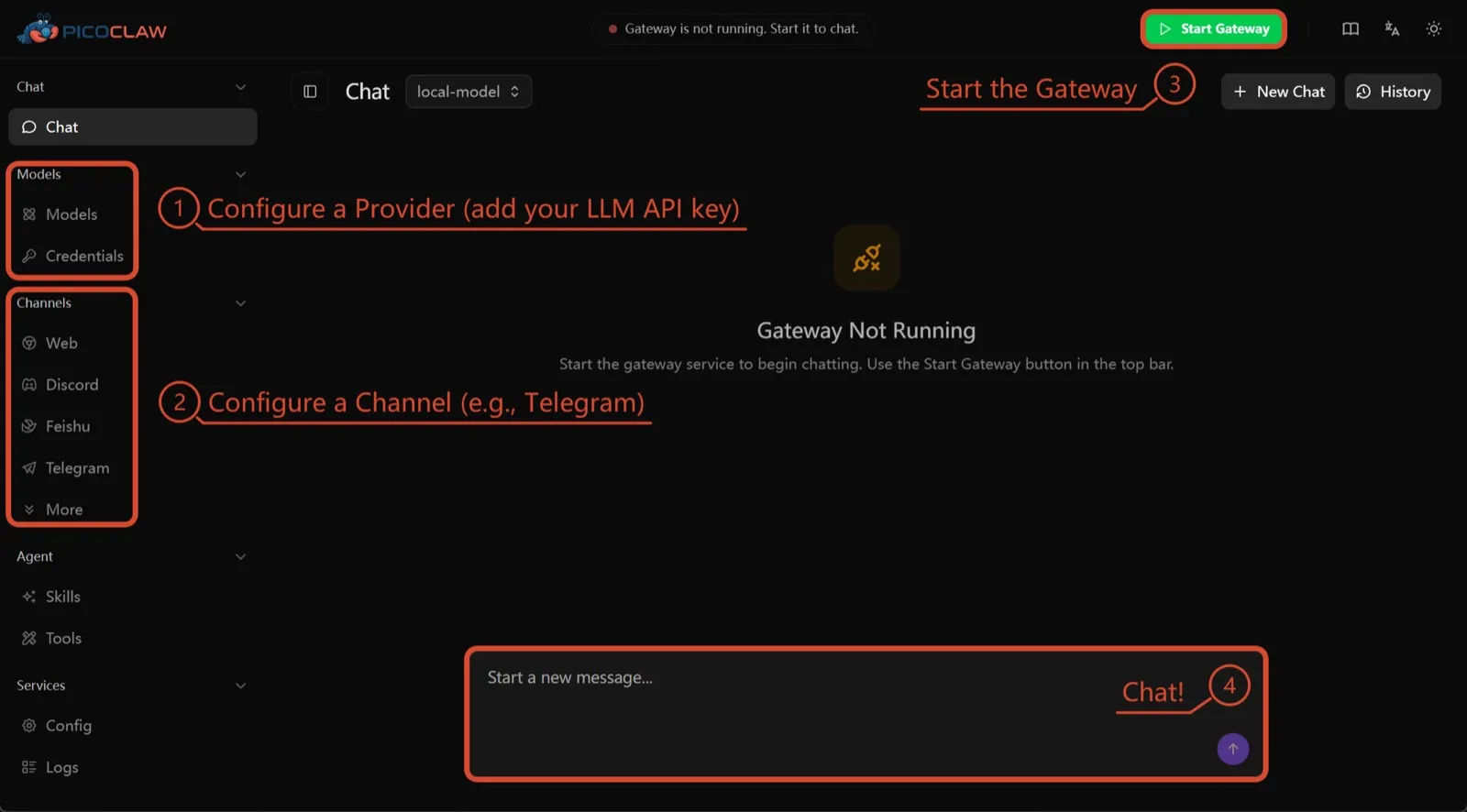
6. PicoClaw : pour le matériel minuscule
PicoClaw de Sipeed est un binaire Go unique qui demande au moins 10 Mo de RAM libre (32 Mo ou plus recommandés) et tourne sur x86, ARM, RISC-V et MIPS, y compris des cartes à 10 $, des routeurs et de vieux téléphones Android. Aucune télémétrie n’est documentée et environ 19 canaux de messagerie sont pris en charge.
Il figure ici uniquement pour le matériel. L’isolation des processus est désactivée par défaut, et le projet lui-même déconseille de l’utiliser en production avant la v1.0.
7. nanobot : du Python compact et lisible
nanobot, du Data Intelligence Lab de l’Université de Hong Kong, est un agent Python compact avec une interface navigateur soignée, une interface en terminal, des automatisations planifiées et de nombreux canaux de messagerie. Il n’a aucune télémétrie et fonctionne avec Ollama, vLLM ou LM Studio.
Comme pour OpenClaw, ses commandes shell ne sont pas sandboxées tant que vous n’activez pas bubblewrap ou Seatbelt, et Windows n’a aucun sandbox. Choisissez-le si vous voulez un code que vous pouvez lire en un après-midi.

Lequel choisir
- Vous voulez la fonction d’OpenClaw avec des réglages sûrs par défaut et sans télémétrie : ZeroClaw.
- Vous voulez chaque agent dans un conteneur et Claude Code ne vous gêne pas : NanoClaw.
- Vous voulez garder votre configuration OpenClaw et couper la télémétrie : Hermes Agent.
- Vous voulez garder OpenClaw lui-même, sandboxé, et vous avez la RAM : NemoClaw.
- Vous tournez sur une carte ou un vieux téléphone : PicoClaw.
Pour une liste plus large qui ne tourne pas autour d’OpenClaw, consultez les meilleurs agents IA auto-hébergés.
Alternatives
Personal AI agent in one Rust binary, MIT or Apache-2.0, with local or cloud models, 30+ channels, approval gates and an OS sandbox on by default.
Meets every check: one Rust binary, approval gates and an OS sandbox on by default, no telemetry, local models.
Aller sur ZeroClawPoints forts
- Safe defaults: the recommended profile asks before medium-risk actions, blocks high-risk ones, keeps files in the workspace and runs tools in an OS sandbox
- One small Rust binary with one config file, running on macOS, Linux, Windows and boards like a Raspberry Pi
- More than 30 channels, plus a web dashboard for chat, memory, config and cron
- Provider fallback chains, local models through Ollama, and cryptographic receipts for tool calls
- States plainly that it sends no telemetry and needs no cloud account or license server
Points faibles
- Slack, iMessage, Signal and several other channels are not in the standard release; you build from source with extra features to get them
- `zeroclaw quickstart` only sets up the model provider; channels and risk profiles mean editing the TOML config file
- The Docker sandbox backend isn't picked automatically under the default native runtime
- Model costs are on you
Small, MIT-licensed OpenClaw alternative that runs each agent in its own Docker container and chats with you on WhatsApp, Telegram, Slack, Discord and more.
Every agent in its own container and a tiny codebase, but tied to Claude Code and sends setup diagnostics by default.
Aller sur NanoClawPoints forts
- Every agent runs in its own Docker container and sees only the folders you mount, so shell access stays off your host
- Small codebase (one host process and a handful of files) that you customize by having Claude Code edit your fork
- Agents never hold raw API keys: outbound calls go through a credential gateway with per-agent policies and rate limits
- Many chat channels, including WhatsApp, Telegram, Slack, Discord, iMessage, Teams, Matrix and email, with one or several agents per channel
- Scheduled tasks with optional script gates that skip waking the agent when there's nothing to do
Points faibles
- Built around Claude and Claude Code: customizing, debugging and adding channels all go through Claude Code
- Sends anonymous setup diagnostics unless you set NANOCLAW_NO_DIAGNOSTICS=1
- No config files by design, so every change means editing code in your own fork
- Needs Docker, and Windows only works through WSL2
Free, MIT-licensed AI agent from Nous Research that runs on your own machine or server, learns reusable skills, and chats with you on Telegram, Slack and more.
MIT licensed, no telemetry and lives in your chat apps, but commands aren't sandboxed by default.
Aller sur Hermes AgentPoints forts
- Free and MIT licensed, and runs on hardware you control
- Writes and refines its own skills from experience, on top of persistent memory and cross-session search
- One gateway for 20+ chat platforms, including Telegram, Discord, Slack, WhatsApp, Signal and email
- Run several separate agents as profiles, each with its own model, memory and skills, and let them talk in group chats
- Model-agnostic, with a one-command import from OpenClaw
Points faibles
- Setup expects comfort with the command line and with running your own server
- Model costs are on you unless you use free models, and hosted web search, images and speech need a paid Nous Portal plan or your own keys
- iMessage needs a separate BlueBubbles server on a Mac
- No native mobile app; Android support is a command-line install through Termux
Open-source, self-hostable platform for persistent AI bots that each get a job, a computer, memory and routines, using the model you choose.
Our own product. Meets every check: Apache-2.0, sandboxed bot computers, no telemetry by default, any model you connect.
Aller sur RakazoPoints forts
- Open source (Apache-2.0) and fully self-hostable, including with local models
- Choice of model per bot, including existing Claude or ChatGPT subscriptions
- Bots keep working on schedules and triggers with their own cloud computer
- Approval controls over which actions a bot may take on its own
Points faibles
- Still in beta, with frequent releases
- You supply and pay for the model on the hosted plans, unless you buy Rakazo credits
- Telegram, WhatsApp and iMessage/SMS are only available when self-hosted
- More setup than a single chat app
NVIDIA's Apache-2.0 stack for running OpenClaw, Hermes or Deep Agents inside locked-down OpenShell sandboxes with managed inference. Alpha.
Puts OpenClaw or Hermes in a locked-down sandbox, but it's alpha, heavy to run and sends telemetry by default.
Aller sur NemoClawPoints forts
- Puts OpenClaw or Hermes Agent in a sandbox with network, filesystem and process controls instead of running it on your host
- Unapproved network destinations are blocked and surfaced for an operator to approve
- Inference, messaging and MCP credentials stay outside the sandbox
- Backed by NVIDIA, with local inference through Ollama, vLLM or NIM and a tested path on DGX Spark
Points faibles
- Alpha: maintainers support it on a best-effort basis, and several channels are experimental
- A wrapper, not an agent: what the bot can do depends on the OpenClaw or Hermes version inside
- Heavier than running the agent alone: 8 GB RAM minimum, a 2.4 GB sandbox image and a container runtime
- The CLI sends operation telemetry to NVIDIA unless you set NEMOCLAW_DISABLE_TELEMETRY=1
Free, MIT-licensed personal AI agent written in Go that runs as one small binary on cheap boards, old phones and PCs, and chats on Telegram, Discord and more.
Runs on cheap boards in a few dozen MB of RAM with no telemetry, but it's pre-1.0 and commands aren't sandboxed by default.
Aller sur PicoClawPoints forts
- Tiny footprint: one Go binary that Sipeed says boots in under a second and needs only 10 to 20 MB of RAM
- Runs on hardware others can't, from $10 RISC-V boards and routers to old Android phones
- About 19 chat channels, including Telegram, Discord, Slack, WhatsApp, Matrix, LINE and Delta Chat
- Web search works without an API key through a built-in DuckDuckGo fallback
- Heartbeat check-ins, cron reminders, MCP tools and routing between several agents
Points faibles
- The project warns it is in early rapid development, may have unresolved security issues, and should not be used in production before v1.0
- The default workspace restriction only checks paths; true process isolation is off by default and implemented only on Linux and Windows
- Native WhatsApp needs a custom build or a separate bridge
- No built-in image generation, and voice messages are only transcribed if you add a provider such as Groq
Free, MIT-licensed personal AI agent in Python with a browser UI and terminal app, scheduled tasks, memory, and chat on Telegram, Discord, Slack and more.
Small, readable Python with a good web UI and no telemetry, but shell commands aren't sandboxed by default.
Aller sur nanobotPoints forts
- Free and MIT licensed, with a small Python core that is meant to be read and modified
- Polished bundled WebUI with projects, file diffs, an MCP app catalog and an automations calendar, plus a terminal UI
- Many chat channels, including Telegram, Discord, Slack, WhatsApp, WeChat, Feishu, Teams, Matrix and email
- Scheduled automations, long-running goals and a heartbeat that reports only useful results to your last chat
- Works with local models through Ollama, vLLM or LM Studio
Points faibles
- Shell commands are not sandboxed by default; the bubblewrap or macOS Seatbelt sandbox must be turned on, and Windows has none
- Model costs are on you, and voice messages need a separate transcription provider such as Groq or OpenAI
- No native mobile or desktop app; on a phone you use the WebUI in a browser or a chat app
- Missed scheduled runs are not replayed and interrupted subagent tasks are not relaunched after a restart
Fonctionnalités
| OpenClaw | ZeroClaw | NanoClaw | Hermes Agent | Rakazo | NemoClaw | PicoClaw | nanobot | |
|---|---|---|---|---|---|---|---|---|
| Recherche web | Oui | Oui | Oui | Oui | Oui | Oui | Oui | Oui |
| Génération d'images | Oui | Oui | Inconnu | Oui | Oui | Inconnu | Non | Oui |
| Mode vocal | Oui | Oui | Inconnu | Oui | Oui | Inconnu | Oui | Oui |
| Envoi de fichiers | Oui | Oui | Oui | Oui | Oui | Inconnu | Oui | Oui |
| Mémoire | Oui | Oui | Oui | Oui | Oui | Inconnu | Oui | Oui |
| Agit à votre place | Oui | Oui | Oui | Oui | Oui | Oui | Oui | Oui |
| Intégrations d'apps | Oui | Oui | Oui | Oui | Oui | Oui | Oui | Oui |
| Travaille en autonomie | Oui | Oui | Oui | Oui | Oui | Oui | Oui | Oui |
| Vous écrit en premier | Oui | Oui | Oui | Oui | Oui | Inconnu | Oui | Oui |
| Plusieurs bots | Oui | Oui | Oui | Oui | Oui | Inconnu | Oui | Oui |
Sources
OpenClaw
- OpenClaw homepage and Foundation section
- OpenClaw integrations: channels, providers and plugins
- openclaw/openclaw on GitHub (MIT, v2026.11.1)
- OpenClaw docs: Sandboxing (off by default)
- Wikipedia: OpenClaw
- Notebookcheck: OpenClaw can burn through hundreds of dollars per day
- OpenClaw docs: Memory overview
- OpenClaw docs: Automations
- OpenClaw docs: Chat channels
- OpenClaw docs: iMessage
- OpenClaw docs: Heartbeat, now a default Proactive check job
- OpenClaw docs: Multi-agent routing
- OpenClaw docs: Platforms (macOS, Windows, Linux, iOS and Android apps)
- OpenClaw docs: Tools (exec, browser, web search)
- OpenClaw docs: Audio and voice notes (inbound transcription)
- OpenClaw docs: Image and media support (inbound media)
- OpenClaw docs: Install (system requirements, installer script, npm, desktop apps, Docker)
- OpenClaw docs: One-click deploy on Railway
- OpenClaw docs: Usage telemetry and update checks (on by default, feature statistics opt-in)
- OpenClaw docs: Ollama provider (local models)
ZeroClaw
- zeroclaw-labs/zeroclaw on GitHub (MIT OR Apache-2.0, v0.8.7, README)
- ZeroClaw website
- ZeroClaw docs: Sandboxing
- ZeroClaw source: risk presets (Balanced, recommended, has the sandbox on)
- ZeroClaw docs: Channels overview (default and standard release bundles)
- ZeroClaw docs: You own it (no telemetry)
- ZeroClaw docs: Docker and containers
- ZeroClaw source: tools (image generation, screenshot, web)
NanoClaw
Hermes Agent
- NousResearch/hermes-agent on GitHub (MIT, v0.23.0)
- Hermes Agent homepage and Nous Portal pricing
- Hermes Agent documentation
- Hermes Agent docs: Profiles, running multiple agents
- Hermes Agent docs: Bot Mode
- Hermes Agent docs: Voice mode
- Hermes Agent docs: Vision and image paste
- Hermes Agent docs: iMessage via BlueBubbles
- Nous Research on X: Meet Hermes Agent (February 25, 2026)
- Hermes Agent docs: Session heartbeats and cron watchdogs
- Hermes Agent docs: FAQ (Is my data sent anywhere?)
- Hermes Agent docs: Installation (desktop packages, install script, Docker)
- Hermes Agent docs: Platform support (no Linux desktop package; PyPI installs unsupported)
- Hermes Agent docs: Docker setup
- Hermes Agent docs: Configuration (terminal backend defaults to local)
- Hermes Agent docs: Security (approval modes, optional container isolation)
- Hermes Agent docs: Local models
- Hermes Agent example config (shared metrics off by default)
Rakazo
- Rakazo homepage
- Rakazo pricing
- Rakazo privacy policy
- Rakazo on GitHub (README and license)
- Rakazo changelog
- Rakazo releases
- Rakazo docs: Image and video generation
- Rakazo docs: Memory
- Rakazo docs: Connect apps
- Rakazo docs: Routines
- Rakazo docs: Chat apps
- Rakazo docs: Messaging apps (self-hosting)
- Rakazo docs: Bots and chats (add another bot, bot templates)
- Rakazo docs: Groups (several bots in one chat)
- Rakazo docs: Mobile app (notifications)
- Rakazo privacy policy (updated Sep 14, 2026)
- Rakazo privacy policy source on GitHub
- Rakazo docs: Logs and monitoring (product analytics off by default)
- Rakazo docs: Desktop app (run locally in Docker, updates)
- Rakazo docs: Docker computers
- Rakazo docs: Self-hosted models (Ollama, LM Studio)
- Rakazo Railway template setup guide
NemoClaw
- NVIDIA/NemoClaw on GitHub (Apache-2.0, README: supported agents, alpha status)
- NemoClaw docs: Overview
- NemoClaw docs: Prerequisites and platforms
- NemoClaw docs: Choose an inference provider (Ollama, vLLM, NIM)
- NemoClaw docs index: messaging channels (WhatsApp, Teams, Google Chat, WeChat experimental)
- NemoClaw source: telemetry delivery and NEMOCLAW_DISABLE_TELEMETRY
PicoClaw
- sipeed/picoclaw on GitHub (MIT, README with security notice and channel list)
- PicoClaw releases (v0.0.1 on February 9, 2026; v0.3.1 on July 3, 2026)
- PicoClaw official website and downloads
- PicoClaw docs: Configuration (workspace restriction, heartbeat, voice, multi-agent routing)
- PicoClaw source: subprocess isolation, disabled by default
- PicoClaw docs: Tools configuration (web search, exec, cron, MCP, skills)
- PicoClaw docs: Chat apps (WhatsApp native build or bridge)
- PicoClaw docs: Hardware compatibility and minimum requirements
- PicoClaw docs: Docker
nanobot
- HKUDS/nanobot on GitHub (MIT, v0.4.1, README)
- nanobot documentation
- nanobot release archive (officially launched February 2, 2026)
- nanobot docs: Chat apps
- nanobot docs: Providers and models (Ollama, vLLM, LM Studio)
- nanobot docs: Configuration (security, exec sandbox off by default, transcription, Langfuse)
- nanobot docs: Automations and heartbeat
- nanobot docs: Concepts (heartbeat delivery, subagent recovery)
- nanobot docs: Memory and Dream
- nanobot docs: Multiple instances
- nanobot docs: Deployment (Docker, services, Render)
- nanobot source: skills installer runs with DISABLE_TELEMETRY