Las mejores alternativas a OpenClaw para autoalojar en 2026
Siete alternativas de código abierto a OpenClaw, clasificadas según lo que aleja a la gente: sin sandbox por defecto, mucho código, telemetría y requisitos de hardware.
De un vistazo
| Bot | Licencia | Apps de chat | |||||
|---|---|---|---|---|---|---|---|
| OpenClaw | MIT | 394,2 mil | Sí | No | Telegram, WhatsApp, iMessage, Discord, Slack | Gratis | |
| ZeroClaw | MIT OR Apache-2.0 | 33,3 mil | Sí | Sí | Telegram, WhatsApp, Discord | Gratis | |
| NanoClaw | MIT | 31,1 mil | Sí | Sí | Telegram, WhatsApp, iMessage, Discord, Slack | Gratis | |
| Hermes Agent | MIT | 261,7 mil | Sí | No | Telegram, WhatsApp, iMessage, Discord, Slack | Desde 20 US$/mes | |
| Rakazo | Apache-2.0 | 7,5 mil | Sí | Sí | Telegram, WhatsApp, iMessage, Slack | Desde 10 US$/mes | |
| NemoClaw | Apache-2.0 | 23 mil | Sí | Sí | Telegram, Discord, Slack | Gratis | |
| PicoClaw | MIT | 30,1 mil | Sí | No | Telegram, WhatsApp, Discord, Slack | Gratis | |
| nanobot | MIT | 49,9 mil | Sí | No | Telegram, WhatsApp, Discord, Slack | Gratis |


Lista de control
| OpenClaw | ZeroClaw | NanoClaw | Hermes Agent | Rakazo | NemoClaw | PicoClaw | nanobot | |
|---|---|---|---|---|---|---|---|---|
| Licencia de código abierto | Sí | Sí | Sí | Sí | Sí | Sí | Sí | Sí |
| Funciona con modelos locales | Sí | Sí | Sí | Sí | Sí | Sí | Sí | Sí |
| Sandbox por defecto | No | Sí | Sí | No | Sí | Sí | No | No |
| Sin telemetría por defecto | No | Sí | No | Sí | Sí | No | Sí | Sí |
| Vive en tus apps de chat | Sí | Sí | Sí | Sí | Sí | Sí | Sí | Sí |
| Trabaja mientras no estás | Sí | Sí | Sí | Sí | Sí | Sí | Sí | Sí |
OpenClaw es el agente de código abierto por defecto: licencia MIT, 394.193 estrellas en GitHub a 8 de noviembre de 2026, 29 canales de chat y apps para todos los escritorios y teléfonos. La mayoría de quienes buscan una alternativa no están descontentos con lo que puede hacer. Les inquieta cómo lo hace.
Por qué la gente deja OpenClaw
Surgen cuatro motivos, y han dado forma al ranking de abajo.
Sin sandbox por defecto. El sandboxing de OpenClaw viene desactivado, así que el agente ejecuta comandos en su equipo salvo que usted active las aprobaciones o el sandbox. Si a eso le suma acceso a su correo, sus mensajes y skills de terceros, la inyección de prompts se convierte en un riesgo real. Sus propios mantenedores advierten que es arriesgado para usuarios no técnicos. Lo tratamos con más detalle en ¿Es seguro OpenClaw?
Tamaño y complejidad. 142 plugins oficiales y 64 proveedores de modelos y medios lo hacen muy capaz, pero es mucho código en el que confiar y que mantener actualizado, y la instalación presupone la línea de comandos.
Telemetría. Por defecto contacta a diario con el servidor del proyecto y envía su versión de OpenClaw, el sistema operativo, la versión de Node.js y la arquitectura de CPU, además de un recuento de instalaciones e informes de actualización. Es algo menor y update.checkOnStart: false lo desactiva, pero está activo hasta que usted lo haga.
Hardware y entorno de ejecución. Necesita Node 24.16+ o 26.1+, lo cual está bien en un portátil y no tanto en una Raspberry Pi o un router.
Clasificamos las alternativas según cuántos de esos problemas resuelven sin dejar de hacer lo esencial: un agente siempre activo con el que habla desde una app de chat.
1. ZeroClaw: lo más parecido a “OpenClaw con valores seguros por defecto”
ZeroClaw resuelve los cuatro. Es un único binario de Rust con un solo archivo de configuración TOML, y funciona en macOS, Linux, Windows, FreeBSD, Android o una Raspberry Pi. Su perfil recomendado, Balanced, pide confirmación antes de acciones de riesgo medio, bloquea las de riesgo alto, limita el acceso a archivos al espacio de trabajo y ejecuta las herramientas en un sandbox del sistema operativo (Seatbelt en macOS, Firejail en Linux). Su documentación indica que no envía telemetría.
La pega son los canales: Slack, iMessage y Signal no vienen en la versión estándar, así que tiene que compilar desde el código fuente con funciones adicionales. Si vive en WhatsApp, Telegram o Discord, da igual. Comparativa completa: ZeroClaw vs OpenClaw.

2. NanoClaw: aislamiento real en contenedores, código pequeño
NanoClaw nació como una versión más pequeña de OpenClaw y aislada en contenedores. Cada agente se ejecuta en su propio contenedor Docker y solo ve las carpetas que usted monta, y las llamadas salientes a APIs pasan por una pasarela de credenciales para que los agentes nunca tengan las claves en bruto. El anfitrión es un único proceso de Node y un puñado de archivos.
Queda por debajo de ZeroClaw por dos motivos: está construido en torno a Claude y Claude Code (personalizarlo significa que Claude Code edite su fork, y no hay archivos de configuración), y envía diagnósticos de instalación anónimos salvo que defina NANOCLAW_NO_DIAGNOSTICS=1. Vea NanoClaw vs OpenClaw.

3. Hermes Agent: el cambio más fácil
Hermes Agent, de Nous Research, está pensado para usuarios de OpenClaw. Importa su configuración, memorias y skills de OpenClaw con un solo comando, cubre más de 20 plataformas de chat y sus métricas compartidas están desactivadas por defecto. También añade algo que OpenClaw no destaca: escribe y perfecciona sus propias skills tras tareas complejas.
Pero no resuelve el problema del sandbox. El backend de terminal es local por defecto y el aislamiento en contenedores es opcional. Elíjalo por la telemetría y las funciones, no por la seguridad. Más en Hermes vs OpenClaw.

4. Rakazo: ordenadores en sandbox por bot
Rakazo, que desarrollamos nosotros, da a cada bot su propio ordenador en sandbox con navegador, terminal y escritorio, así que los comandos del agente se ejecutan allí y no en su equipo. Es Apache-2.0, una instalación autoalojada no envía analítica de producto y ejecuta modelos locales mediante Ollama o LM Studio. Usted decide qué acciones necesitan su aprobación.
Es más pesado que las opciones anteriores (Docker Engine con Compose), sigue en beta, y Telegram, WhatsApp e iMessage solo funcionan si lo autoaloja.


5. NemoClaw: quédese con OpenClaw y añada una jaula
Si le gusta OpenClaw y solo le molesta que campe a sus anchas por su máquina, NemoClaw es el stack de NVIDIA para ejecutar OpenClaw dentro de un sandbox de OpenShell. Los destinos de red no aprobados quedan bloqueados hasta que un operador los aprueba, y las credenciales se quedan fuera del sandbox.
Empeora las otras tres quejas: 8 GB de RAM como mínimo (16 GB recomendados), un entorno de contenedores, telemetría a NVIDIA salvo que defina NEMOCLAW_DISABLE_TELEMETRY=1, y estado alfa. Vea NemoClaw vs OpenClaw.

6. PicoClaw: para hardware diminuto
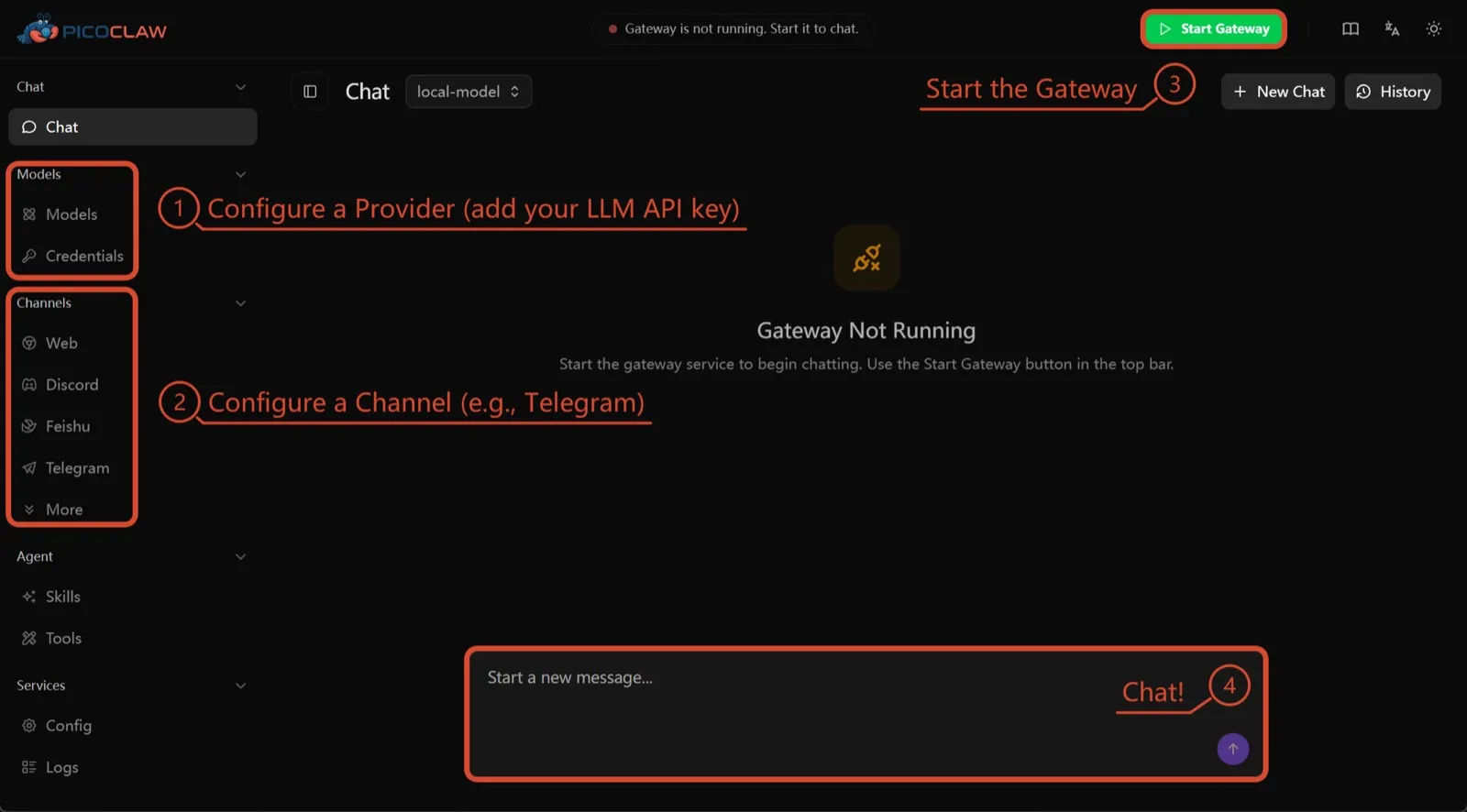
PicoClaw, de Sipeed, es un único binario de Go que necesita al menos 10 MB de RAM libre (se recomiendan 32 MB o más) y funciona en x86, ARM, RISC-V y MIPS, incluidas placas de 10 $, routers y teléfonos Android antiguos. No hay telemetría documentada y admite unos 19 canales de chat.
Está aquí solo por el hardware. El aislamiento de procesos está desactivado por defecto, y el propio proyecto desaconseja usarlo en producción antes de la v1.0.
7. nanobot: Python pequeño y legible
nanobot, del Data Intelligence Lab de la Universidad de Hong Kong, es un agente compacto en Python con una interfaz de navegador pulida, una interfaz de terminal, automatizaciones programadas y muchos canales de chat. No tiene telemetría y funciona con Ollama, vLLM o LM Studio.
Como OpenClaw, sus comandos de shell no se ejecutan en sandbox hasta que active bubblewrap o Seatbelt, y Windows no tiene sandbox alguno. Elíjalo si quiere código que pueda leer en una tarde.

Cuál elegir
- Quiere lo que hace OpenClaw con valores seguros por defecto y sin telemetría: ZeroClaw.
- Quiere cada agente en un contenedor y no le importa Claude Code: NanoClaw.
- Quiere conservar su configuración de OpenClaw y cortar la telemetría: Hermes Agent.
- Quiere seguir con OpenClaw, en sandbox, y tiene la RAM: NemoClaw.
- Lo ejecuta en una placa o un teléfono antiguo: PicoClaw.
Para una lista más amplia que no gire en torno a OpenClaw, vea los mejores agentes de IA autoalojados.
Alternativas
Personal AI agent in one Rust binary, MIT or Apache-2.0, with local or cloud models, 30+ channels, approval gates and an OS sandbox on by default.
Meets every check: one Rust binary, approval gates and an OS sandbox on by default, no telemetry, local models.
Ir a ZeroClawPuntos fuertes
- Safe defaults: the recommended profile asks before medium-risk actions, blocks high-risk ones, keeps files in the workspace and runs tools in an OS sandbox
- One small Rust binary with one config file, running on macOS, Linux, Windows and boards like a Raspberry Pi
- More than 30 channels, plus a web dashboard for chat, memory, config and cron
- Provider fallback chains, local models through Ollama, and cryptographic receipts for tool calls
- States plainly that it sends no telemetry and needs no cloud account or license server
Puntos débiles
- Slack, iMessage, Signal and several other channels are not in the standard release; you build from source with extra features to get them
- `zeroclaw quickstart` only sets up the model provider; channels and risk profiles mean editing the TOML config file
- The Docker sandbox backend isn't picked automatically under the default native runtime
- Model costs are on you
Small, MIT-licensed OpenClaw alternative that runs each agent in its own Docker container and chats with you on WhatsApp, Telegram, Slack, Discord and more.
Every agent in its own container and a tiny codebase, but tied to Claude Code and sends setup diagnostics by default.
Ir a NanoClawPuntos fuertes
- Every agent runs in its own Docker container and sees only the folders you mount, so shell access stays off your host
- Small codebase (one host process and a handful of files) that you customize by having Claude Code edit your fork
- Agents never hold raw API keys: outbound calls go through a credential gateway with per-agent policies and rate limits
- Many chat channels, including WhatsApp, Telegram, Slack, Discord, iMessage, Teams, Matrix and email, with one or several agents per channel
- Scheduled tasks with optional script gates that skip waking the agent when there's nothing to do
Puntos débiles
- Built around Claude and Claude Code: customizing, debugging and adding channels all go through Claude Code
- Sends anonymous setup diagnostics unless you set NANOCLAW_NO_DIAGNOSTICS=1
- No config files by design, so every change means editing code in your own fork
- Needs Docker, and Windows only works through WSL2
Free, MIT-licensed AI agent from Nous Research that runs on your own machine or server, learns reusable skills, and chats with you on Telegram, Slack and more.
MIT licensed, no telemetry and lives in your chat apps, but commands aren't sandboxed by default.
Ir a Hermes AgentPuntos fuertes
- Free and MIT licensed, and runs on hardware you control
- Writes and refines its own skills from experience, on top of persistent memory and cross-session search
- One gateway for 20+ chat platforms, including Telegram, Discord, Slack, WhatsApp, Signal and email
- Run several separate agents as profiles, each with its own model, memory and skills, and let them talk in group chats
- Model-agnostic, with a one-command import from OpenClaw
Puntos débiles
- Setup expects comfort with the command line and with running your own server
- Model costs are on you unless you use free models, and hosted web search, images and speech need a paid Nous Portal plan or your own keys
- iMessage needs a separate BlueBubbles server on a Mac
- No native mobile app; Android support is a command-line install through Termux
Open-source, self-hostable platform for persistent AI bots that each get a job, a computer, memory and routines, using the model you choose.
Our own product. Meets every check: Apache-2.0, sandboxed bot computers, no telemetry by default, any model you connect.
Ir a RakazoPuntos fuertes
- Open source (Apache-2.0) and fully self-hostable, including with local models
- Choice of model per bot, including existing Claude or ChatGPT subscriptions
- Bots keep working on schedules and triggers with their own cloud computer
- Approval controls over which actions a bot may take on its own
Puntos débiles
- Still in beta, with frequent releases
- You supply and pay for the model on the hosted plans, unless you buy Rakazo credits
- Telegram, WhatsApp and iMessage/SMS are only available when self-hosted
- More setup than a single chat app
NVIDIA's Apache-2.0 stack for running OpenClaw, Hermes or Deep Agents inside locked-down OpenShell sandboxes with managed inference. Alpha.
Puts OpenClaw or Hermes in a locked-down sandbox, but it's alpha, heavy to run and sends telemetry by default.
Ir a NemoClawPuntos fuertes
- Puts OpenClaw or Hermes Agent in a sandbox with network, filesystem and process controls instead of running it on your host
- Unapproved network destinations are blocked and surfaced for an operator to approve
- Inference, messaging and MCP credentials stay outside the sandbox
- Backed by NVIDIA, with local inference through Ollama, vLLM or NIM and a tested path on DGX Spark
Puntos débiles
- Alpha: maintainers support it on a best-effort basis, and several channels are experimental
- A wrapper, not an agent: what the bot can do depends on the OpenClaw or Hermes version inside
- Heavier than running the agent alone: 8 GB RAM minimum, a 2.4 GB sandbox image and a container runtime
- The CLI sends operation telemetry to NVIDIA unless you set NEMOCLAW_DISABLE_TELEMETRY=1
Free, MIT-licensed personal AI agent written in Go that runs as one small binary on cheap boards, old phones and PCs, and chats on Telegram, Discord and more.
Runs on cheap boards in a few dozen MB of RAM with no telemetry, but it's pre-1.0 and commands aren't sandboxed by default.
Ir a PicoClawPuntos fuertes
- Tiny footprint: one Go binary that Sipeed says boots in under a second and needs only 10 to 20 MB of RAM
- Runs on hardware others can't, from $10 RISC-V boards and routers to old Android phones
- About 19 chat channels, including Telegram, Discord, Slack, WhatsApp, Matrix, LINE and Delta Chat
- Web search works without an API key through a built-in DuckDuckGo fallback
- Heartbeat check-ins, cron reminders, MCP tools and routing between several agents
Puntos débiles
- The project warns it is in early rapid development, may have unresolved security issues, and should not be used in production before v1.0
- The default workspace restriction only checks paths; true process isolation is off by default and implemented only on Linux and Windows
- Native WhatsApp needs a custom build or a separate bridge
- No built-in image generation, and voice messages are only transcribed if you add a provider such as Groq
Free, MIT-licensed personal AI agent in Python with a browser UI and terminal app, scheduled tasks, memory, and chat on Telegram, Discord, Slack and more.
Small, readable Python with a good web UI and no telemetry, but shell commands aren't sandboxed by default.
Ir a nanobotPuntos fuertes
- Free and MIT licensed, with a small Python core that is meant to be read and modified
- Polished bundled WebUI with projects, file diffs, an MCP app catalog and an automations calendar, plus a terminal UI
- Many chat channels, including Telegram, Discord, Slack, WhatsApp, WeChat, Feishu, Teams, Matrix and email
- Scheduled automations, long-running goals and a heartbeat that reports only useful results to your last chat
- Works with local models through Ollama, vLLM or LM Studio
Puntos débiles
- Shell commands are not sandboxed by default; the bubblewrap or macOS Seatbelt sandbox must be turned on, and Windows has none
- Model costs are on you, and voice messages need a separate transcription provider such as Groq or OpenAI
- No native mobile or desktop app; on a phone you use the WebUI in a browser or a chat app
- Missed scheduled runs are not replayed and interrupted subagent tasks are not relaunched after a restart
Funciones
| OpenClaw | ZeroClaw | NanoClaw | Hermes Agent | Rakazo | NemoClaw | PicoClaw | nanobot | |
|---|---|---|---|---|---|---|---|---|
| Búsqueda web | Sí | Sí | Sí | Sí | Sí | Sí | Sí | Sí |
| Generación de imágenes | Sí | Sí | Desconocido | Sí | Sí | Desconocido | No | Sí |
| Modo de voz | Sí | Sí | Desconocido | Sí | Sí | Desconocido | Sí | Sí |
| Subida de archivos | Sí | Sí | Sí | Sí | Sí | Desconocido | Sí | Sí |
| Memoria | Sí | Sí | Sí | Sí | Sí | Desconocido | Sí | Sí |
| Hace tareas por ti | Sí | Sí | Sí | Sí | Sí | Sí | Sí | Sí |
| Integraciones con apps | Sí | Sí | Sí | Sí | Sí | Sí | Sí | Sí |
| Trabaja por su cuenta | Sí | Sí | Sí | Sí | Sí | Sí | Sí | Sí |
| Te escribe primero | Sí | Sí | Sí | Sí | Sí | Desconocido | Sí | Sí |
| Varios bots | Sí | Sí | Sí | Sí | Sí | Desconocido | Sí | Sí |
Fuentes
OpenClaw
- OpenClaw homepage and Foundation section
- OpenClaw integrations: channels, providers and plugins
- openclaw/openclaw on GitHub (MIT, v2026.11.1)
- OpenClaw docs: Sandboxing (off by default)
- Wikipedia: OpenClaw
- Notebookcheck: OpenClaw can burn through hundreds of dollars per day
- OpenClaw docs: Memory overview
- OpenClaw docs: Automations
- OpenClaw docs: Chat channels
- OpenClaw docs: iMessage
- OpenClaw docs: Heartbeat, now a default Proactive check job
- OpenClaw docs: Multi-agent routing
- OpenClaw docs: Platforms (macOS, Windows, Linux, iOS and Android apps)
- OpenClaw docs: Tools (exec, browser, web search)
- OpenClaw docs: Audio and voice notes (inbound transcription)
- OpenClaw docs: Image and media support (inbound media)
- OpenClaw docs: Install (system requirements, installer script, npm, desktop apps, Docker)
- OpenClaw docs: One-click deploy on Railway
- OpenClaw docs: Usage telemetry and update checks (on by default, feature statistics opt-in)
- OpenClaw docs: Ollama provider (local models)
ZeroClaw
- zeroclaw-labs/zeroclaw on GitHub (MIT OR Apache-2.0, v0.8.7, README)
- ZeroClaw website
- ZeroClaw docs: Sandboxing
- ZeroClaw source: risk presets (Balanced, recommended, has the sandbox on)
- ZeroClaw docs: Channels overview (default and standard release bundles)
- ZeroClaw docs: You own it (no telemetry)
- ZeroClaw docs: Docker and containers
- ZeroClaw source: tools (image generation, screenshot, web)
NanoClaw
Hermes Agent
- NousResearch/hermes-agent on GitHub (MIT, v0.23.0)
- Hermes Agent homepage and Nous Portal pricing
- Hermes Agent documentation
- Hermes Agent docs: Profiles, running multiple agents
- Hermes Agent docs: Bot Mode
- Hermes Agent docs: Voice mode
- Hermes Agent docs: Vision and image paste
- Hermes Agent docs: iMessage via BlueBubbles
- Nous Research on X: Meet Hermes Agent (February 25, 2026)
- Hermes Agent docs: Session heartbeats and cron watchdogs
- Hermes Agent docs: FAQ (Is my data sent anywhere?)
- Hermes Agent docs: Installation (desktop packages, install script, Docker)
- Hermes Agent docs: Platform support (no Linux desktop package; PyPI installs unsupported)
- Hermes Agent docs: Docker setup
- Hermes Agent docs: Configuration (terminal backend defaults to local)
- Hermes Agent docs: Security (approval modes, optional container isolation)
- Hermes Agent docs: Local models
- Hermes Agent example config (shared metrics off by default)
Rakazo
- Rakazo homepage
- Rakazo pricing
- Rakazo privacy policy
- Rakazo on GitHub (README and license)
- Rakazo changelog
- Rakazo releases
- Rakazo docs: Image and video generation
- Rakazo docs: Memory
- Rakazo docs: Connect apps
- Rakazo docs: Routines
- Rakazo docs: Chat apps
- Rakazo docs: Messaging apps (self-hosting)
- Rakazo docs: Bots and chats (add another bot, bot templates)
- Rakazo docs: Groups (several bots in one chat)
- Rakazo docs: Mobile app (notifications)
- Rakazo privacy policy (updated Sep 14, 2026)
- Rakazo privacy policy source on GitHub
- Rakazo docs: Logs and monitoring (product analytics off by default)
- Rakazo docs: Desktop app (run locally in Docker, updates)
- Rakazo docs: Docker computers
- Rakazo docs: Self-hosted models (Ollama, LM Studio)
- Rakazo Railway template setup guide
NemoClaw
- NVIDIA/NemoClaw on GitHub (Apache-2.0, README: supported agents, alpha status)
- NemoClaw docs: Overview
- NemoClaw docs: Prerequisites and platforms
- NemoClaw docs: Choose an inference provider (Ollama, vLLM, NIM)
- NemoClaw docs index: messaging channels (WhatsApp, Teams, Google Chat, WeChat experimental)
- NemoClaw source: telemetry delivery and NEMOCLAW_DISABLE_TELEMETRY
PicoClaw
- sipeed/picoclaw on GitHub (MIT, README with security notice and channel list)
- PicoClaw releases (v0.0.1 on February 9, 2026; v0.3.1 on July 3, 2026)
- PicoClaw official website and downloads
- PicoClaw docs: Configuration (workspace restriction, heartbeat, voice, multi-agent routing)
- PicoClaw source: subprocess isolation, disabled by default
- PicoClaw docs: Tools configuration (web search, exec, cron, MCP, skills)
- PicoClaw docs: Chat apps (WhatsApp native build or bridge)
- PicoClaw docs: Hardware compatibility and minimum requirements
- PicoClaw docs: Docker
nanobot
- HKUDS/nanobot on GitHub (MIT, v0.4.1, README)
- nanobot documentation
- nanobot release archive (officially launched February 2, 2026)
- nanobot docs: Chat apps
- nanobot docs: Providers and models (Ollama, vLLM, LM Studio)
- nanobot docs: Configuration (security, exec sandbox off by default, transcription, Langfuse)
- nanobot docs: Automations and heartbeat
- nanobot docs: Concepts (heartbeat delivery, subagent recovery)
- nanobot docs: Memory and Dream
- nanobot docs: Multiple instances
- nanobot docs: Deployment (Docker, services, Render)
- nanobot source: skills installer runs with DISABLE_TELEMETRY