Лучшие альтернативы OpenClaw для self-hosting в 2026 году
Семь open source альтернатив OpenClaw по тому, что отталкивает от него: нет песочницы по умолчанию, большая кодовая база, телеметрия и требования к железу.
Коротко
| Бот | Лицензия | Мессенджеры | |||||
|---|---|---|---|---|---|---|---|
| OpenClaw | MIT | 394,2 тыс. | Да | Нет | Telegram, WhatsApp, iMessage, Discord, Slack | Бесплатно | |
| ZeroClaw | MIT OR Apache-2.0 | 33,3 тыс. | Да | Да | Telegram, WhatsApp, Discord | Бесплатно | |
| NanoClaw | MIT | 31,1 тыс. | Да | Да | Telegram, WhatsApp, iMessage, Discord, Slack | Бесплатно | |
| Hermes Agent | MIT | 261,7 тыс. | Да | Нет | Telegram, WhatsApp, iMessage, Discord, Slack | От 20 $/мес. | |
| Rakazo | Apache-2.0 | 7,5 тыс. | Да | Да | Telegram, WhatsApp, iMessage, Slack | От 10 $/мес. | |
| NemoClaw | Apache-2.0 | 23 тыс. | Да | Да | Telegram, Discord, Slack | Бесплатно | |
| PicoClaw | MIT | 30,1 тыс. | Да | Нет | Telegram, WhatsApp, Discord, Slack | Бесплатно | |
| nanobot | MIT | 49,9 тыс. | Да | Нет | Telegram, WhatsApp, Discord, Slack | Бесплатно |


Чек-лист
| OpenClaw | ZeroClaw | NanoClaw | Hermes Agent | Rakazo | NemoClaw | PicoClaw | nanobot | |
|---|---|---|---|---|---|---|---|---|
| Открытая лицензия | Да | Да | Да | Да | Да | Да | Да | Да |
| Работает с локальными моделями | Да | Да | Да | Да | Да | Да | Да | Да |
| Песочница по умолчанию | Нет | Да | Да | Нет | Да | Да | Нет | Нет |
| Без телеметрии по умолчанию | Нет | Да | Нет | Да | Да | Нет | Да | Да |
| Живёт в ваших мессенджерах | Да | Да | Да | Да | Да | Да | Да | Да |
| Работает, пока вас нет | Да | Да | Да | Да | Да | Да | Да | Да |
OpenClaw — open source агент по умолчанию: лицензия MIT, 394 193 звезды на GitHub по состоянию на 8 ноября 2026 года, 29 чат-каналов и приложения для всех десктопов и телефонов. Большинство тех, кто ищет альтернативу, вполне довольны его возможностями. Их смущает то, как он работает.
Почему уходят с OpenClaw
Причин четыре, и именно они определили рейтинг ниже.
Нет песочницы по умолчанию. В OpenClaw песочница из коробки выключена, поэтому агент выполняет команды прямо на вашем хосте, если вы сами не включите подтверждения или песочницу. Добавьте к этому доступ к почте, сообщениям и сторонним навыкам — и prompt injection становится реальным риском. Сами мейнтейнеры предупреждают, что для нетехнических пользователей он рискован. Подробнее мы разбираем это в статье Безопасен ли OpenClaw?
Размер и сложность. 142 официальных плагина и 64 провайдера моделей и медиа делают его мощным, но это много кода, которому нужно доверять и который нужно обновлять, а установка рассчитана на командную строку.
Телеметрия. По умолчанию он ежедневно обращается к серверу проекта, передавая версию OpenClaw, ОС, версию Node.js и архитектуру CPU, а также счётчик установок и отчёты об обновлениях. Это мелочь, и update.checkOnStart: false её отключает, но пока вы этого не сделали, она включена.
Железо и среда выполнения. Нужен Node 24.16+ или 26.1+, что нормально для ноутбука и не очень — для Raspberry Pi или роутера.
Мы ранжировали альтернативы по тому, сколько из этих проблем они решают, продолжая выполнять основную задачу: постоянно работающий агент, с которым вы общаетесь из чат-приложения.
1. ZeroClaw: ближе всего к «OpenClaw с безопасными настройками»
ZeroClaw решает все четыре проблемы. Это единый бинарный файл на Rust с одним конфигом в TOML, работающий на macOS, Linux, Windows, FreeBSD, Android или Raspberry Pi. Рекомендуемый профиль Balanced спрашивает разрешения перед действиями среднего риска, блокирует действия высокого риска, ограничивает доступ к файлам рабочей папкой и запускает инструменты в песочнице ОС (Seatbelt на macOS, Firejail на Linux). В документации указано, что телеметрия не отправляется.
Подвох — в каналах: Slack, iMessage и Signal не входят в стандартный релиз, поэтому придётся собирать из исходников с дополнительными фичами. Если вы живёте в WhatsApp, Telegram или Discord, это неважно. Полное сравнение: ZeroClaw vs OpenClaw.

2. NanoClaw: настоящая изоляция в контейнерах, маленькая кодовая база
NanoClaw появился как более компактная версия OpenClaw с изоляцией в контейнерах. Каждый агент работает в собственном Docker-контейнере и видит только смонтированные вами папки, а исходящие API-вызовы идут через шлюз учётных данных, так что агенты никогда не держат «сырые» ключи. Хост — это один процесс Node и несколько файлов.
Он уступает ZeroClaw по двум причинам: он построен вокруг Claude и Claude Code (настройка означает, что Claude Code правит ваш форк, а конфигурационных файлов нет), и он отправляет анонимную диагностику установки, если не задать NANOCLAW_NO_DIAGNOSTICS=1. См. NanoClaw vs OpenClaw.

3. Hermes Agent: самый простой переход
Hermes Agent от Nous Research создавался с прицелом на пользователей OpenClaw. Он одной командой импортирует ваши настройки, воспоминания и навыки из OpenClaw, поддерживает 20+ чат-платформ, а общие метрики у него по умолчанию выключены. Ещё он добавляет то, чем OpenClaw не выделяется: после сложных задач он сам пишет и улучшает свои навыки.
Проблему песочницы он, однако, не решает. Терминальный бэкенд по умолчанию локальный, а изоляция в контейнере опциональна. Выбирайте его ради телеметрии и функций, а не безопасности. Подробнее в Hermes vs OpenClaw.

4. Rakazo: изолированный компьютер для каждого бота
Rakazo, который делаем мы, даёт каждому боту собственный изолированный компьютер с браузером, терминалом и рабочим столом, поэтому команды агента выполняются там, а не на вашем хосте. Он распространяется под Apache-2.0, self-hosted установка не отправляет продуктовую аналитику, а локальные модели запускаются через Ollama или LM Studio. Вы сами решаете, какие действия требуют вашего подтверждения.
Он тяжелее вариантов выше (Docker Engine с Compose), всё ещё в beta, а Telegram, WhatsApp и iMessage работают только при self-hosting.


5. NemoClaw: оставить OpenClaw, но в клетке
Если OpenClaw вам нравится и вы возражаете только против того, что он свободно хозяйничает на вашей машине, NemoClaw — это стек NVIDIA для запуска OpenClaw внутри песочницы OpenShell. Неодобренные сетевые адреса блокируются, пока их не одобрит оператор, а учётные данные остаются вне песочницы.
Остальные три претензии он усугубляет: минимум 8 ГБ RAM (рекомендуется 16 ГБ), среда выполнения контейнеров, телеметрия в NVIDIA, если не задать NEMOCLAW_DISABLE_TELEMETRY=1, и статус alpha. См. NemoClaw vs OpenClaw.

6. PicoClaw: для крошечного железа
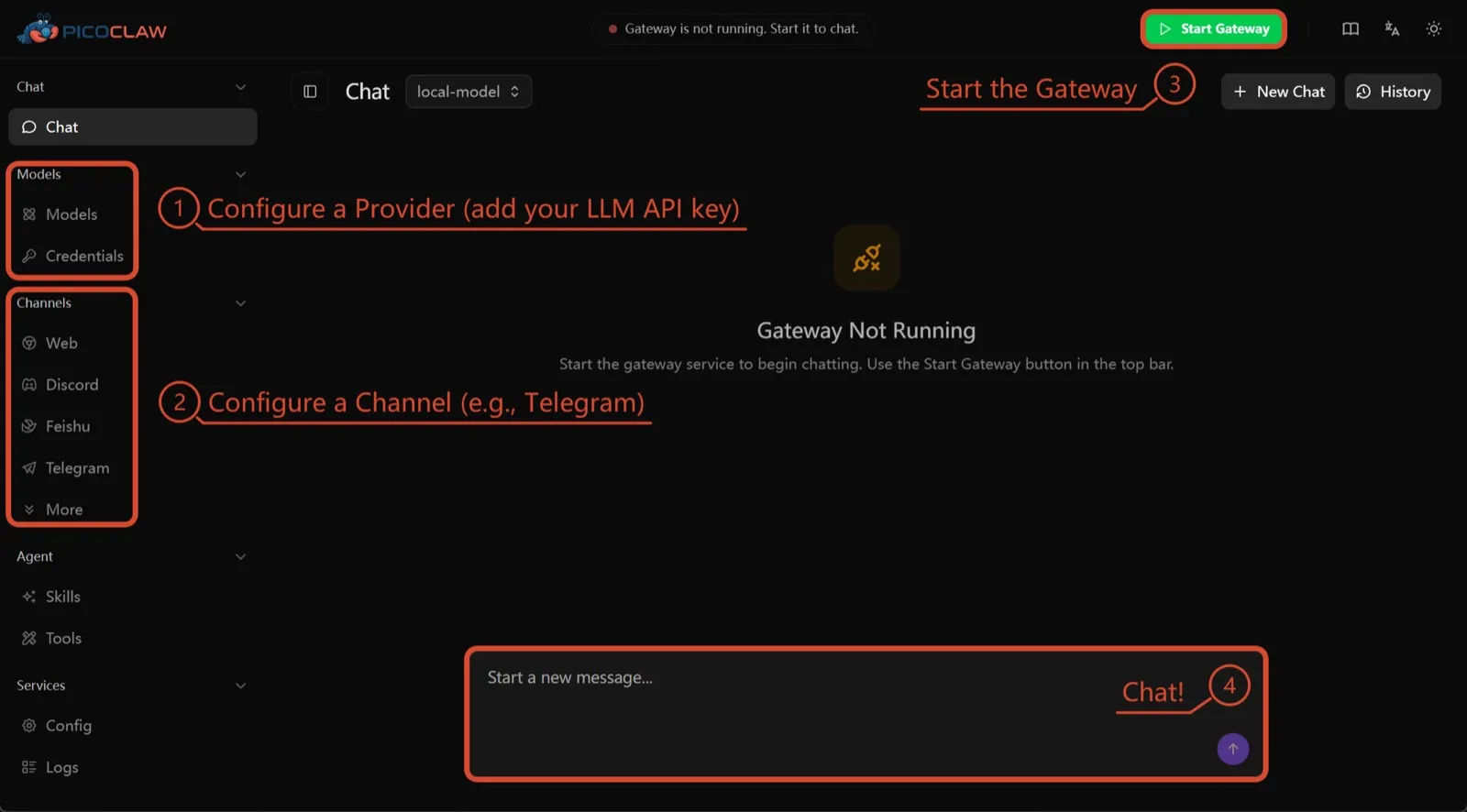
PicoClaw от Sipeed — это один бинарный файл на Go, которому нужно не меньше 10 МБ свободной RAM (рекомендуется 32 МБ+); он работает на x86, ARM, RISC-V и MIPS, включая платы за $10, роутеры и старые Android-телефоны. Телеметрия не задокументирована, поддерживается около 19 чат-каналов.
Он в списке только ради железа. Изоляция процессов по умолчанию выключена, а сам проект советует не использовать его в продакшене до v1.0.
7. nanobot: маленький и читаемый Python
nanobot от Data Intelligence Lab Гонконгского университета — компактный агент на Python с отполированным браузерным интерфейсом, терминальным UI, автоматизациями по расписанию и множеством чат-каналов. Телеметрии нет, работает с Ollama, vLLM или LM Studio.
Как и у OpenClaw, его shell-команды не изолируются, пока вы не включите bubblewrap или Seatbelt, а в Windows песочницы нет вовсе. Выбирайте его, если хотите код, который можно прочитать за один вечер.

Что выбрать
- Нужны задачи OpenClaw с безопасными настройками и без телеметрии: ZeroClaw.
- Нужен каждый агент в контейнере и Claude Code не смущает: NanoClaw.
- Хотите сохранить свою настройку OpenClaw и отключить телеметрию: Hermes Agent.
- Хотите оставить сам OpenClaw, но в песочнице, и RAM хватает: NemoClaw.
- Запускаете на плате или старом телефоне: PicoClaw.
Более широкий список, не привязанный к OpenClaw, — в подборке лучших self-hosted AI-агентов.
Альтернативы
Personal AI agent in one Rust binary, MIT or Apache-2.0, with local or cloud models, 30+ channels, approval gates and an OS sandbox on by default.
Meets every check: one Rust binary, approval gates and an OS sandbox on by default, no telemetry, local models.
Открыть ZeroClawСильные стороны
- Safe defaults: the recommended profile asks before medium-risk actions, blocks high-risk ones, keeps files in the workspace and runs tools in an OS sandbox
- One small Rust binary with one config file, running on macOS, Linux, Windows and boards like a Raspberry Pi
- More than 30 channels, plus a web dashboard for chat, memory, config and cron
- Provider fallback chains, local models through Ollama, and cryptographic receipts for tool calls
- States plainly that it sends no telemetry and needs no cloud account or license server
Слабые стороны
- Slack, iMessage, Signal and several other channels are not in the standard release; you build from source with extra features to get them
- `zeroclaw quickstart` only sets up the model provider; channels and risk profiles mean editing the TOML config file
- The Docker sandbox backend isn't picked automatically under the default native runtime
- Model costs are on you
Small, MIT-licensed OpenClaw alternative that runs each agent in its own Docker container and chats with you on WhatsApp, Telegram, Slack, Discord and more.
Every agent in its own container and a tiny codebase, but tied to Claude Code and sends setup diagnostics by default.
Открыть NanoClawСильные стороны
- Every agent runs in its own Docker container and sees only the folders you mount, so shell access stays off your host
- Small codebase (one host process and a handful of files) that you customize by having Claude Code edit your fork
- Agents never hold raw API keys: outbound calls go through a credential gateway with per-agent policies and rate limits
- Many chat channels, including WhatsApp, Telegram, Slack, Discord, iMessage, Teams, Matrix and email, with one or several agents per channel
- Scheduled tasks with optional script gates that skip waking the agent when there's nothing to do
Слабые стороны
- Built around Claude and Claude Code: customizing, debugging and adding channels all go through Claude Code
- Sends anonymous setup diagnostics unless you set NANOCLAW_NO_DIAGNOSTICS=1
- No config files by design, so every change means editing code in your own fork
- Needs Docker, and Windows only works through WSL2
Free, MIT-licensed AI agent from Nous Research that runs on your own machine or server, learns reusable skills, and chats with you on Telegram, Slack and more.
MIT licensed, no telemetry and lives in your chat apps, but commands aren't sandboxed by default.
Открыть Hermes AgentСильные стороны
- Free and MIT licensed, and runs on hardware you control
- Writes and refines its own skills from experience, on top of persistent memory and cross-session search
- One gateway for 20+ chat platforms, including Telegram, Discord, Slack, WhatsApp, Signal and email
- Run several separate agents as profiles, each with its own model, memory and skills, and let them talk in group chats
- Model-agnostic, with a one-command import from OpenClaw
Слабые стороны
- Setup expects comfort with the command line and with running your own server
- Model costs are on you unless you use free models, and hosted web search, images and speech need a paid Nous Portal plan or your own keys
- iMessage needs a separate BlueBubbles server on a Mac
- No native mobile app; Android support is a command-line install through Termux
Open-source, self-hostable platform for persistent AI bots that each get a job, a computer, memory and routines, using the model you choose.
Our own product. Meets every check: Apache-2.0, sandboxed bot computers, no telemetry by default, any model you connect.
Открыть RakazoСильные стороны
- Open source (Apache-2.0) and fully self-hostable, including with local models
- Choice of model per bot, including existing Claude or ChatGPT subscriptions
- Bots keep working on schedules and triggers with their own cloud computer
- Approval controls over which actions a bot may take on its own
Слабые стороны
- Still in beta, with frequent releases
- You supply and pay for the model on the hosted plans, unless you buy Rakazo credits
- Telegram, WhatsApp and iMessage/SMS are only available when self-hosted
- More setup than a single chat app
NVIDIA's Apache-2.0 stack for running OpenClaw, Hermes or Deep Agents inside locked-down OpenShell sandboxes with managed inference. Alpha.
Puts OpenClaw or Hermes in a locked-down sandbox, but it's alpha, heavy to run and sends telemetry by default.
Открыть NemoClawСильные стороны
- Puts OpenClaw or Hermes Agent in a sandbox with network, filesystem and process controls instead of running it on your host
- Unapproved network destinations are blocked and surfaced for an operator to approve
- Inference, messaging and MCP credentials stay outside the sandbox
- Backed by NVIDIA, with local inference through Ollama, vLLM or NIM and a tested path on DGX Spark
Слабые стороны
- Alpha: maintainers support it on a best-effort basis, and several channels are experimental
- A wrapper, not an agent: what the bot can do depends on the OpenClaw or Hermes version inside
- Heavier than running the agent alone: 8 GB RAM minimum, a 2.4 GB sandbox image and a container runtime
- The CLI sends operation telemetry to NVIDIA unless you set NEMOCLAW_DISABLE_TELEMETRY=1
Free, MIT-licensed personal AI agent written in Go that runs as one small binary on cheap boards, old phones and PCs, and chats on Telegram, Discord and more.
Runs on cheap boards in a few dozen MB of RAM with no telemetry, but it's pre-1.0 and commands aren't sandboxed by default.
Открыть PicoClawСильные стороны
- Tiny footprint: one Go binary that Sipeed says boots in under a second and needs only 10 to 20 MB of RAM
- Runs on hardware others can't, from $10 RISC-V boards and routers to old Android phones
- About 19 chat channels, including Telegram, Discord, Slack, WhatsApp, Matrix, LINE and Delta Chat
- Web search works without an API key through a built-in DuckDuckGo fallback
- Heartbeat check-ins, cron reminders, MCP tools and routing between several agents
Слабые стороны
- The project warns it is in early rapid development, may have unresolved security issues, and should not be used in production before v1.0
- The default workspace restriction only checks paths; true process isolation is off by default and implemented only on Linux and Windows
- Native WhatsApp needs a custom build or a separate bridge
- No built-in image generation, and voice messages are only transcribed if you add a provider such as Groq
Free, MIT-licensed personal AI agent in Python with a browser UI and terminal app, scheduled tasks, memory, and chat on Telegram, Discord, Slack and more.
Small, readable Python with a good web UI and no telemetry, but shell commands aren't sandboxed by default.
Открыть nanobotСильные стороны
- Free and MIT licensed, with a small Python core that is meant to be read and modified
- Polished bundled WebUI with projects, file diffs, an MCP app catalog and an automations calendar, plus a terminal UI
- Many chat channels, including Telegram, Discord, Slack, WhatsApp, WeChat, Feishu, Teams, Matrix and email
- Scheduled automations, long-running goals and a heartbeat that reports only useful results to your last chat
- Works with local models through Ollama, vLLM or LM Studio
Слабые стороны
- Shell commands are not sandboxed by default; the bubblewrap or macOS Seatbelt sandbox must be turned on, and Windows has none
- Model costs are on you, and voice messages need a separate transcription provider such as Groq or OpenAI
- No native mobile or desktop app; on a phone you use the WebUI in a browser or a chat app
- Missed scheduled runs are not replayed and interrupted subagent tasks are not relaunched after a restart
Функции
| OpenClaw | ZeroClaw | NanoClaw | Hermes Agent | Rakazo | NemoClaw | PicoClaw | nanobot | |
|---|---|---|---|---|---|---|---|---|
| Поиск в интернете | Да | Да | Да | Да | Да | Да | Да | Да |
| Генерация изображений | Да | Да | Неизвестно | Да | Да | Неизвестно | Нет | Да |
| Голосовой режим | Да | Да | Неизвестно | Да | Да | Неизвестно | Да | Да |
| Загрузка файлов | Да | Да | Да | Да | Да | Неизвестно | Да | Да |
| Память | Да | Да | Да | Да | Да | Неизвестно | Да | Да |
| Выполняет действия за вас | Да | Да | Да | Да | Да | Да | Да | Да |
| Интеграции с приложениями | Да | Да | Да | Да | Да | Да | Да | Да |
| Работает самостоятельно | Да | Да | Да | Да | Да | Да | Да | Да |
| Пишет первым | Да | Да | Да | Да | Да | Неизвестно | Да | Да |
| Несколько ботов | Да | Да | Да | Да | Да | Неизвестно | Да | Да |
Источники
OpenClaw
- OpenClaw homepage and Foundation section
- OpenClaw integrations: channels, providers and plugins
- openclaw/openclaw on GitHub (MIT, v2026.11.1)
- OpenClaw docs: Sandboxing (off by default)
- Wikipedia: OpenClaw
- Notebookcheck: OpenClaw can burn through hundreds of dollars per day
- OpenClaw docs: Memory overview
- OpenClaw docs: Automations
- OpenClaw docs: Chat channels
- OpenClaw docs: iMessage
- OpenClaw docs: Heartbeat, now a default Proactive check job
- OpenClaw docs: Multi-agent routing
- OpenClaw docs: Platforms (macOS, Windows, Linux, iOS and Android apps)
- OpenClaw docs: Tools (exec, browser, web search)
- OpenClaw docs: Audio and voice notes (inbound transcription)
- OpenClaw docs: Image and media support (inbound media)
- OpenClaw docs: Install (system requirements, installer script, npm, desktop apps, Docker)
- OpenClaw docs: One-click deploy on Railway
- OpenClaw docs: Usage telemetry and update checks (on by default, feature statistics opt-in)
- OpenClaw docs: Ollama provider (local models)
ZeroClaw
- zeroclaw-labs/zeroclaw on GitHub (MIT OR Apache-2.0, v0.8.7, README)
- ZeroClaw website
- ZeroClaw docs: Sandboxing
- ZeroClaw source: risk presets (Balanced, recommended, has the sandbox on)
- ZeroClaw docs: Channels overview (default and standard release bundles)
- ZeroClaw docs: You own it (no telemetry)
- ZeroClaw docs: Docker and containers
- ZeroClaw source: tools (image generation, screenshot, web)
NanoClaw
Hermes Agent
- NousResearch/hermes-agent on GitHub (MIT, v0.23.0)
- Hermes Agent homepage and Nous Portal pricing
- Hermes Agent documentation
- Hermes Agent docs: Profiles, running multiple agents
- Hermes Agent docs: Bot Mode
- Hermes Agent docs: Voice mode
- Hermes Agent docs: Vision and image paste
- Hermes Agent docs: iMessage via BlueBubbles
- Nous Research on X: Meet Hermes Agent (February 25, 2026)
- Hermes Agent docs: Session heartbeats and cron watchdogs
- Hermes Agent docs: FAQ (Is my data sent anywhere?)
- Hermes Agent docs: Installation (desktop packages, install script, Docker)
- Hermes Agent docs: Platform support (no Linux desktop package; PyPI installs unsupported)
- Hermes Agent docs: Docker setup
- Hermes Agent docs: Configuration (terminal backend defaults to local)
- Hermes Agent docs: Security (approval modes, optional container isolation)
- Hermes Agent docs: Local models
- Hermes Agent example config (shared metrics off by default)
Rakazo
- Rakazo homepage
- Rakazo pricing
- Rakazo privacy policy
- Rakazo on GitHub (README and license)
- Rakazo changelog
- Rakazo releases
- Rakazo docs: Image and video generation
- Rakazo docs: Memory
- Rakazo docs: Connect apps
- Rakazo docs: Routines
- Rakazo docs: Chat apps
- Rakazo docs: Messaging apps (self-hosting)
- Rakazo docs: Bots and chats (add another bot, bot templates)
- Rakazo docs: Groups (several bots in one chat)
- Rakazo docs: Mobile app (notifications)
- Rakazo privacy policy (updated Sep 14, 2026)
- Rakazo privacy policy source on GitHub
- Rakazo docs: Logs and monitoring (product analytics off by default)
- Rakazo docs: Desktop app (run locally in Docker, updates)
- Rakazo docs: Docker computers
- Rakazo docs: Self-hosted models (Ollama, LM Studio)
- Rakazo Railway template setup guide
NemoClaw
- NVIDIA/NemoClaw on GitHub (Apache-2.0, README: supported agents, alpha status)
- NemoClaw docs: Overview
- NemoClaw docs: Prerequisites and platforms
- NemoClaw docs: Choose an inference provider (Ollama, vLLM, NIM)
- NemoClaw docs index: messaging channels (WhatsApp, Teams, Google Chat, WeChat experimental)
- NemoClaw source: telemetry delivery and NEMOCLAW_DISABLE_TELEMETRY
PicoClaw
- sipeed/picoclaw on GitHub (MIT, README with security notice and channel list)
- PicoClaw releases (v0.0.1 on February 9, 2026; v0.3.1 on July 3, 2026)
- PicoClaw official website and downloads
- PicoClaw docs: Configuration (workspace restriction, heartbeat, voice, multi-agent routing)
- PicoClaw source: subprocess isolation, disabled by default
- PicoClaw docs: Tools configuration (web search, exec, cron, MCP, skills)
- PicoClaw docs: Chat apps (WhatsApp native build or bridge)
- PicoClaw docs: Hardware compatibility and minimum requirements
- PicoClaw docs: Docker
nanobot
- HKUDS/nanobot on GitHub (MIT, v0.4.1, README)
- nanobot documentation
- nanobot release archive (officially launched February 2, 2026)
- nanobot docs: Chat apps
- nanobot docs: Providers and models (Ollama, vLLM, LM Studio)
- nanobot docs: Configuration (security, exec sandbox off by default, transcription, Langfuse)
- nanobot docs: Automations and heartbeat
- nanobot docs: Concepts (heartbeat delivery, subagent recovery)
- nanobot docs: Memory and Dream
- nanobot docs: Multiple instances
- nanobot docs: Deployment (Docker, services, Render)
- nanobot source: skills installer runs with DISABLE_TELEMETRY