The Best OpenClaw Alternatives to Self-Host in 2026
Seven open-source alternatives to OpenClaw, ranked by what pushes people away from it: no sandbox by default, a big codebase, telemetry and hardware needs.
At a glance
| Bot | License | Chat apps | |||||
|---|---|---|---|---|---|---|---|
| OpenClaw | MIT | 394.2K | Yes | No | Telegram, WhatsApp, iMessage, Discord, Slack | Free | |
| ZeroClaw | MIT OR Apache-2.0 | 33.3K | Yes | Yes | Telegram, WhatsApp, Discord | Free | |
| NanoClaw | MIT | 31.1K | Yes | Yes | Telegram, WhatsApp, iMessage, Discord, Slack | Free | |
| Hermes Agent | MIT | 261.7K | Yes | No | Telegram, WhatsApp, iMessage, Discord, Slack | From $20/mo | |
| Rakazo | Apache-2.0 | 7.5K | Yes | Yes | Telegram, WhatsApp, iMessage, Slack | From $10/mo | |
| NemoClaw | Apache-2.0 | 23K | Yes | Yes | Telegram, Discord, Slack | Free | |
| PicoClaw | MIT | 30.1K | Yes | No | Telegram, WhatsApp, Discord, Slack | Free | |
| nanobot | MIT | 49.9K | Yes | No | Telegram, WhatsApp, Discord, Slack | Free |


Checklist
| OpenClaw | ZeroClaw | NanoClaw | Hermes Agent | Rakazo | NemoClaw | PicoClaw | nanobot | |
|---|---|---|---|---|---|---|---|---|
| Open-source license | Yes | Yes | Yes | Yes | Yes | Yes | Yes | Yes |
| Runs local models | Yes | Yes | Yes | Yes | Yes | Yes | Yes | Yes |
| Sandboxed by default | No | Yes | Yes | No | Yes | Yes | No | No |
| No telemetry by default | No | Yes | No | Yes | Yes | No | Yes | Yes |
| Lives in your chat apps | Yes | Yes | Yes | Yes | Yes | Yes | Yes | Yes |
| Works while you're away | Yes | Yes | Yes | Yes | Yes | Yes | Yes | Yes |
OpenClaw is the default open-source agent: MIT licensed, 394,193 GitHub stars as of November 8, 2026, 29 chat channels and apps on every desktop and phone. Most people who look for an alternative aren’t unhappy with what it can do. They’re uneasy about how it does it.
Why people leave OpenClaw
Four reasons come up, and they shaped the ranking below.
No sandbox by default. OpenClaw’s sandboxing is off out of the box, so the agent runs commands on your host unless you turn on approvals or the sandbox yourself. Pair that with access to your email and messages and third-party skills, and prompt injection becomes a real risk. Its own maintainers warn it’s risky for non-technical users. We cover this in more detail in Is OpenClaw safe?
Size and complexity. 142 official plugins and 64 model and media providers make it capable, but that’s a lot of code to trust and keep updated, and setup expects the command line.
Telemetry. By default it contacts the project’s server daily with your OpenClaw version, OS, Node.js version and CPU architecture, plus an installation count and update reports. It’s minor and update.checkOnStart: false turns it off, but it’s on until you do.
Hardware and runtime. It needs Node 24.16+ or 26.1+, which is fine on a laptop and less fine on a Raspberry Pi or a router.
We ranked the alternatives by how many of those problems they fix while still doing the core job: an always-on agent you talk to from a chat app.
1. ZeroClaw: the closest thing to “OpenClaw with safe defaults”
ZeroClaw fixes all four. It’s a single Rust binary with one TOML config file, running on macOS, Linux, Windows, FreeBSD, Android or a Raspberry Pi. Its recommended Balanced profile asks before medium-risk actions, blocks high-risk ones, keeps file access to the workspace and runs tools in an OS sandbox (Seatbelt on macOS, Firejail on Linux). Its docs state it sends no telemetry.
The catch is channels: Slack, iMessage and Signal aren’t in the standard release, so you build from source with extra features. If you live in WhatsApp, Telegram or Discord, that doesn’t matter. Full comparison: ZeroClaw vs OpenClaw.

2. NanoClaw: real container isolation, small codebase
NanoClaw started as a smaller, container-isolated take on OpenClaw. Each agent runs in its own Docker container and only sees the folders you mount, and outbound API calls go through a credential gateway so agents never hold raw keys. The host is one Node process and a handful of files.
It ranks below ZeroClaw for two reasons: it’s built around Claude and Claude Code (customizing means having Claude Code edit your fork, and there are no config files), and it sends anonymous setup diagnostics unless you set NANOCLAW_NO_DIAGNOSTICS=1. See NanoClaw vs OpenClaw.

3. Hermes Agent: the easiest switch
Hermes Agent from Nous Research is built with OpenClaw users in mind. It imports your OpenClaw settings, memories and skills in one command, covers 20+ chat platforms, and its shared metrics are off by default. It also adds something OpenClaw doesn’t lead with: it writes and refines its own skills after complex tasks.
It doesn’t fix the sandbox problem, though. The terminal backend defaults to local, and container isolation is optional. Pick it for telemetry and features, not safety. More in Hermes vs OpenClaw.

4. Rakazo: sandboxed computers per bot
Rakazo, which we make, gives each bot its own sandboxed computer with a browser, terminal and desktop, so agent commands run there instead of on your host. It’s Apache-2.0, a self-hosted install sends no product analytics, and it runs local models through Ollama or LM Studio. You set which actions need your approval.
It’s heavier than the options above (Docker Engine with Compose), still in beta, and Telegram, WhatsApp and iMessage only work when you self-host.


5. NemoClaw: keep OpenClaw, add a cage
If you like OpenClaw and only object to it running loose on your machine, NemoClaw is NVIDIA’s stack for running OpenClaw inside an OpenShell sandbox. Unapproved network destinations are blocked until an operator approves them, and credentials stay outside the sandbox.
It makes the other three complaints worse: 8 GB RAM minimum (16 GB recommended), a container runtime, telemetry to NVIDIA unless you set NEMOCLAW_DISABLE_TELEMETRY=1, and alpha status. See NemoClaw vs OpenClaw.

6. PicoClaw: for tiny hardware
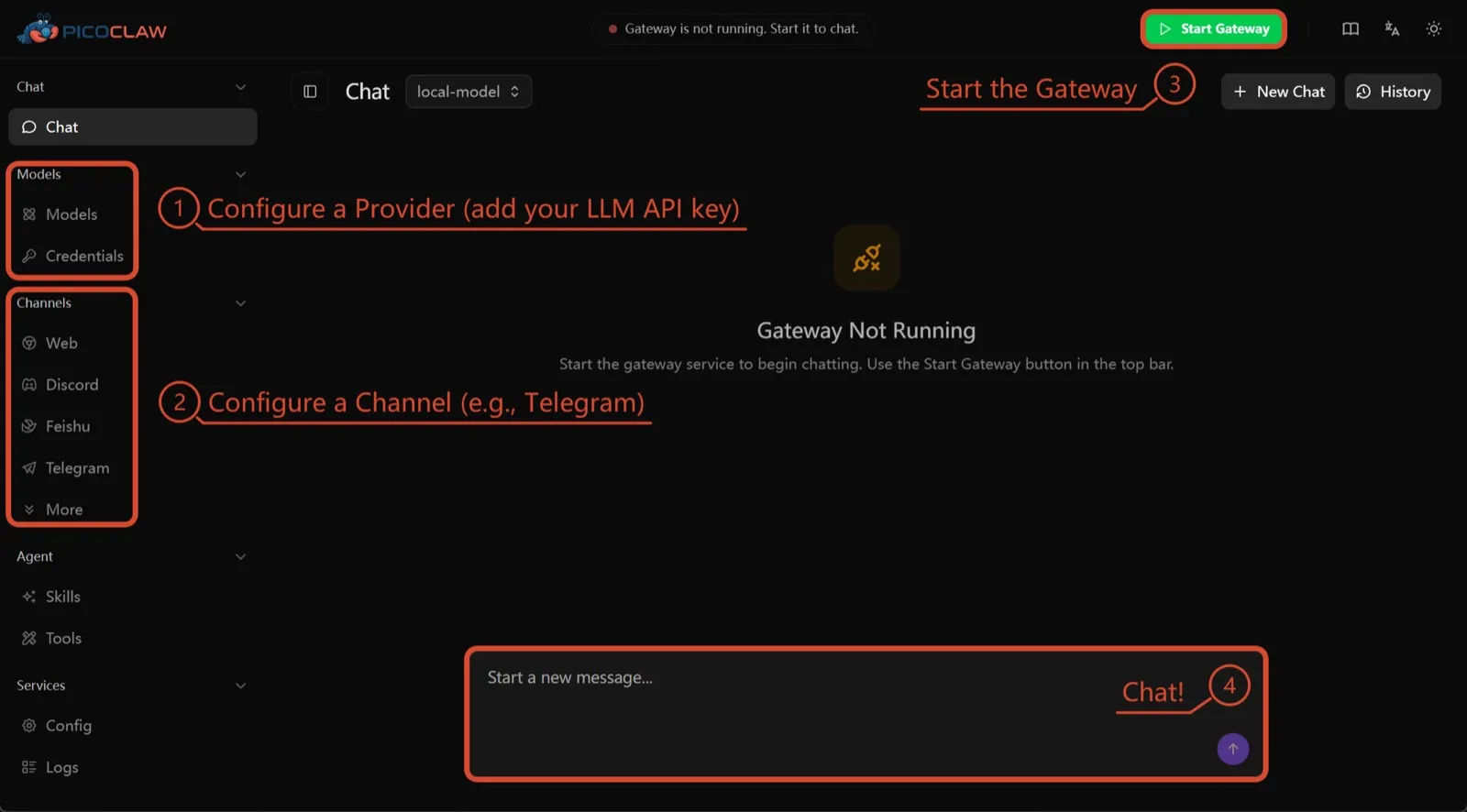
PicoClaw from Sipeed is one Go binary that needs at least 10 MB of free RAM (32 MB+ recommended) and runs on x86, ARM, RISC-V and MIPS, including $10 boards, routers and old Android phones. No telemetry is documented and about 19 chat channels are supported.
It’s here for hardware only. Process isolation is off by default, and the project itself says not to use it in production before v1.0.
7. nanobot: small, readable Python
nanobot from the University of Hong Kong’s Data Intelligence Lab is a compact Python agent with a polished browser UI, a terminal UI, scheduled automations and many chat channels. It has no telemetry and works with Ollama, vLLM or LM Studio.
Like OpenClaw, its shell commands aren’t sandboxed until you turn on bubblewrap or Seatbelt, and Windows has no sandbox at all. Choose it if you want code you can read in an afternoon.

Which one to pick
- Want OpenClaw’s job with safe defaults and no telemetry: ZeroClaw.
- Want every agent in a container and don’t mind Claude Code: NanoClaw.
- Want to keep your OpenClaw setup and stop the telemetry: Hermes Agent.
- Want to keep OpenClaw itself, sandboxed, and have the RAM: NemoClaw.
- Running on a board or old phone: PicoClaw.
For a wider list that isn’t framed around OpenClaw, see the best self-hosted AI agents.
Alternatives
Personal AI agent in one Rust binary, MIT or Apache-2.0, with local or cloud models, 30+ channels, approval gates and an OS sandbox on by default.
Meets every check: one Rust binary, approval gates and an OS sandbox on by default, no telemetry, local models.
Visit ZeroClawStrengths
- Safe defaults: the recommended profile asks before medium-risk actions, blocks high-risk ones, keeps files in the workspace and runs tools in an OS sandbox
- One small Rust binary with one config file, running on macOS, Linux, Windows and boards like a Raspberry Pi
- More than 30 channels, plus a web dashboard for chat, memory, config and cron
- Provider fallback chains, local models through Ollama, and cryptographic receipts for tool calls
- States plainly that it sends no telemetry and needs no cloud account or license server
Weaknesses
- Slack, iMessage, Signal and several other channels are not in the standard release; you build from source with extra features to get them
- `zeroclaw quickstart` only sets up the model provider; channels and risk profiles mean editing the TOML config file
- The Docker sandbox backend isn't picked automatically under the default native runtime
- Model costs are on you
Small, MIT-licensed OpenClaw alternative that runs each agent in its own Docker container and chats with you on WhatsApp, Telegram, Slack, Discord and more.
Every agent in its own container and a tiny codebase, but tied to Claude Code and sends setup diagnostics by default.
Visit NanoClawStrengths
- Every agent runs in its own Docker container and sees only the folders you mount, so shell access stays off your host
- Small codebase (one host process and a handful of files) that you customize by having Claude Code edit your fork
- Agents never hold raw API keys: outbound calls go through a credential gateway with per-agent policies and rate limits
- Many chat channels, including WhatsApp, Telegram, Slack, Discord, iMessage, Teams, Matrix and email, with one or several agents per channel
- Scheduled tasks with optional script gates that skip waking the agent when there's nothing to do
Weaknesses
- Built around Claude and Claude Code: customizing, debugging and adding channels all go through Claude Code
- Sends anonymous setup diagnostics unless you set NANOCLAW_NO_DIAGNOSTICS=1
- No config files by design, so every change means editing code in your own fork
- Needs Docker, and Windows only works through WSL2
Free, MIT-licensed AI agent from Nous Research that runs on your own machine or server, learns reusable skills, and chats with you on Telegram, Slack and more.
MIT licensed, no telemetry and lives in your chat apps, but commands aren't sandboxed by default.
Visit Hermes AgentStrengths
- Free and MIT licensed, and runs on hardware you control
- Writes and refines its own skills from experience, on top of persistent memory and cross-session search
- One gateway for 20+ chat platforms, including Telegram, Discord, Slack, WhatsApp, Signal and email
- Run several separate agents as profiles, each with its own model, memory and skills, and let them talk in group chats
- Model-agnostic, with a one-command import from OpenClaw
Weaknesses
- Setup expects comfort with the command line and with running your own server
- Model costs are on you unless you use free models, and hosted web search, images and speech need a paid Nous Portal plan or your own keys
- iMessage needs a separate BlueBubbles server on a Mac
- No native mobile app; Android support is a command-line install through Termux
Open-source, self-hostable platform for persistent AI bots that each get a job, a computer, memory and routines, using the model you choose.
Our own product. Meets every check: Apache-2.0, sandboxed bot computers, no telemetry by default, any model you connect.
Visit RakazoStrengths
- Open source (Apache-2.0) and fully self-hostable, including with local models
- Choice of model per bot, including existing Claude or ChatGPT subscriptions
- Bots keep working on schedules and triggers with their own cloud computer
- Approval controls over which actions a bot may take on its own
Weaknesses
- Still in beta, with frequent releases
- You supply and pay for the model on the hosted plans, unless you buy Rakazo credits
- Telegram, WhatsApp and iMessage/SMS are only available when self-hosted
- More setup than a single chat app
NVIDIA's Apache-2.0 stack for running OpenClaw, Hermes or Deep Agents inside locked-down OpenShell sandboxes with managed inference. Alpha.
Puts OpenClaw or Hermes in a locked-down sandbox, but it's alpha, heavy to run and sends telemetry by default.
Visit NemoClawStrengths
- Puts OpenClaw or Hermes Agent in a sandbox with network, filesystem and process controls instead of running it on your host
- Unapproved network destinations are blocked and surfaced for an operator to approve
- Inference, messaging and MCP credentials stay outside the sandbox
- Backed by NVIDIA, with local inference through Ollama, vLLM or NIM and a tested path on DGX Spark
Weaknesses
- Alpha: maintainers support it on a best-effort basis, and several channels are experimental
- A wrapper, not an agent: what the bot can do depends on the OpenClaw or Hermes version inside
- Heavier than running the agent alone: 8 GB RAM minimum, a 2.4 GB sandbox image and a container runtime
- The CLI sends operation telemetry to NVIDIA unless you set NEMOCLAW_DISABLE_TELEMETRY=1
Free, MIT-licensed personal AI agent written in Go that runs as one small binary on cheap boards, old phones and PCs, and chats on Telegram, Discord and more.
Runs on cheap boards in a few dozen MB of RAM with no telemetry, but it's pre-1.0 and commands aren't sandboxed by default.
Visit PicoClawStrengths
- Tiny footprint: one Go binary that Sipeed says boots in under a second and needs only 10 to 20 MB of RAM
- Runs on hardware others can't, from $10 RISC-V boards and routers to old Android phones
- About 19 chat channels, including Telegram, Discord, Slack, WhatsApp, Matrix, LINE and Delta Chat
- Web search works without an API key through a built-in DuckDuckGo fallback
- Heartbeat check-ins, cron reminders, MCP tools and routing between several agents
Weaknesses
- The project warns it is in early rapid development, may have unresolved security issues, and should not be used in production before v1.0
- The default workspace restriction only checks paths; true process isolation is off by default and implemented only on Linux and Windows
- Native WhatsApp needs a custom build or a separate bridge
- No built-in image generation, and voice messages are only transcribed if you add a provider such as Groq
Free, MIT-licensed personal AI agent in Python with a browser UI and terminal app, scheduled tasks, memory, and chat on Telegram, Discord, Slack and more.
Small, readable Python with a good web UI and no telemetry, but shell commands aren't sandboxed by default.
Visit nanobotStrengths
- Free and MIT licensed, with a small Python core that is meant to be read and modified
- Polished bundled WebUI with projects, file diffs, an MCP app catalog and an automations calendar, plus a terminal UI
- Many chat channels, including Telegram, Discord, Slack, WhatsApp, WeChat, Feishu, Teams, Matrix and email
- Scheduled automations, long-running goals and a heartbeat that reports only useful results to your last chat
- Works with local models through Ollama, vLLM or LM Studio
Weaknesses
- Shell commands are not sandboxed by default; the bubblewrap or macOS Seatbelt sandbox must be turned on, and Windows has none
- Model costs are on you, and voice messages need a separate transcription provider such as Groq or OpenAI
- No native mobile or desktop app; on a phone you use the WebUI in a browser or a chat app
- Missed scheduled runs are not replayed and interrupted subagent tasks are not relaunched after a restart
Features
| OpenClaw | ZeroClaw | NanoClaw | Hermes Agent | Rakazo | NemoClaw | PicoClaw | nanobot | |
|---|---|---|---|---|---|---|---|---|
| Web search | Yes | Yes | Yes | Yes | Yes | Yes | Yes | Yes |
| Image generation | Yes | Yes | Unknown | Yes | Yes | Unknown | No | Yes |
| Voice mode | Yes | Yes | Unknown | Yes | Yes | Unknown | Yes | Yes |
| File uploads | Yes | Yes | Yes | Yes | Yes | Unknown | Yes | Yes |
| Memory | Yes | Yes | Yes | Yes | Yes | Unknown | Yes | Yes |
| Takes actions for you | Yes | Yes | Yes | Yes | Yes | Yes | Yes | Yes |
| App integrations | Yes | Yes | Yes | Yes | Yes | Yes | Yes | Yes |
| Works on its own | Yes | Yes | Yes | Yes | Yes | Yes | Yes | Yes |
| Messages you first | Yes | Yes | Yes | Yes | Yes | Unknown | Yes | Yes |
| Runs several bots | Yes | Yes | Yes | Yes | Yes | Unknown | Yes | Yes |
Sources
OpenClaw
- OpenClaw homepage and Foundation section
- OpenClaw integrations: channels, providers and plugins
- openclaw/openclaw on GitHub (MIT, v2026.11.1)
- OpenClaw docs: Sandboxing (off by default)
- Wikipedia: OpenClaw
- Notebookcheck: OpenClaw can burn through hundreds of dollars per day
- OpenClaw docs: Memory overview
- OpenClaw docs: Automations
- OpenClaw docs: Chat channels
- OpenClaw docs: iMessage
- OpenClaw docs: Heartbeat, now a default Proactive check job
- OpenClaw docs: Multi-agent routing
- OpenClaw docs: Platforms (macOS, Windows, Linux, iOS and Android apps)
- OpenClaw docs: Tools (exec, browser, web search)
- OpenClaw docs: Audio and voice notes (inbound transcription)
- OpenClaw docs: Image and media support (inbound media)
- OpenClaw docs: Install (system requirements, installer script, npm, desktop apps, Docker)
- OpenClaw docs: One-click deploy on Railway
- OpenClaw docs: Usage telemetry and update checks (on by default, feature statistics opt-in)
- OpenClaw docs: Ollama provider (local models)
ZeroClaw
- zeroclaw-labs/zeroclaw on GitHub (MIT OR Apache-2.0, v0.8.7, README)
- ZeroClaw website
- ZeroClaw docs: Sandboxing
- ZeroClaw source: risk presets (Balanced, recommended, has the sandbox on)
- ZeroClaw docs: Channels overview (default and standard release bundles)
- ZeroClaw docs: You own it (no telemetry)
- ZeroClaw docs: Docker and containers
- ZeroClaw source: tools (image generation, screenshot, web)
NanoClaw
Hermes Agent
- NousResearch/hermes-agent on GitHub (MIT, v0.23.0)
- Hermes Agent homepage and Nous Portal pricing
- Hermes Agent documentation
- Hermes Agent docs: Profiles, running multiple agents
- Hermes Agent docs: Bot Mode
- Hermes Agent docs: Voice mode
- Hermes Agent docs: Vision and image paste
- Hermes Agent docs: iMessage via BlueBubbles
- Nous Research on X: Meet Hermes Agent (February 25, 2026)
- Hermes Agent docs: Session heartbeats and cron watchdogs
- Hermes Agent docs: FAQ (Is my data sent anywhere?)
- Hermes Agent docs: Installation (desktop packages, install script, Docker)
- Hermes Agent docs: Platform support (no Linux desktop package; PyPI installs unsupported)
- Hermes Agent docs: Docker setup
- Hermes Agent docs: Configuration (terminal backend defaults to local)
- Hermes Agent docs: Security (approval modes, optional container isolation)
- Hermes Agent docs: Local models
- Hermes Agent example config (shared metrics off by default)
Rakazo
- Rakazo homepage
- Rakazo pricing
- Rakazo privacy policy
- Rakazo on GitHub (README and license)
- Rakazo changelog
- Rakazo releases
- Rakazo docs: Image and video generation
- Rakazo docs: Memory
- Rakazo docs: Connect apps
- Rakazo docs: Routines
- Rakazo docs: Chat apps
- Rakazo docs: Messaging apps (self-hosting)
- Rakazo docs: Bots and chats (add another bot, bot templates)
- Rakazo docs: Groups (several bots in one chat)
- Rakazo docs: Mobile app (notifications)
- Rakazo privacy policy (updated Sep 14, 2026)
- Rakazo privacy policy source on GitHub
- Rakazo docs: Logs and monitoring (product analytics off by default)
- Rakazo docs: Desktop app (run locally in Docker, updates)
- Rakazo docs: Docker computers
- Rakazo docs: Self-hosted models (Ollama, LM Studio)
- Rakazo Railway template setup guide
NemoClaw
- NVIDIA/NemoClaw on GitHub (Apache-2.0, README: supported agents, alpha status)
- NemoClaw docs: Overview
- NemoClaw docs: Prerequisites and platforms
- NemoClaw docs: Choose an inference provider (Ollama, vLLM, NIM)
- NemoClaw docs index: messaging channels (WhatsApp, Teams, Google Chat, WeChat experimental)
- NemoClaw source: telemetry delivery and NEMOCLAW_DISABLE_TELEMETRY
PicoClaw
- sipeed/picoclaw on GitHub (MIT, README with security notice and channel list)
- PicoClaw releases (v0.0.1 on February 9, 2026; v0.3.1 on July 3, 2026)
- PicoClaw official website and downloads
- PicoClaw docs: Configuration (workspace restriction, heartbeat, voice, multi-agent routing)
- PicoClaw source: subprocess isolation, disabled by default
- PicoClaw docs: Tools configuration (web search, exec, cron, MCP, skills)
- PicoClaw docs: Chat apps (WhatsApp native build or bridge)
- PicoClaw docs: Hardware compatibility and minimum requirements
- PicoClaw docs: Docker
nanobot
- HKUDS/nanobot on GitHub (MIT, v0.4.1, README)
- nanobot documentation
- nanobot release archive (officially launched February 2, 2026)
- nanobot docs: Chat apps
- nanobot docs: Providers and models (Ollama, vLLM, LM Studio)
- nanobot docs: Configuration (security, exec sandbox off by default, transcription, Langfuse)
- nanobot docs: Automations and heartbeat
- nanobot docs: Concepts (heartbeat delivery, subagent recovery)
- nanobot docs: Memory and Dream
- nanobot docs: Multiple instances
- nanobot docs: Deployment (Docker, services, Render)
- nanobot source: skills installer runs with DISABLE_TELEMETRY