
PicoClaw Review: A Personal AI Agent for $10 Boards and Old Phones
PicoClaw is a Go binary from Sipeed that runs an AI agent in 10 to 20 MB of RAM. Where it shines, where isolation is thin, and why it isn't production-ready yet.
PicoClaw is a personal AI agent from Sipeed, a company that makes low-cost AI and RISC-V hardware. It launched in February 2026 and had 30,110 GitHub stars when we checked on November 8, 2026. Its pitch is narrow and clear: an agent small enough to run on hardware nobody else targets, including $10 boards, routers and old Android phones.
Footprint is the whole point
PicoClaw was inspired by nanobot but rewritten from scratch in Go. It ships as one binary for Linux, macOS, Windows, FreeBSD and Android, built for x86, ARM, RISC-V and MIPS. Sipeed says the core needs 10 to 20 MB of RAM, and the hardware compatibility guide lists at least 10 MB free (32 MB or more recommended) and 20 MB of storage.
That is a different class from the Python and Node agents. nanobot needs Python 3.11 or newer, OpenClaw needs a recent Node, and Agent Zero wants 2 GB of RAM and Docker on a server. If the machine you have spare is a board in a drawer, PicoClaw is one of very few options. ZeroClaw, a single Rust binary that also runs on a Raspberry Pi, is the other one on our list.
Keep in mind what “runs on a $10 board” means: the agent loop runs there, the model does not. PicoClaw calls a cloud provider or a local model server such as Ollama or vLLM, and that server needs real hardware.
Installing and setting it up
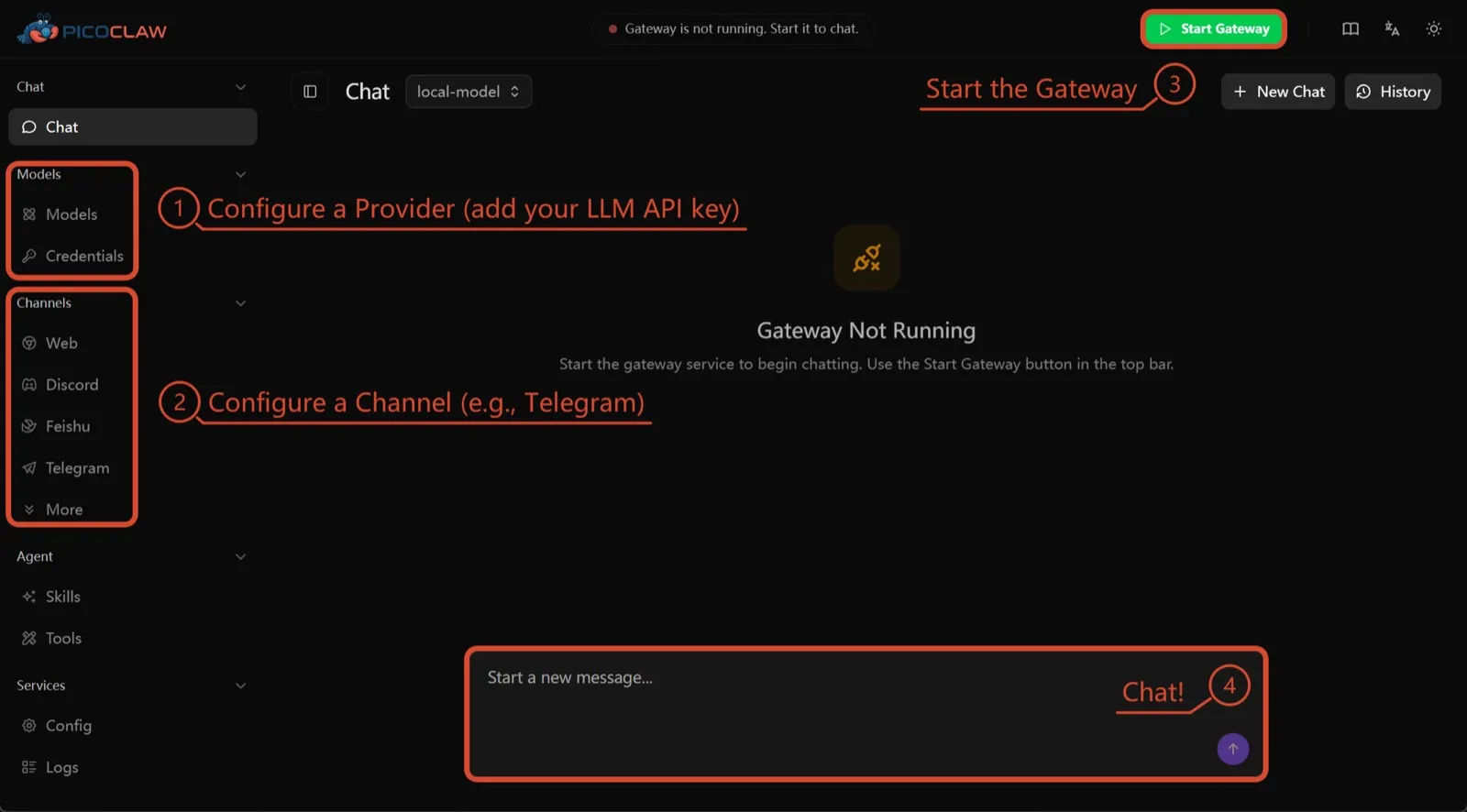
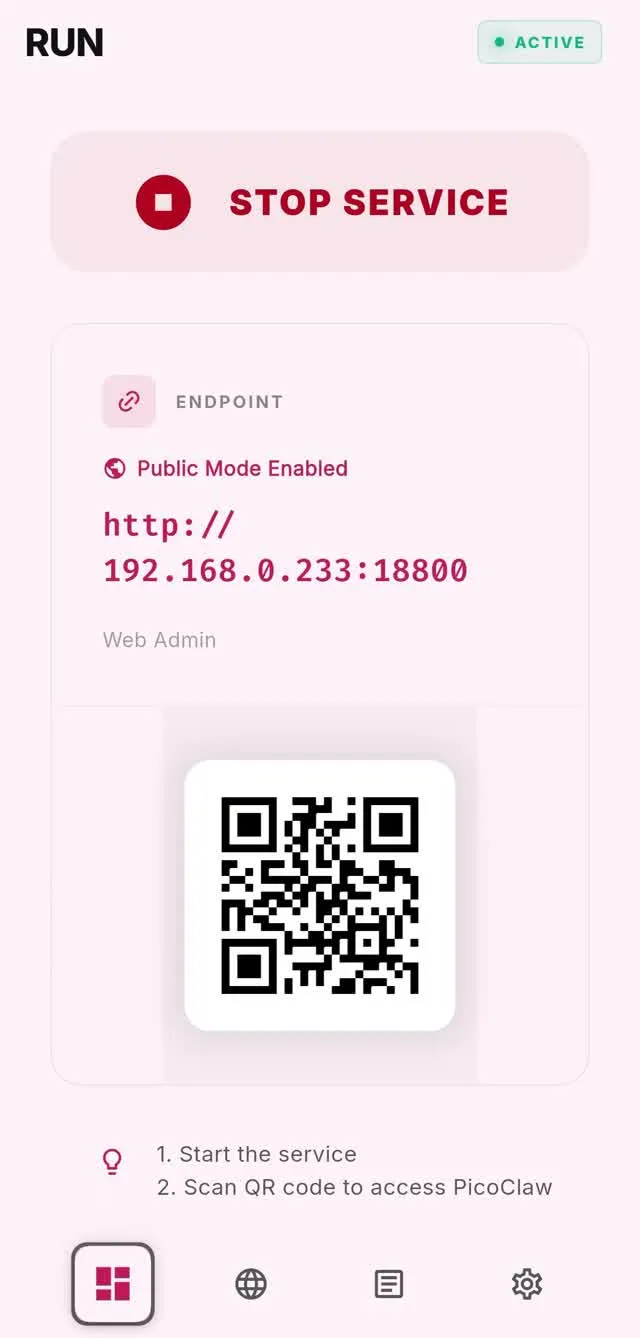
You download a binary or run the Docker image. Per the README, a WebUI launcher then handles setup in the browser: add a model provider, connect a channel, start the gateway and chat. On Android there is an app that runs it on the phone. For a tool aimed at tinkerers, this is a friendlier first run than editing a config file by hand.
Config, memory and workspace files stay under ~/.picoclaw on the device. Upkeep is mostly replacing one binary, but the project moves quickly: releases went from v0.0.1 on February 9, 2026 to v0.3.1 on July 3, 2026, per the releases page. Read the release notes before each upgrade.
Isolation: weaker than it sounds
PicoClaw can run shell commands, so isolation matters. By default it restricts the agent to its workspace, but the configuration guide describes that as a path check, not a sandbox. Real subprocess isolation exists, but the isolation module is disabled by default and implemented only on Linux and Windows. On macOS you have no process isolation at all.
So treat PicoClaw like any host-run agent: give it a dedicated device or user account, and don’t hand it credentials you’d mind losing. Running it on a cheap separate board is, in practice, its own form of isolation.
Maturity warning
The project is upfront about this. Its README says it is in early, rapid development, may have unresolved security issues, and should not be used in production before version 1.0. We take that at face value. It is a good home-lab agent today and not something to connect to a work Slack or a family WhatsApp with access to important accounts.
Telemetry and privacy
The docs describe no usage telemetry and we found no analytics client in the source. Your prompts go to the model provider, search engine and chat platforms you configure. Skills you install from ClawHub or GitHub are third-party code, which, combined with the weak default isolation above, is the main privacy risk to think about.
Models and channels
You bring a model from 30+ providers, including OpenAI, Anthropic, Gemini, OpenRouter, DeepSeek and Qwen, or run local models through Ollama, vLLM or a LiteLLM proxy. Web search works without an API key through a built-in DuckDuckGo fallback, which is handy on a bare board.
It speaks to about 19 channels, including Telegram, Discord, Slack, Matrix, LINE, WeChat and Delta Chat. WhatsApp is listed but, per the chat apps guide, native WhatsApp needs a custom build or a separate bridge. Voice messages are only transcribed if you add a provider such as Groq, and there is no image generation.
Who should use it
PicoClaw suits people who want an always-on chat assistant on very cheap or unusual hardware, and developers who prefer one self-contained binary over a Python or Node stack. It is not for anyone who needs a hardened agent today.
How it compares
- ZeroClaw is the closest match: also one small binary for boards, but with approval gates and an OS sandbox on by default under its recommended profile. Its trade-off is a TOML config that you edit by hand past the initial quickstart.
- nanobot, PicoClaw’s inspiration, has a bundled WebUI and a Python codebase, and needs a heavier machine.
- OpenClaw has the biggest ecosystem and mobile apps, but a much larger runtime.
See our OpenClaw alternatives and best local AI agent pages for more options.
Pricing
| Open source | Free |
|
|---|
Features
| Web search | Yes |
|---|---|
| Image generation | No |
| Voice mode | Yes |
| File uploads | Yes |
| Memory | Yes |
| Takes actions for you | Yes |
| App integrations | Yes |
| Works on its own | Yes |
| Messages you first | Yes |
| Runs several bots | Yes |
Strengths
- Tiny footprint: one Go binary that Sipeed says boots in under a second and needs only 10 to 20 MB of RAM
- Runs on hardware others can't, from $10 RISC-V boards and routers to old Android phones
- About 19 chat channels, including Telegram, Discord, Slack, WhatsApp, Matrix, LINE and Delta Chat
- Web search works without an API key through a built-in DuckDuckGo fallback
- Heartbeat check-ins, cron reminders, MCP tools and routing between several agents
Weaknesses
- The project warns it is in early rapid development, may have unresolved security issues, and should not be used in production before v1.0
- The default workspace restriction only checks paths; true process isolation is off by default and implemented only on Linux and Windows
- Native WhatsApp needs a custom build or a separate bridge
- No built-in image generation, and voice messages are only transcribed if you add a provider such as Groq
Best for
- Running a personal agent on a Raspberry Pi, RISC-V board, router or old phone
- Developers who want a single self-contained binary instead of a Python or Node stack
- Tinkerers who want an always-on chat assistant on very cheap hardware
Sources
- sipeed/picoclaw on GitHub (MIT, README with security notice and channel list)
- PicoClaw releases (v0.0.1 on February 9, 2026; v0.3.1 on July 3, 2026)
- PicoClaw official website and downloads
- PicoClaw docs: Configuration (workspace restriction, heartbeat, voice, multi-agent routing)
- PicoClaw source: subprocess isolation, disabled by default
- PicoClaw docs: Tools configuration (web search, exec, cron, MCP, skills)
- PicoClaw docs: Chat apps (WhatsApp native build or bridge)
- PicoClaw docs: Hardware compatibility and minimum requirements
- PicoClaw docs: Docker