
Hermes Agent review: setup, Docker and what self-hosting it takes
A Hermes Agent review for self-hosters: install script vs Docker setup, the local terminal default, approval modes, telemetry, costs and who it suits.
Hermes Agent is Nous Research’s open-source agent, released on February 25, 2026, and by November 8 it had 261,682 GitHub stars, second only to OpenClaw among the agents we track. Its pitch is that it gets better with use: after a hard task it writes a reusable skill, refines it later, and keeps a curated memory and a profile of you across sessions. This review looks at it as something you install, secure and keep running yourself. For the background on what it is, see What is Hermes Agent?.

Who it suits
Hermes fits developers who want a single agent, or a small team of agents, on a machine they control and reachable from Telegram, Discord, Slack, Signal or email. It rewards people who give it repeated, similar work, since that is where self-written skills pay off. If you need a phone app, it has none; Android support is a Termux command-line install.
Hermes Agent setup: the install script
The installation docs lead with one command on Linux, macOS or WSL2:
curl -fsSL https://hermes-agent.nousresearch.com/install.sh | bash
Windows has a PowerShell equivalent. The script needs Git and curl, then fetches everything else itself: a pinned Python 3.14, Node.js, ripgrep, FFmpeg, and by default a pinned Chromium and a computer-use driver. You can skip those last two with --skip-browser and --skip-computer-use if the box is a headless server and you don’t want a browser on it.
After a shell reload, the setup splits into small commands, which is handy when you only want to change one thing later:
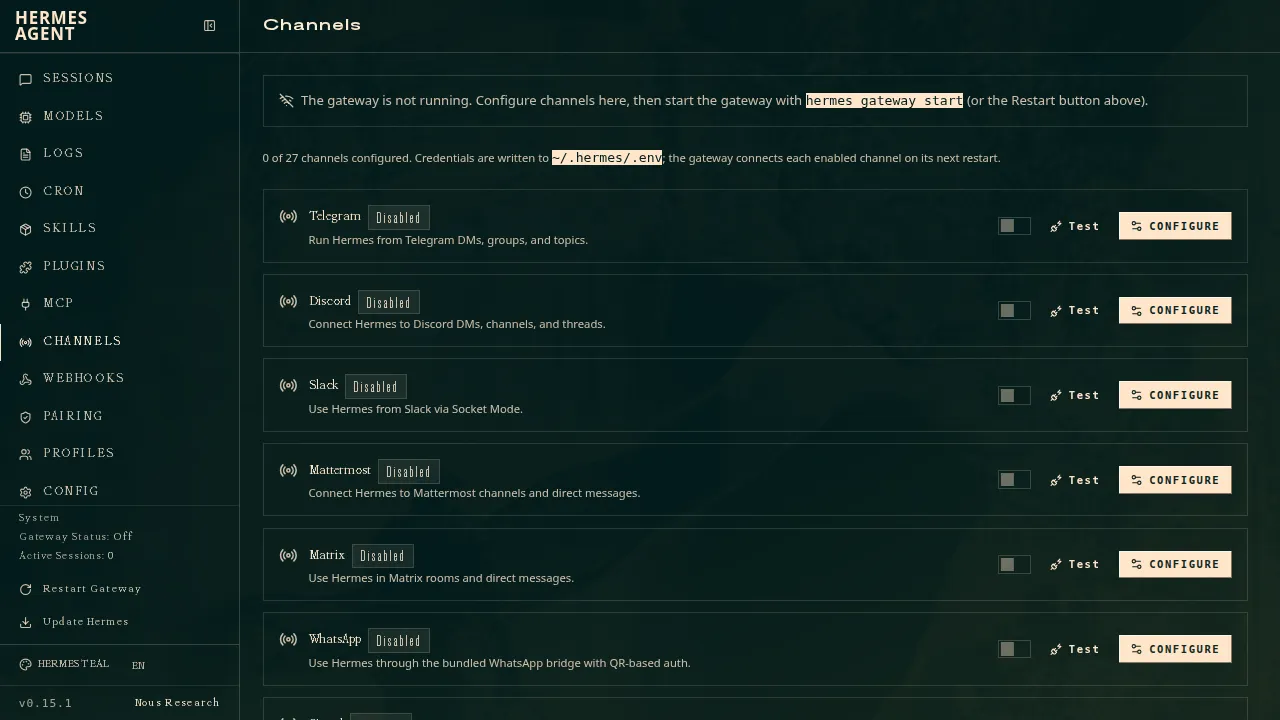
hermes setupruns the full wizard.hermes modelpicks the provider and model.hermes toolsturns tools on or off.hermes gateway setupconnects chat platforms.hermes doctordiagnoses problems.
There are also desktop packages for Windows and Apple Silicon Macs. Intel Macs aren’t supported, and Linux has no desktop package, only the script.
Hermes Agent in Docker
The Docker guide is one of the cleaner ones in this category. The official nousresearch/hermes-agent image is stateless; everything lives in ~/.hermes on the host, mounted at /opt/data. First run docker run -it --rm -v ~/.hermes:/opt/data nousresearch/hermes-agent setup to answer the wizard, then start the gateway with gateway run and --restart unless-stopped. A short Compose file runs the gateway and the web dashboard together. Upgrading is pulling a new tag.
Like OpenClaw, Hermes separates two uses of Docker. Running Hermes in a container is a deployment choice. Running the agent’s commands in a container is a security setting, terminal.backend: docker, and that one matters more.
Security defaults
The configuration docs are explicit that the default terminal backend is local: “Commands run directly on your machine with no isolation.” What protects you out of the box is the approval layer described in the security docs:
- smart (default): a second model judges each command; low-risk ones run, clearly dangerous ones are denied, and unclear ones come to you.
- manual: you approve every dangerous command.
- off: no checks, the same as
--yolo.
A hard blocklist of dangerous patterns applies even in off mode, and commands that time out waiting for approval are denied. That is a more thoughtful default than “run anything”, but it is still a model guarding a model. The docs’ own production checklist recommends terminal.backend: docker, which runs commands in a container with Linux capabilities dropped (a few file permissions added back) and no-new-privileges set. Do that before you connect a public-facing channel. One caveat from the same page: environment variables you forward into the container can be read by code running there, so don’t forward keys the agent doesn’t need.
Telemetry and privacy
This is where Hermes is easiest to recommend. Conversations, memory and skills stay under ~/.hermes, API calls go only to the provider you configure, and shared usage metrics are off unless you choose “Share with Nous” when asked. The update check compares against the GitHub repo. Nous only sees your prompts if you pick its own Nous Portal as the model provider.
Models and costs
Bring any OpenAI-compatible endpoint, OpenRouter, or a local model. The catch is the hosted extras: web search, image generation and speech either need your own keys for those services or a paid Nous Portal plan (the plans are in the pricing table on this page). With a local model and none of the hosted extras, it costs nothing to run beyond hardware.
Upkeep
Hermes moves quickly (we checked v0.23.0), and new installs follow the latest stable release unless you opt into main. With Docker, keep ~/.hermes backed up and pin a version tag rather than latest if you don’t want surprises. Several features add their own moving parts: iMessage, for instance, needs a separate BlueBubbles server running on a Mac.
How it compares
OpenClaw has 29 chat channels, 142 official plugins and the bigger community; Hermes answers with model-checked approvals on by default, no telemetry by default and the skill-learning loop. It can import OpenClaw settings, memories and skills in one command, which makes trying it cheap. See Hermes Agent vs OpenClaw. If you want Hermes inside a stricter sandbox with network approvals, NemoClaw can run it. If you want the agent on its own isolated computer by default, look at Rakazo or Agent Zero. The full list is on Hermes Agent alternatives.
Verdict
Hermes Agent is a strong self-hosted agent with good privacy defaults, a clean Docker story and a genuinely different idea in its self-written skills. Its main gap is that commands run on your host until you switch the terminal backend. Switch it, keep approvals on smart or manual, and it is one of the best-behaved agents in this category.
Pricing
| Open source | Free |
|
|---|---|---|
| Nous Portal Plus | $20/mo |
|
| Nous Portal Super | $100/mo |
|
| Nous Portal Ultra | $200/mo |
|
Features
| Web search | Yes |
|---|---|
| Image generation | Yes |
| Voice mode | Yes |
| File uploads | Yes |
| Memory | Yes |
| Takes actions for you | Yes |
| App integrations | Yes |
| Works on its own | Yes |
| Messages you first | Yes |
| Runs several bots | Yes |
Strengths
- Free and MIT licensed, and runs on hardware you control
- Writes and refines its own skills from experience, on top of persistent memory and cross-session search
- One gateway for 20+ chat platforms, including Telegram, Discord, Slack, WhatsApp, Signal and email
- Run several separate agents as profiles, each with its own model, memory and skills, and let them talk in group chats
- Model-agnostic, with a one-command import from OpenClaw
Weaknesses
- Setup expects comfort with the command line and with running your own server
- Model costs are on you unless you use free models, and hosted web search, images and speech need a paid Nous Portal plan or your own keys
- iMessage needs a separate BlueBubbles server on a Mac
- No native mobile app; Android support is a command-line install through Termux
Best for
- Developers who want a self-hosted agent that keeps learning
- People running a team of specialist agents on their own server
- OpenClaw users looking for an alternative
Sources
- NousResearch/hermes-agent on GitHub (MIT, v0.23.0)
- Hermes Agent homepage and Nous Portal pricing
- Hermes Agent documentation
- Hermes Agent docs: Profiles, running multiple agents
- Hermes Agent docs: Bot Mode
- Hermes Agent docs: Voice mode
- Hermes Agent docs: Vision and image paste
- Hermes Agent docs: iMessage via BlueBubbles
- Nous Research on X: Meet Hermes Agent (February 25, 2026)
- Hermes Agent docs: Session heartbeats and cron watchdogs
- Hermes Agent docs: FAQ (Is my data sent anywhere?)
- Hermes Agent docs: Installation (desktop packages, install script, Docker)
- Hermes Agent docs: Platform support (no Linux desktop package; PyPI installs unsupported)
- Hermes Agent docs: Docker setup
- Hermes Agent docs: Configuration (terminal backend defaults to local)
- Hermes Agent docs: Security (approval modes, optional container isolation)
- Hermes Agent docs: Local models
- Hermes Agent example config (shared metrics off by default)