
IronClaw AI 評測:NEAR AI 的 Rust 代理,自架或在 TEE 中執行
IronClaw 評測:NEAR AI 的 Rust 代理如何讓模型接觸不到憑證、它的 WASM 沙箱涵蓋與未涵蓋的範圍,以及 1.0 重寫拿掉了什麼。
IronClaw 是 NEAR AI 推出的個人 AI 代理,以 Rust 撰寫,定位為注重安全的 OpenClaw 版本。0.1.0 版於 2026 年 2 月 12 日發布,重寫後的 1.0 版則在 2026 年 7 月 27 日推出(releases)。我們在 2026 年 11 月 8 日查看時,它有 12,716 顆 GitHub 星。這篇評測討論的是 nearai/ironclaw 儲存庫中的代理。
它最有意思的是處理密鑰的方式。要注意的是,它的沙箱涵蓋的是擴充功能,而不是代理在你機器上執行的 shell 指令。
安裝方式
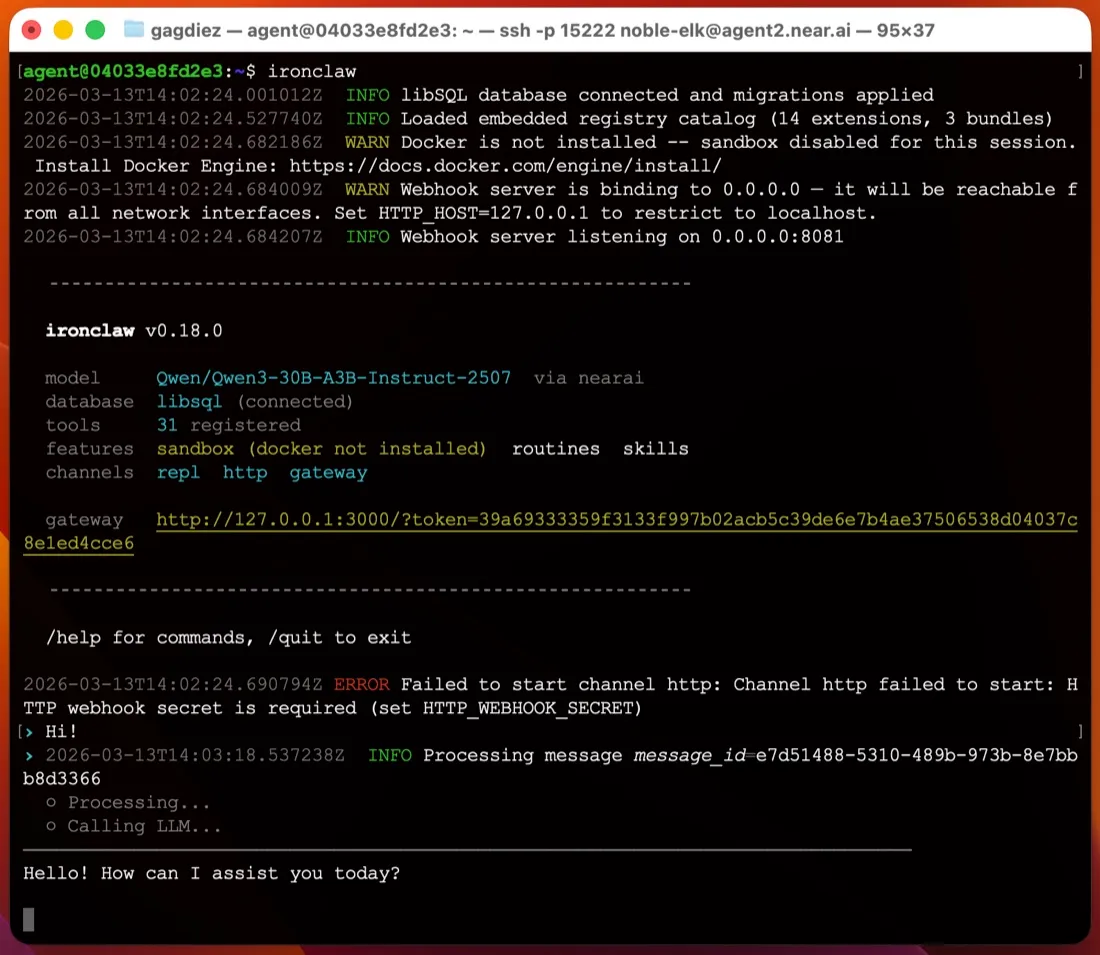
你只需要安裝一個執行檔,不需要 Node 或 Python 環境。快速入門提供 macOS 和 Linux 的 shell 安裝程式,以及 Windows 的 PowerShell 安裝程式(最新版本也附有 MSI)。接著執行 ironclaw onboard,它會詢問模型供應商、建立 ~/.ironclaw、把主加密金鑰存進作業系統的鑰匙圈,並印出 127.0.0.1:3000 上網頁介面的登入連結。
單一使用者不需要執行資料庫伺服器;狀態保存在嵌入式資料庫檔案中。多使用者設定則改用 PostgreSQL。在 macOS 和 Linux 上,ironclaw service install 會註冊 launchd 或 systemd 服務,讓代理在你關閉終端機後繼續執行(服務文件)。Windows 沒有服務選項,所以你得讓 ironclaw serve 在前景持續執行,這讓 Windows 不太適合用來架設全天候運作的代理。
相較於 ZeroClaw 那樣要你手動編輯 TOML 檔,這是自架代理中首次執行最容易的之一。
憑證:最強的部分
如果代理的模型讀得到你的 API 金鑰,提示詞注入就可能設法誘使它印出金鑰。IronClaw 用 AES-256-GCM 加密密鑰,把主金鑰存在作業系統鑰匙圈,並在網路代理伺服器注入憑證。沙箱工具文件指出,憑證 “are never passed into the WASM module’s memory”(永遠不會傳入 WASM 模組的記憶體):工具送出未經驗證的請求,再由代理伺服器加上標頭。模型從頭到尾看不到原始權杖,因此無法外洩。這對 Gmail、Calendar、Drive 和 GitHub 擴充功能最為重要。
沙箱涵蓋與未涵蓋的範圍
擴充功能在 WebAssembly 沙箱中執行。根據同一份文件,WASM 工具除非宣告路徑,否則無法存取檔案系統,不能產生程序或執行 shell 指令,而且只能連到它在 capabilities.json 中列出的主機。其他任何連線都會在建立前被代理伺服器拒絕。
這是真正的界線,但它適用於擴充功能,而不是代理本身。預設的 local-dev 設定檔會對應到你主機上的工作區和本機程序(原始碼)。shell 指令和檔案編輯直接在你的機器上執行,代理只會在破壞性動作前詢問。Docker 隔離需要另一個設定檔,而設定文件指出設定檔 “is a security boundary, not a preset”(是一道安全界線,而不是預設組合)。這就是本頁檢查清單把 IronClaw 標為預設未使用沙箱的原因。如果你想把代理的 shell 隔離起來,請在虛擬機或獨立的使用者帳號中執行它,或選擇開箱即隔離的代理,例如 NanoClaw 或 NemoClaw。
遙測與模型
README 表示沒有遙測、分析或資料分享。Trace Commons 會傳送經過遮蔽的執行追蹤以換取額度,但除非你主動開啟,否則是關閉的(文件)。你的提示詞仍然會送到你選擇的供應商,而文件推薦的預設供應商是 NEAR AI。你可以改用 Anthropic、OpenAI、OpenRouter 和大約二十個其他供應商,透過 Codex 供應商使用 ChatGPT 訂閱,或用 Ollama、vLLM 或 LM Studio 讓一切留在本機(供應商)。
軟體採用 MIT 或 Apache-2.0 雙重授權。
1.0 重寫與頻道
1.x 重寫拿掉了 Discord、Signal 和 WhatsApp。目前只剩 Slack 和 Telegram 兩個聊天頻道(頻道),另外還有網頁介面、終端機和 OpenAI 風格的 Responses API。這兩個頻道都透過 webhook 傳遞,因此躲在家用路由器後面的筆電,需要公開主機或通道,Telegram 才連得到。1.0 之後,設定和頻道在小版本之間也有變動,所以升級前請先閱讀更新紀錄。
在你不在時繼續工作
這是 IronClaw 在憑證之外最強的部分。它有 cron、事件和 webhook 例行任務、背景子代理,以及每 30 分鐘檢查一次的 HEARTBEAT.md 清單(heartbeat)。記憶保存在磁碟上一個可搜尋的工作區中。
NEAR AI 的託管執行個體
如果你不想自己架設,NEAR AI 透過它的 Agent Hub 提供託管執行個體,在 NEAR AI Cloud 的可信任執行環境(TEE)中執行。方案從含一個執行個體的免費 Starter 方案,到每月 200 美元不等;本頁的價格表有列出。你會得到 SSH 登入和瀏覽器閘道,更新則由 NEAR AI 處理。
適合哪些人
IronClaw 適合想要一個全天候運作、而且模型讀不到 API 金鑰的代理,主要透過 Slack、Telegram 或瀏覽器使用,並在 Mac 或 Linux 機器上執行的人。如果你需要 WhatsApp、Discord 或 iMessage,希望 shell 指令預設就被隔離,或想在 Windows 上架設,它就比較不適合。
比較
- ZeroClaw 同樣是採用 MIT 或 Apache-2.0 授權的單一 Rust 執行檔,但預設會把工具放進沙箱,而且提供更多頻道。
- OpenClaw 的頻道多得多、社群也大得多,但預設會傳送遙測,預設也沒有沙箱。請參考 OpenClaw 安全嗎?
- Rakazo(由我們開發)預設使用沙箱、沒有遙測,還加上 WhatsApp、iMessage 和行動 App,但它是在 Docker Compose 上執行,而不是單一執行檔。
更多選擇請參考 OpenClaw 替代方案和最佳自架 AI 代理。
價格
| Open source | 免費 |
|
|---|---|---|
| NEAR AI Cloud Starter | 免費 |
|
| NEAR AI Cloud Basic | US$20/月 |
|
| NEAR AI Cloud Pro+ | US$200/月 |
|
功能
| 網路搜尋 | 是 |
|---|---|
| 圖像生成 | 未知 |
| 語音模式 | 未知 |
| 檔案上傳 | 是 |
| 記憶 | 是 |
| 代你執行操作 | 是 |
| 應用程式整合 | 是 |
| 自主運作 | 是 |
| 主動傳訊息給你 | 是 |
| 可執行多個機器人 | 是 |
優點
- Security-first design: extensions run in a WebAssembly sandbox with per-tool network allowlists, and secrets are encrypted and injected at the network proxy so the model never sees raw values
- No telemetry or analytics; sharing redacted run traces through Trace Commons is off unless you opt in
- Single Rust binary with a guided `ironclaw onboard` setup that installs a background service on macOS and Linux
- Cron, event and webhook routines, a 30-minute heartbeat checklist and background subagents keep it working while you're away
- Works with more than twenty model providers, including local models through Ollama
- Dual MIT or Apache-2.0 license, plus an optional hosted instance in a Trusted Execution Environment
缺點
- The default local profile runs shell commands and file edits directly on your machine, asking only before destructive actions; Docker sandboxing needs a different profile
- Only Slack and Telegram are supported as chat channels since the 1.x rewrite; Discord, Signal and WhatsApp from 0.x are gone
- Telegram and Slack deliver by webhook, so a laptop behind NAT needs a public host or tunnel
- On Windows there is no background service; you run `ironclaw serve` in the foreground
- Young and fast-moving: the 1.0 rewrite shipped in July 2026 and settings and channels have changed between minor releases
適合對象
- Security-minded users who want an always-on agent that keeps credentials away from the model
- Running Gmail, calendar and GitHub automations on a schedule from your own machine or server
- Teams that want a shared agent in Slack or Telegram with per-user identity and approvals
來源
- nearai/ironclaw on GitHub (README, MIT OR Apache-2.0, v1.4.1)
- IronClaw website (NEAR AI Cloud plans and pricing)
- IronClaw releases (v0.1.0 on February 12, 2026; v1.0.0 on July 27, 2026)
- IronClaw docs: Quickstart (Agent Hub and local install)
- IronClaw docs: Channels (Slack and Telegram; Discord, Signal not in 1.x)
- IronClaw docs: Inference providers (Ollama, OpenAI-compatible)
- IronClaw docs: Configuration and profiles (local-dev is the default)
- IronClaw source: local-dev profile resolves to host workspace, local host processes, ask on destructive actions
- IronClaw docs: WASM sandboxed tools
- IronClaw docs: Run as a service (launchd and systemd)
- IronClaw docs: Web interface
- IronClaw docs: Heartbeat system
- IronClaw docs: Persistent memory
- IronClaw docs: Web access extension
- IronClaw docs: Trace Commons (opt-in, off by default)
- IronClaw changelog (background subagents, file attachments, channel changes)