
IronClaw AI Review: NEAR AI's Rust Agent, Self-Hosted or in a TEE
IronClaw review: NEAR AI's Rust agent, how it keeps credentials from the model, what its WASM sandbox does and doesn't cover, and what the 1.0 rewrite dropped.
IronClaw is a personal AI agent from NEAR AI, written in Rust and pitched as a security-focused take on OpenClaw. Version 0.1.0 shipped on February 12, 2026, and a rewritten 1.0 followed on July 27, 2026 (releases). It had 12,716 GitHub stars when we checked on November 8, 2026. This review covers the agent in the nearai/ironclaw repo.
The interesting part is how it handles secrets. The catch is that its sandbox covers extensions, not the shell commands the agent runs on your machine.
Installing it
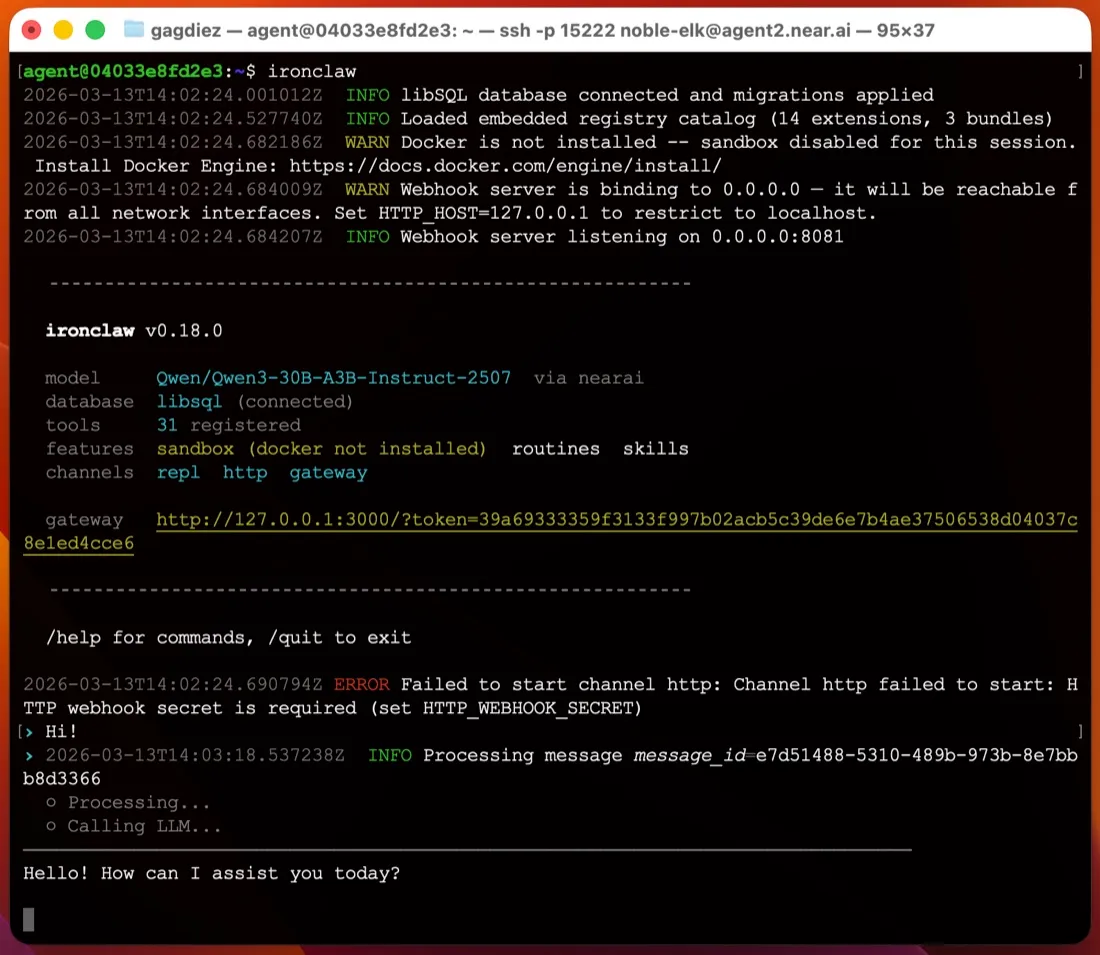
You install one binary, with no Node or Python stack. The quickstart gives a shell installer for macOS and Linux and a PowerShell installer for Windows (the latest release also ships an MSI). Then ironclaw onboard asks for a model provider, creates ~/.ironclaw, puts the master encryption key in your OS keychain, and prints a login link for the web UI on 127.0.0.1:3000.
For one user there is no database server to run; state lives in embedded database files. Multi-user setups move to PostgreSQL. On macOS and Linux, ironclaw service install registers a launchd or systemd service so the agent keeps running after you close the terminal (service docs). Windows has no service option, so you leave ironclaw serve running in the foreground, which makes Windows a poor host for an always-on agent.
Compared with editing a TOML file by hand, as ZeroClaw has you do, this is one of the easier first runs among self-hosted agents.
Credentials: the strongest part
If an agent’s model can read your API keys, a prompt injection can try to talk it into printing them. IronClaw encrypts secrets with AES-256-GCM, keeps the master key in the OS keychain, and injects credentials at a network proxy. The sandboxed tools docs say credentials “are never passed into the WASM module’s memory”: the tool sends an unauthenticated request and the proxy adds the header. The model never sees the raw token, so it can’t leak it. That matters most for the Gmail, Calendar, Drive and GitHub extensions.
What the sandbox covers, and what it doesn’t
Extensions run in a WebAssembly sandbox. Per the same docs, a WASM tool has no filesystem access unless it declares paths, can’t spawn processes or run shell commands, and can only reach hosts listed in its capabilities.json. The proxy rejects anything else before the connection opens.
That is a real boundary, but it applies to extensions, not to the agent itself. The default profile, local-dev, resolves to your host workspace and local host processes (source). Shell commands and file edits run directly on your machine, and the agent only asks before destructive actions. Docker isolation needs a different profile, and the configuration docs say a profile “is a security boundary, not a preset”. That’s why the checklist on this page marks IronClaw as not sandboxed by default. If you want the agent’s shell contained, run it in a VM or a separate user account, or pick an agent that isolates it out of the box, such as NanoClaw or NemoClaw.
Telemetry and models
The README says there is no telemetry, analytics or data sharing. Trace Commons, which sends redacted run traces in exchange for credit, is off unless you opt in (docs). Your prompts still go to whatever provider you choose, and NEAR AI is the default the docs recommend. You can switch to Anthropic, OpenAI, OpenRouter and about twenty others, use a ChatGPT subscription through the Codex provider, or keep everything local with Ollama, vLLM or LM Studio (providers).
The software is dual-licensed MIT or Apache-2.0.
The 1.0 rewrite and channels
The 1.x rewrite dropped Discord, Signal and WhatsApp. Slack and Telegram are the only chat channels left (channels), next to the web UI, the terminal and an OpenAI-style Responses API. Both channels deliver by webhook, so a laptop behind a home router needs a public host or a tunnel before Telegram can reach it. Settings and channels have also changed between minor releases since 1.0, so read the changelog before you upgrade.
Working while you’re away
This is where IronClaw is strongest after credentials. It has cron, event and webhook routines, background subagents, and a HEARTBEAT.md checklist it reviews every 30 minutes (heartbeat). Memory lives in a searchable workspace on disk.
Hosted instances from NEAR AI
If you’d rather not run it yourself, NEAR AI offers hosted instances through its Agent Hub that run in a Trusted Execution Environment on NEAR AI Cloud. Plans range from a free Starter tier with one instance up to $200 a month; the pricing table on this page lists them. You get an SSH login and a browser gateway, and NEAR AI handles updates.
Who it suits
IronClaw fits people who want an always-on agent with API keys the model can’t read, mainly working through Slack, Telegram or the browser, on a Mac or Linux box. It’s a weaker fit if you need WhatsApp, Discord or iMessage, want shell commands contained by default, or want to host on Windows.
How it compares
- ZeroClaw is also a single Rust binary under MIT or Apache-2.0, but sandboxes its tools by default and offers more channels.
- OpenClaw has far more channels and a much larger community, but it sends telemetry by default and doesn’t sandbox by default either. See is OpenClaw safe?
- Rakazo, which we make, is sandboxed by default with no telemetry and adds WhatsApp, iMessage and mobile apps, but it runs on Docker Compose rather than a single binary.
For more options, see OpenClaw alternatives and the best self-hosted AI agent.
Pricing
| Open source | Free |
|
|---|---|---|
| NEAR AI Cloud Starter | Free |
|
| NEAR AI Cloud Basic | $20/mo |
|
| NEAR AI Cloud Pro+ | $200/mo |
|
Features
| Web search | Yes |
|---|---|
| Image generation | Unknown |
| Voice mode | Unknown |
| File uploads | Yes |
| Memory | Yes |
| Takes actions for you | Yes |
| App integrations | Yes |
| Works on its own | Yes |
| Messages you first | Yes |
| Runs several bots | Yes |
Strengths
- Security-first design: extensions run in a WebAssembly sandbox with per-tool network allowlists, and secrets are encrypted and injected at the network proxy so the model never sees raw values
- No telemetry or analytics; sharing redacted run traces through Trace Commons is off unless you opt in
- Single Rust binary with a guided `ironclaw onboard` setup that installs a background service on macOS and Linux
- Cron, event and webhook routines, a 30-minute heartbeat checklist and background subagents keep it working while you're away
- Works with more than twenty model providers, including local models through Ollama
- Dual MIT or Apache-2.0 license, plus an optional hosted instance in a Trusted Execution Environment
Weaknesses
- The default local profile runs shell commands and file edits directly on your machine, asking only before destructive actions; Docker sandboxing needs a different profile
- Only Slack and Telegram are supported as chat channels since the 1.x rewrite; Discord, Signal and WhatsApp from 0.x are gone
- Telegram and Slack deliver by webhook, so a laptop behind NAT needs a public host or tunnel
- On Windows there is no background service; you run `ironclaw serve` in the foreground
- Young and fast-moving: the 1.0 rewrite shipped in July 2026 and settings and channels have changed between minor releases
Best for
- Security-minded users who want an always-on agent that keeps credentials away from the model
- Running Gmail, calendar and GitHub automations on a schedule from your own machine or server
- Teams that want a shared agent in Slack or Telegram with per-user identity and approvals
Sources
- nearai/ironclaw on GitHub (README, MIT OR Apache-2.0, v1.4.1)
- IronClaw website (NEAR AI Cloud plans and pricing)
- IronClaw releases (v0.1.0 on February 12, 2026; v1.0.0 on July 27, 2026)
- IronClaw docs: Quickstart (Agent Hub and local install)
- IronClaw docs: Channels (Slack and Telegram; Discord, Signal not in 1.x)
- IronClaw docs: Inference providers (Ollama, OpenAI-compatible)
- IronClaw docs: Configuration and profiles (local-dev is the default)
- IronClaw source: local-dev profile resolves to host workspace, local host processes, ask on destructive actions
- IronClaw docs: WASM sandboxed tools
- IronClaw docs: Run as a service (launchd and systemd)
- IronClaw docs: Web interface
- IronClaw docs: Heartbeat system
- IronClaw docs: Persistent memory
- IronClaw docs: Web access extension
- IronClaw docs: Trace Commons (opt-in, off by default)
- IronClaw changelog (background subagents, file attachments, channel changes)