Die besten lokalen KI-Agenten: ein KI-Assistent auf Ihrer eigenen Hardware
Sieben lokale KI-Agenten im Ranking: wie gut sie mit Ollama, vLLM, LM Studio oder llama.cpp laufen und wie viel Ihrer Daten auf Ihrem eigenen Rechner bleibt.
Auf einen Blick
| Bot | Lizenz | Chat-Apps | |||||
|---|---|---|---|---|---|---|---|
| Agent Zero | MIT | 19.799 | Ja | Ja | Telegram, WhatsApp | Gratis | |
| QwenPaw | Apache-2.0 | 37.495 | Ja | Nein | Telegram, iMessage, Discord, Slack | Gratis | |
| ZeroClaw | MIT OR Apache-2.0 | 33.269 | Ja | Ja | Telegram, WhatsApp, Discord | Gratis | |
| nanobot | MIT | 49.932 | Ja | Nein | Telegram, WhatsApp, Discord, Slack | Gratis | |
| Khoj | AGPL-3.0 | 38.065 | Ja | Ja | Keine | Gratis | |
| Rakazo | Apache-2.0 | 7538 | Ja | Ja | Telegram, WhatsApp, iMessage, Slack | Ab 10 $/Monat | |
| OpenClaw | MIT | 394.193 | Ja | Nein | Telegram, WhatsApp, iMessage, Discord, Slack | Gratis |


Checkliste
| Agent Zero | QwenPaw | ZeroClaw | nanobot | Khoj | Rakazo | OpenClaw | |
|---|---|---|---|---|---|---|---|
| Open-Source-Lizenz | Ja | Ja | Ja | Ja | Ja | Ja | Ja |
| Läuft mit lokalen Modellen | Ja | Ja | Ja | Ja | Ja | Ja | Ja |
| Standardmäßig in Sandbox | Ja | Nein | Ja | Nein | Ja | Ja | Nein |
| Standardmäßig keine Telemetrie | Nein | Nein | Ja | Ja | Nein | Ja | Nein |
| Lebt in deinen Chat-Apps | Ja | Ja | Ja | Ja | Nein | Ja | Ja |
| Arbeitet, während du weg bist | Ja | Ja | Ja | Ja | Ja | Ja | Ja |
Jeder Agent auf unserer Liste kann mit einem lokalen Modell sprechen. Das ist nicht dasselbe wie ein guter lokaler KI-Agent. Mit einem gehosteten Modell verlassen Ihre Prompts, Dateien und Erinnerungsausschnitte bei jedem Schritt Ihren Rechner. Vollständig lokal heißt: Modell, Suche, Sprache und Speicher laufen alle auf Hardware, die Ihnen gehört, und nur sehr wenige Agenten bringen Sie ganz dorthin.
Wie wir sie eingestuft haben
Diese Liste gewichtet den lokalen Betrieb höher als alles andere:
- Unterstützte lokale Runtimes. Ollama, vLLM, LM Studio, llama.cpp. Mehr Optionen bedeuten, dass der Agent zu der Hardware passt, die Sie bereits haben.
- Was sonst noch lokal bleibt. Websuche, Speech-to-Text, Text-to-Speech und Embeddings. Ein Agent, der das Modell lokal betreibt, aber jede Suche an eine Cloud-API schickt, verrät trotzdem, woran Sie arbeiten.
- Keine Telemetrie und eine Sandbox, laut der Checkliste in der Tabelle oben, weil Local-First-Nutzern meist beides wichtig ist.
- Setup-Aufwand und Reife.
Ein Hinweis zur Hardware: Die Agenten selbst sind leichtgewichtig. Das Modell braucht RAM und eine GPU, und ein leistungsfähiges lokales Modell stellt weit höhere Anforderungen als jeder Agent auf dieser Liste. Prüfen Sie zuerst, welches Modell Ihr Rechner betreiben kann, und wählen Sie dann den Agenten.
1. Agent Zero
Agent Zero kommt einem vollständig lokalen Setup am nächsten. Es unterstützt Ollama, LM Studio, llama.cpp, vLLM und oMLX (Installationsdokumentation), die Websuche läuft über eine mitgelieferte SearXNG-Instanz statt über eine Such-API, und Speech-to-Text sowie Text-to-Speech können lokal über integrierte Whisper- und Kokoro-Plugins laufen (Plugins). Der Agent arbeitet in seinem eigenen Docker-Container, isoliert von Ihrem Computer, sofern Sie keinen Zugriff gewähren.
Seine einzige Telemetrie ist ein Update-Check, der Ihre Version und eine gehashte Instanz-ID sendet; Sie können ihn in den Einstellungen abschalten. Planen Sie mindestens 2 GB RAM für Agent Zero selbst ein, noch vor dem Modell.

2. QwenPaw
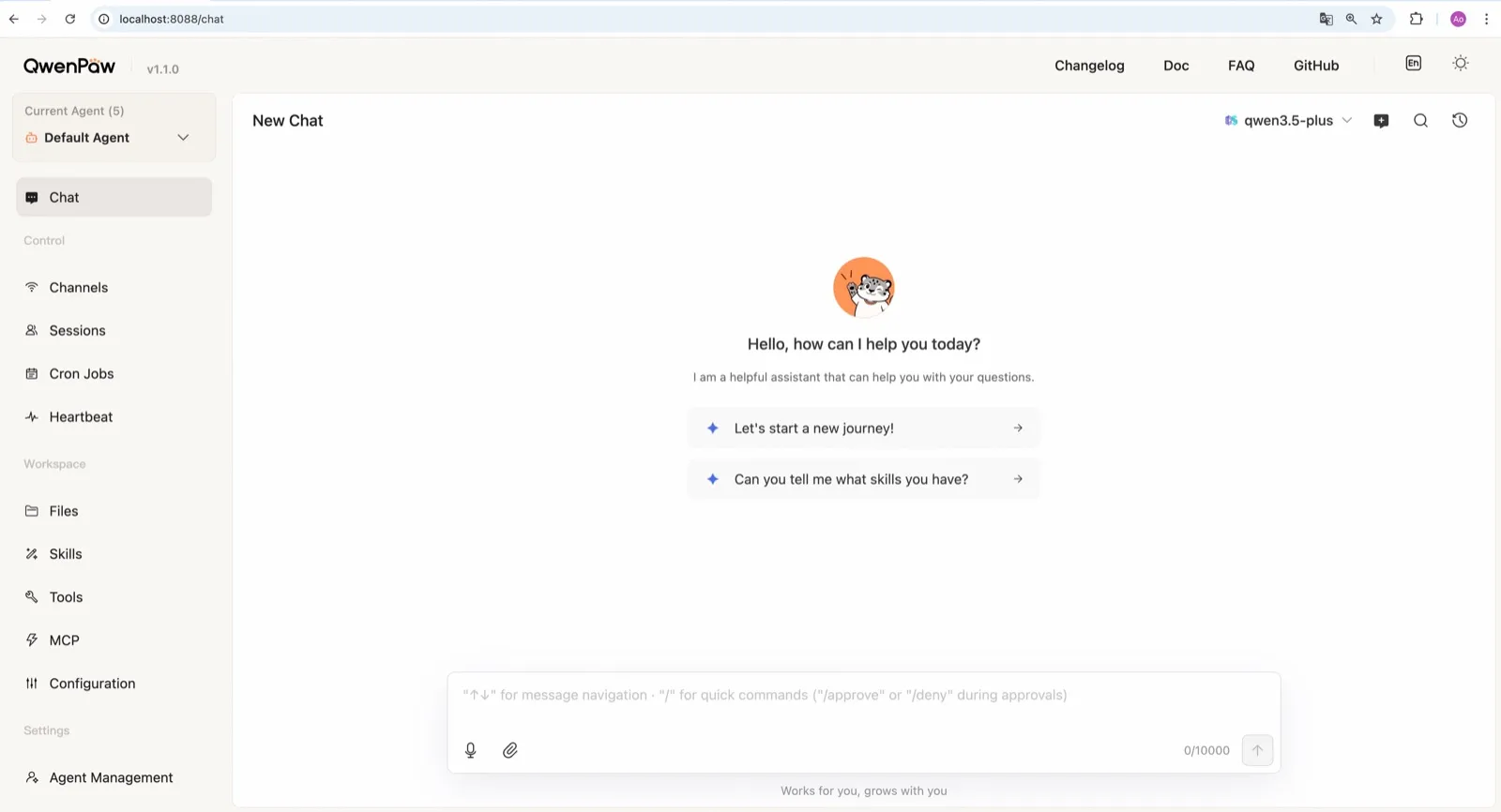
QwenPaw vom AgentScope-Team bei Alibaba bringt eine eigene llama.cpp-Runtime mit und kann daher vollständig offline laufen, ohne API-Schlüssel und ohne separate Ollama-Installation (Modell-Dokumentation). Das Team veröffentlicht außerdem kleine QwenPaw-Flash-Modelle, die für Agentenaufgaben trainiert sind. Ollama und LM Studio funktionieren ebenfalls.
Bei den Sicherheits-Standards liegt es hinter Agent Zero: Die Befehls-Sandbox ist aus, und der dokumentierte Schnellstart-Befehl qwenpaw init --defaults akzeptiert automatisch anonyme Installations-Telemetrie. Führen Sie stattdessen das interaktive qwenpaw init aus, um sie abzulehnen.
3. ZeroClaw
ZeroClaw ist die sauberste Wahl, wenn Sie bereits Ollama oder einen anderen OpenAI-kompatiblen Modellserver betreiben. Es hat keine Telemetrie, eine standardmäßig aktive OS-Sandbox und Fallback-Ketten zwischen Anbietern; ein lokales Modell kann also an erster Stelle stehen, mit einem gehosteten dahinter oder ganz ohne Ersatz. Als einzelnes Rust-Binary läuft es auf kleinen Boards wie einem Raspberry Pi, neben einem Modellserver auf einer größeren Maschine.

4. nanobot
nanobot unterstützt Ollama, vLLM und LM Studio ab Werk (Anbieter), sendet keine Telemetrie und speichert Erinnerungen als einfache Markdown-Dateien in ~/.nanobot, die sich leicht prüfen und sichern lassen. Seine WebUI macht ein lokales Setup angenehm nutzbar. Schalten Sie die bubblewrap- oder Seatbelt-Sandbox ein, bevor Sie ein lokales Modell Shell-Befehle ausführen lassen; sie ist standardmäßig aus.

5. Khoj
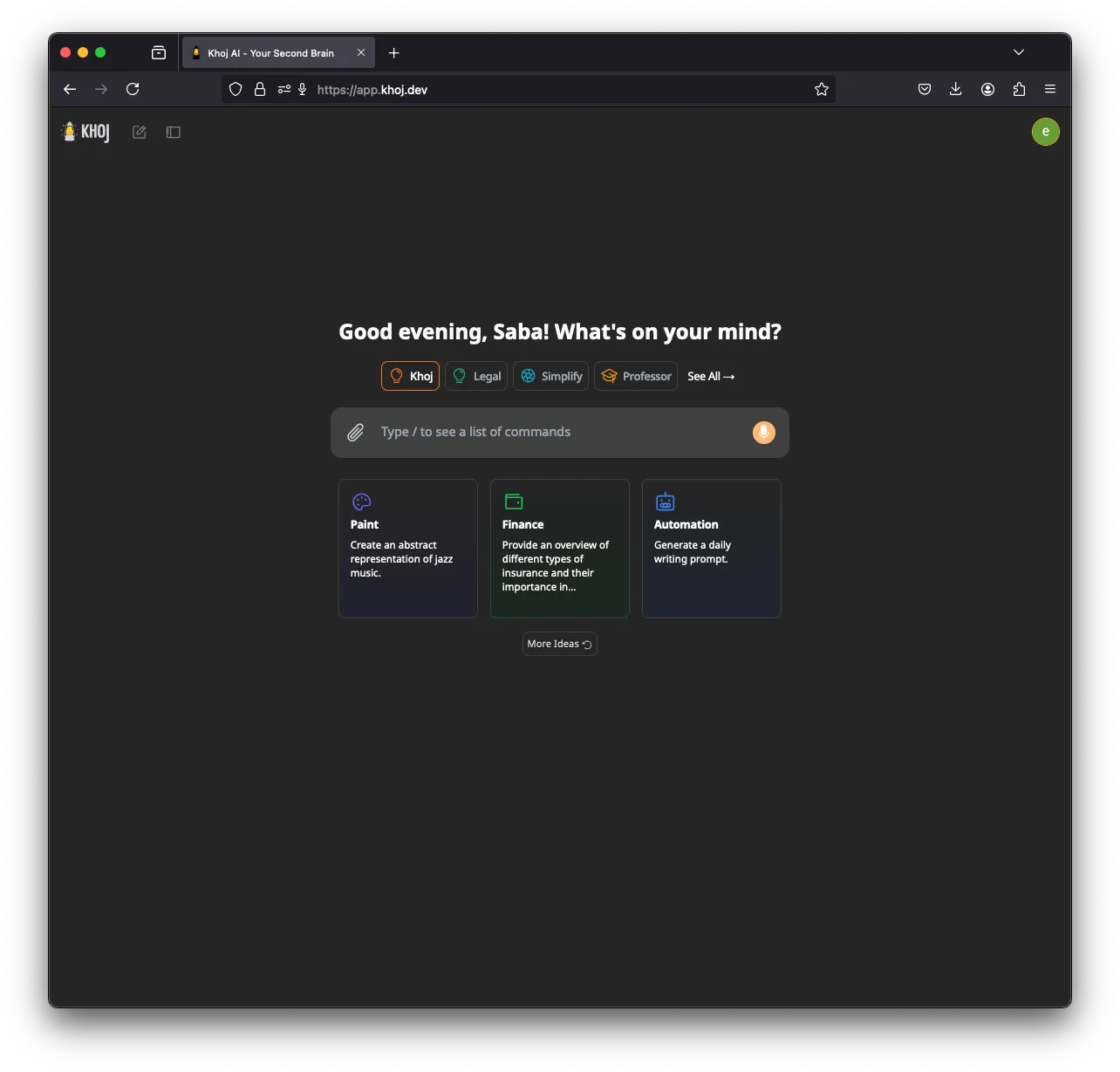
Khoj ist der Spezialist: ein KI-Second-Brain, das Ihre Notizen und Dokumente indiziert und daraus antwortet. Es kann vollständig offline laufen, mit GGUF-Modellen über llama.cpp und auf Ihrem Rechner erzeugten Embeddings, und unterstützt außerdem Ollama, LM Studio und vLLM (Setup). Eine GPU (CUDA, ROCm, Vulkan oder Apple Metal) hilft.
Es landet auf Platz fünf, weil sich die Entwicklung verlangsamt hat (kein Release seit März 2026), es keine Chat-App-Kanäle hat und anonymisierte Nutzungs-Telemetrie sendet, bis Sie KHOJ_TELEMETRY_DISABLE=True setzen.
6. Rakazo
Rakazo, das wir entwickeln, betreibt lokale Modelle über Ollama oder LM Studio (selbst gehostete Modelle), sendet von einer selbst gehosteten Installation keine Produkt-Analytics und gibt jedem Bot einen Sandbox-Computer. Es steht hier, weil seine lokale Unterstützung schmaler ist als die von Agent Zero oder QwenPaw: zwei lokale Runtimes, und keine davon integriert. Außerdem ist es in der Beta. Siehe den Rakazo-Test.


7. OpenClaw
OpenClaw arbeitet mit Ollama, LM Studio und vLLM (Ollama-Anbieter) und gehört daher auf jede lokale Liste, und sein riesiges Plugin-Ökosystem ist ein Grund, es zu wählen. Für Local-First-Nutzer ziehen die Standardeinstellungen aber in die falsche Richtung: Ein täglicher Update-Check ist aktiv (update.checkOnStart: false stoppt ihn), und Befehle laufen auf Ihrem Host, bis Sie das Sandboxing einschalten. Wenn Sie OpenClaw mit lokaler Inferenz und einer abgeriegelten Sandbox wollen, umhüllt NemoClaw es mit Routing zu Ollama, vLLM oder NVIDIA NIM, auf Kosten von 8 GB RAM und eines Alpha-Labels.

Agent und Modell auf verschiedenen Rechnern betreiben
PicoClaw zeigt ein nützliches Muster. Sein Agent braucht gerade einmal 10 MB freien RAM und läuft auf Boards für 10 $ und alten Handys, braucht aber trotzdem Netzwerkzugang, um das Modell zu erreichen (Hardware-Dokumentation). Richten Sie ihn, oder ZeroClaw, auf einen Ollama- oder vLLM-Server auf einem Desktop mit GPU aus, und Sie erhalten einen ständig laufenden Agenten auf einem winzigen Gerät, bei dem die gesamte Inferenz in Ihrem eigenen Netzwerk bleibt. PicoClaw hat es nicht ins Ranking geschafft, weil das Projekt selbst davon abrät, es vor v1.0 produktiv einzusetzen.
Einen breiteren Überblick bieten die besten selbst gehosteten KI-Agenten.
Bestenlisten
Free, MIT-licensed AI agent that runs in its own Docker Linux workspace with a terminal, browser and desktop apps, and chats on Telegram and WhatsApp.
Runs in its own Docker container with local models, but sends telemetry by default.
Agent Zero öffnenStärken
- Free and MIT licensed, with frequent releases (v2.11 to v2.15 between late August and early November 2026)
- The agent works in its own Linux workspace with a terminal, browser, desktop apps and LibreOffice, isolated from your computer unless you grant host access
- Web search runs through a local SearXNG instance, and speech-to-text and text-to-speech can run locally
- Projects keep memory, files, secrets, instructions and model choices separate per job, with workspace snapshots you can roll back
- Built-in Telegram, WhatsApp and email channels, a scheduler, MCP and a community Plugin Hub with 200+ plugins
Schwächen
- Needs Docker, and the container image is a full Linux desktop environment rather than a small service
- No built-in image generation; the docs show teaching it an image API yourself
- By default it checks for updates with Agent Zero's server, sending your version and a hashed instance ID
- Code runs in the same container as Agent Zero itself today; per-task sandboxes are only a v3 prototype
- WhatsApp works by linking a phone account through a Baileys bridge, which needs Node.js, rather than the official WhatsApp Business API
Free, Apache-licensed personal AI agent from Alibaba's AgentScope team, formerly CoPaw, with a web console, memory, multiple agents and many chat apps.
Many chat apps and local models, but no sandbox and telemetry on by default.
QwenPaw öffnenStärken
- Runs fully offline with a built-in llama.cpp runtime and purpose-trained QwenPaw-Flash models, no API key needed
- Several independent agents, each with its own memory, skills and heartbeat, that can work together
- Layered security: Tool Guard, File Guard, skill scanning, access policies and an optional kernel-level sandbox
- Broad chat coverage, especially for Chinese platforms such as DingTalk, Feishu, WeChat and QQ, alongside Telegram, Discord, Slack and iMessage
- Well-documented web console for channels, cron jobs, heartbeat, skills, MCP and files
Schwächen
- The command sandbox is off by default, and inside Docker it falls back to no isolation
- The recommended setup command accepts anonymous install telemetry automatically
- No WhatsApp channel, and iMessage works only on a Mac with a third-party helper and Full Disk Access
- Desktop apps are still in beta, and the project moves fast, with frequent beta releases
Personal AI agent in one Rust binary, MIT or Apache-2.0, with local or cloud models, 30+ channels, approval gates and an OS sandbox on by default.
Meets every check: one Rust binary, approval gates and an OS sandbox on by default, no telemetry, local models.
ZeroClaw öffnenStärken
- Safe defaults: the recommended profile asks before medium-risk actions, blocks high-risk ones, keeps files in the workspace and runs tools in an OS sandbox
- One small Rust binary with one config file, running on macOS, Linux, Windows and boards like a Raspberry Pi
- More than 30 channels, plus a web dashboard for chat, memory, config and cron
- Provider fallback chains, local models through Ollama, and cryptographic receipts for tool calls
- States plainly that it sends no telemetry and needs no cloud account or license server
Schwächen
- Slack, iMessage, Signal and several other channels are not in the standard release; you build from source with extra features to get them
- `zeroclaw quickstart` only sets up the model provider; channels and risk profiles mean editing the TOML config file
- The Docker sandbox backend isn't picked automatically under the default native runtime
- Model costs are on you
Free, MIT-licensed personal AI agent in Python with a browser UI and terminal app, scheduled tasks, memory, and chat on Telegram, Discord, Slack and more.
Small, readable Python with a good web UI and no telemetry, but shell commands aren't sandboxed by default.
nanobot öffnenStärken
- Free and MIT licensed, with a small Python core that is meant to be read and modified
- Polished bundled WebUI with projects, file diffs, an MCP app catalog and an automations calendar, plus a terminal UI
- Many chat channels, including Telegram, Discord, Slack, WhatsApp, WeChat, Feishu, Teams, Matrix and email
- Scheduled automations, long-running goals and a heartbeat that reports only useful results to your last chat
- Works with local models through Ollama, vLLM or LM Studio
Schwächen
- Shell commands are not sandboxed by default; the bubblewrap or macOS Seatbelt sandbox must be turned on, and Windows has none
- Model costs are on you, and voice messages need a separate transcription provider such as Groq or OpenAI
- No native mobile or desktop app; on a phone you use the WebUI in a browser or a chat app
- Missed scheduled runs are not replayed and interrupted subagent tasks are not relaunched after a restart
AGPL-licensed, self-hosted AI second brain that chats over your notes and documents with web search, custom agents and scheduled research emails.
Good at chatting over your own notes and documents, but development has slowed, it has no chat-app channels and telemetry is on by default.
Khoj öffnenStärken
- Searches and chats over your own notes and documents, including Markdown, Org-mode, PDF, Word, Notion and GitHub
- Works with local models through Ollama, LM Studio, vLLM or offline llama.cpp, and generates embeddings on your machine
- Custom agents with their own persona, knowledge, chat model and tools
- Automations run a query on a schedule and email you the result
- Generated code runs in a local Terrarium sandbox that the Docker Compose setup starts for you
Schwächen
- Development has slowed: no release since March 26, 2026, the last commit was on August 2, 2026, and the team now focuses on other products
- The hosted Khoj Cloud, and with it the WhatsApp bot, shut down on April 15, 2026, so self-hosting is the only way to use it
- AGPL-3.0 requires you to share your changes if you offer a modified version to others over a network
- Sends anonymized usage telemetry by default until you set KHOJ_TELEMETRY_DISABLE
- Scheduled emails need Resend and authentication set up when self-hosting, and no chat apps such as Telegram or Slack are supported
Open-source, self-hostable platform for persistent AI bots that each get a job, a computer, memory and routines, using the model you choose.
Our own product. Meets every check: Apache-2.0, sandboxed bot computers, no telemetry by default, any model you connect.
Rakazo öffnenStärken
- Open source (Apache-2.0) and fully self-hostable, including with local models
- Choice of model per bot, including existing Claude or ChatGPT subscriptions
- Bots keep working on schedules and triggers with their own cloud computer
- Approval controls over which actions a bot may take on its own
Schwächen
- Still in beta, with frequent releases
- You supply and pay for the model on the hosted plans, unless you buy Rakazo credits
- Telegram, WhatsApp and iMessage/SMS are only available when self-hosted
- More setup than a single chat app
Free, MIT-licensed personal AI agent that runs on your own computer and takes orders from WhatsApp, Telegram, iMessage, Slack and 20+ other chat apps.
The biggest ecosystem and every chat app, but sandboxing is off and telemetry is on by default.
OpenClaw öffnenStärken
- Free and MIT licensed, with no paid tier
- Runs on your own hardware, and state, memory and credentials stay there
- Works in 29 chat channels, including WhatsApp, Telegram, iMessage, Slack, Discord and Microsoft Teams
- Model-agnostic: 64 model and media providers, plus local models
- Large ecosystem of skills and 142 official plugins, and very active development
Schwächen
- Model costs are on you and can run high: testers and users have reported spending over $100 in a day with expensive models
- Sandboxing is off by default and the agent can run commands on the host unless you turn on approvals
- Setup and upkeep expect comfort with the command line; maintainers warn it is risky for non-technical users
- Broad access to email, messages and the system makes prompt injection and malicious third-party skills a real risk
Funktionen
| Agent Zero | QwenPaw | ZeroClaw | nanobot | Khoj | Rakazo | OpenClaw | |
|---|---|---|---|---|---|---|---|
| Websuche | Ja | Ja | Ja | Ja | Ja | Ja | Ja |
| Bilderzeugung | Nein | Ja | Ja | Ja | Ja | Ja | Ja |
| Sprachmodus | Ja | Ja | Ja | Ja | Ja | Ja | Ja |
| Datei-Uploads | Ja | Ja | Ja | Ja | Ja | Ja | Ja |
| Gedächtnis | Ja | Ja | Ja | Ja | Ja | Ja | Ja |
| Erledigt Aufgaben für dich | Ja | Ja | Ja | Ja | Ja | Ja | Ja |
| App-Integrationen | Ja | Ja | Ja | Ja | Ja | Ja | Ja |
| Arbeitet selbstständig | Ja | Ja | Ja | Ja | Ja | Ja | Ja |
| Meldet sich von selbst | Ja | Ja | Ja | Ja | Ja | Ja | Ja |
| Mehrere Bots möglich | Ja | Ja | Ja | Ja | Ja | Ja | Ja |
Quellen
Agent Zero
- agent0ai/agent-zero on GitHub (MIT, README, safety model)
- Agent Zero releases (v0.2 in June 2024 to v2.15 on November 1, 2026)
- Agent Zero homepage
- Agent Zero docs: Installation (Launcher, A0 Install, Docker, local models)
- Agent Zero docs: VPS deployment (hardware requirements)
- Agent Zero model provider list
- Agent Zero update check code (version and hashed ID sent to api.agent-zero.ai)
- Agent Zero built-in Telegram integration plugin
- Agent Zero built-in WhatsApp integration plugin
- Agent Zero built-in plugins (scheduler, notify user, email, SearXNG search, Whisper STT, Kokoro TTS)
- Agent Zero docs: Memory guide
- Agent Zero docs: Agent Profiles
- Agent Zero docs: API integration (adding image generation yourself)
- Agent Zero v3: A Sneak Peek Inside the Sandbox (August 17, 2026)
- Agent Zero LLM API (Venice.ai proxy for A0T token stakers)
QwenPaw
- agentscope-ai/QwenPaw on GitHub (Apache-2.0, README with install options and telemetry)
- QwenPaw documentation
- QwenPaw v1.1.0 release notes: CoPaw rebrands to QwenPaw
- copaw on PyPI (first release February 2026)
- QwenPaw docs: Channels
- QwenPaw docs: Models (cloud providers, llama.cpp, Ollama, LM Studio)
- QwenPaw docs: Security (Tool Guard, File Guard, sandbox)
- QwenPaw source: security.sandbox_enabled defaults to off
- QwenPaw docs: Heartbeat
- QwenPaw docs: Multi-agent
- QwenPaw docs: Comparison (voice and video interaction)
- QwenPaw docs: Desktop application (beta)
- QwenPaw docs: Plugins (GPT Image 2 image generation plugin)
- QwenPaw Qwen-Image tool plugin (image generation and editing)
ZeroClaw
- zeroclaw-labs/zeroclaw on GitHub (MIT OR Apache-2.0, v0.8.7, README)
- ZeroClaw website
- ZeroClaw docs: Sandboxing
- ZeroClaw source: risk presets (Balanced, recommended, has the sandbox on)
- ZeroClaw docs: Channels overview (default and standard release bundles)
- ZeroClaw docs: You own it (no telemetry)
- ZeroClaw docs: Docker and containers
- ZeroClaw source: tools (image generation, screenshot, web)
nanobot
- HKUDS/nanobot on GitHub (MIT, v0.4.1, README)
- nanobot documentation
- nanobot release archive (officially launched February 2, 2026)
- nanobot docs: Chat apps
- nanobot docs: Providers and models (Ollama, vLLM, LM Studio)
- nanobot docs: Configuration (security, exec sandbox off by default, transcription, Langfuse)
- nanobot docs: Automations and heartbeat
- nanobot docs: Concepts (heartbeat delivery, subagent recovery)
- nanobot docs: Memory and Dream
- nanobot docs: Multiple instances
- nanobot docs: Deployment (Docker, services, Render)
- nanobot source: skills installer runs with DISABLE_TELEMETRY
Khoj
- khoj-ai/khoj on GitHub (AGPL-3.0, README)
- Khoj releases (latest 2.0.0-beta.28, March 26, 2026)
- Khoj commit history (last commit August 2, 2026)
- Khoj Cloud Has Been Sunset (April 15, 2026)
- Khoj homepage (Open Paper, Pipali and the Khoj app)
- khoj-assistant on PyPI (first release 0.1.0, August 2, 2022)
- Khoj docs: Self-host setup (Docker, pip, model providers)
- Khoj docs: Ollama
- Khoj docs: Telemetry
- Khoj docs: Privacy
- Stop sending client IP in telemetry so it matches the privacy docs (#1382)
- Khoj docs: Automations
- Khoj docs: Code execution (Terrarium sandbox)
- Khoj docs: Agents
- Khoj docs: Image generation
- Khoj docs: Voice
- Khoj docs: WhatsApp (bot tied to Khoj Cloud)
- Khoj server settings (memory feature enabled and on by default)
Rakazo
- Rakazo homepage
- Rakazo pricing
- Rakazo privacy policy
- Rakazo on GitHub (README and license)
- Rakazo changelog
- Rakazo releases
- Rakazo docs: Image and video generation
- Rakazo docs: Memory
- Rakazo docs: Connect apps
- Rakazo docs: Routines
- Rakazo docs: Chat apps
- Rakazo docs: Messaging apps (self-hosting)
- Rakazo docs: Bots and chats (add another bot, bot templates)
- Rakazo docs: Groups (several bots in one chat)
- Rakazo docs: Mobile app (notifications)
- Rakazo privacy policy (updated Sep 14, 2026)
- Rakazo privacy policy source on GitHub
- Rakazo docs: Logs and monitoring (product analytics off by default)
- Rakazo docs: Desktop app (run locally in Docker, updates)
- Rakazo docs: Docker computers
- Rakazo docs: Self-hosted models (Ollama, LM Studio)
- Rakazo Railway template setup guide
OpenClaw
- OpenClaw homepage and Foundation section
- OpenClaw integrations: channels, providers and plugins
- openclaw/openclaw on GitHub (MIT, v2026.11.1)
- OpenClaw docs: Sandboxing (off by default)
- Wikipedia: OpenClaw
- Notebookcheck: OpenClaw can burn through hundreds of dollars per day
- OpenClaw docs: Memory overview
- OpenClaw docs: Automations
- OpenClaw docs: Chat channels
- OpenClaw docs: iMessage
- OpenClaw docs: Heartbeat, now a default Proactive check job
- OpenClaw docs: Multi-agent routing
- OpenClaw docs: Platforms (macOS, Windows, Linux, iOS and Android apps)
- OpenClaw docs: Tools (exec, browser, web search)
- OpenClaw docs: Audio and voice notes (inbound transcription)
- OpenClaw docs: Image and media support (inbound media)
- OpenClaw docs: Install (system requirements, installer script, npm, desktop apps, Docker)
- OpenClaw docs: One-click deploy on Railway
- OpenClaw docs: Usage telemetry and update checks (on by default, feature statistics opt-in)
- OpenClaw docs: Ollama provider (local models)