
QwenPaw (CoPaw) Review: Alibaba's Open-Source Personal Agent
QwenPaw, formerly CoPaw, is Alibaba's Apache-2.0 agent that can run fully offline. Install options, the sandbox and telemetry defaults, and who it suits.
QwenPaw is an open-source personal assistant from Alibaba’s AgentScope team. If you knew it as CoPaw, it’s the same project: it launched as CoPaw in February 2026 and was renamed QwenPaw in April 2026, as the v1.1.0 release notes explain. You will still see the old name in older guides and on the copaw package on PyPI. The repo had 37,495 GitHub stars when we checked on November 8, 2026.
What it is
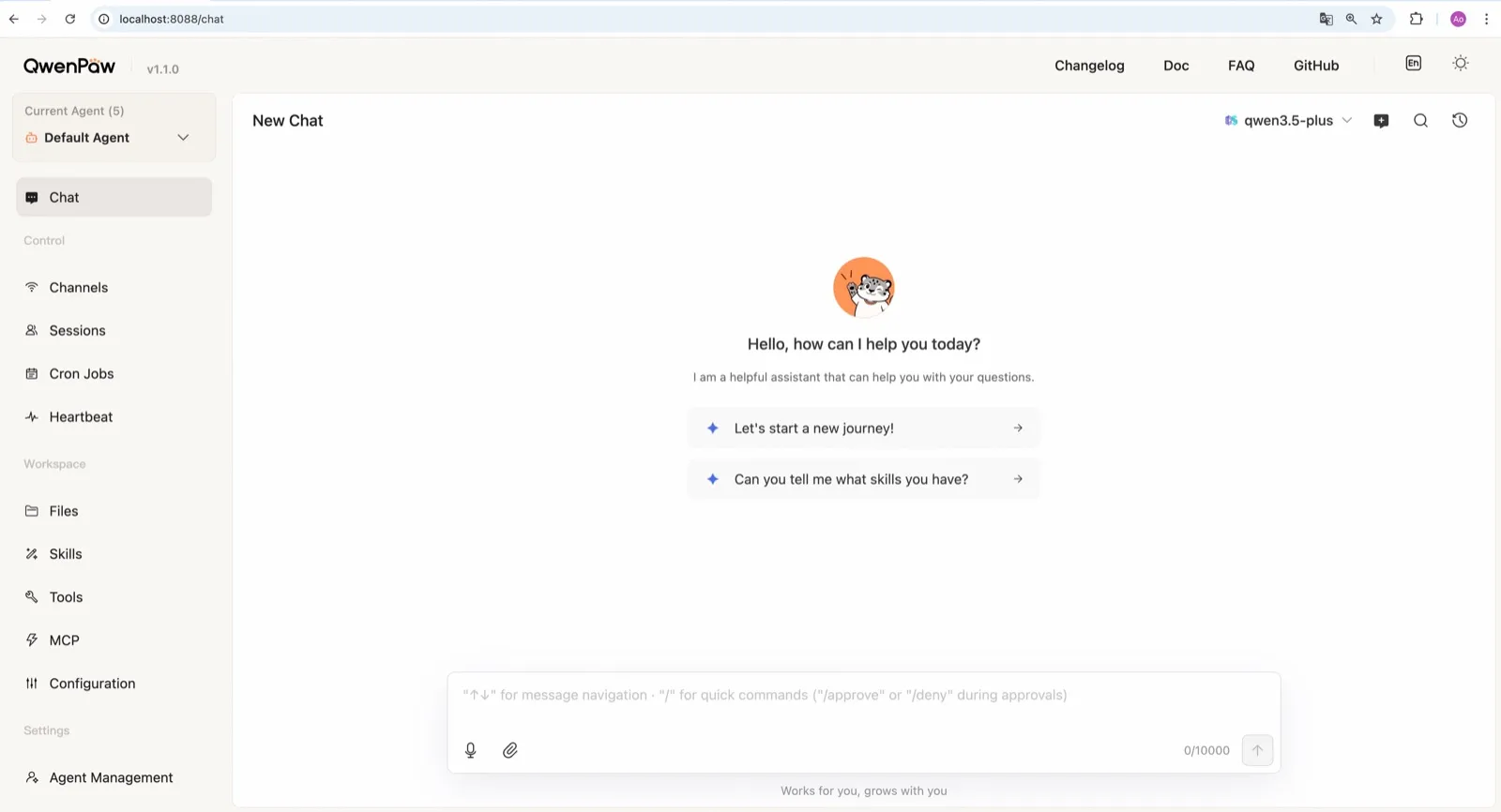
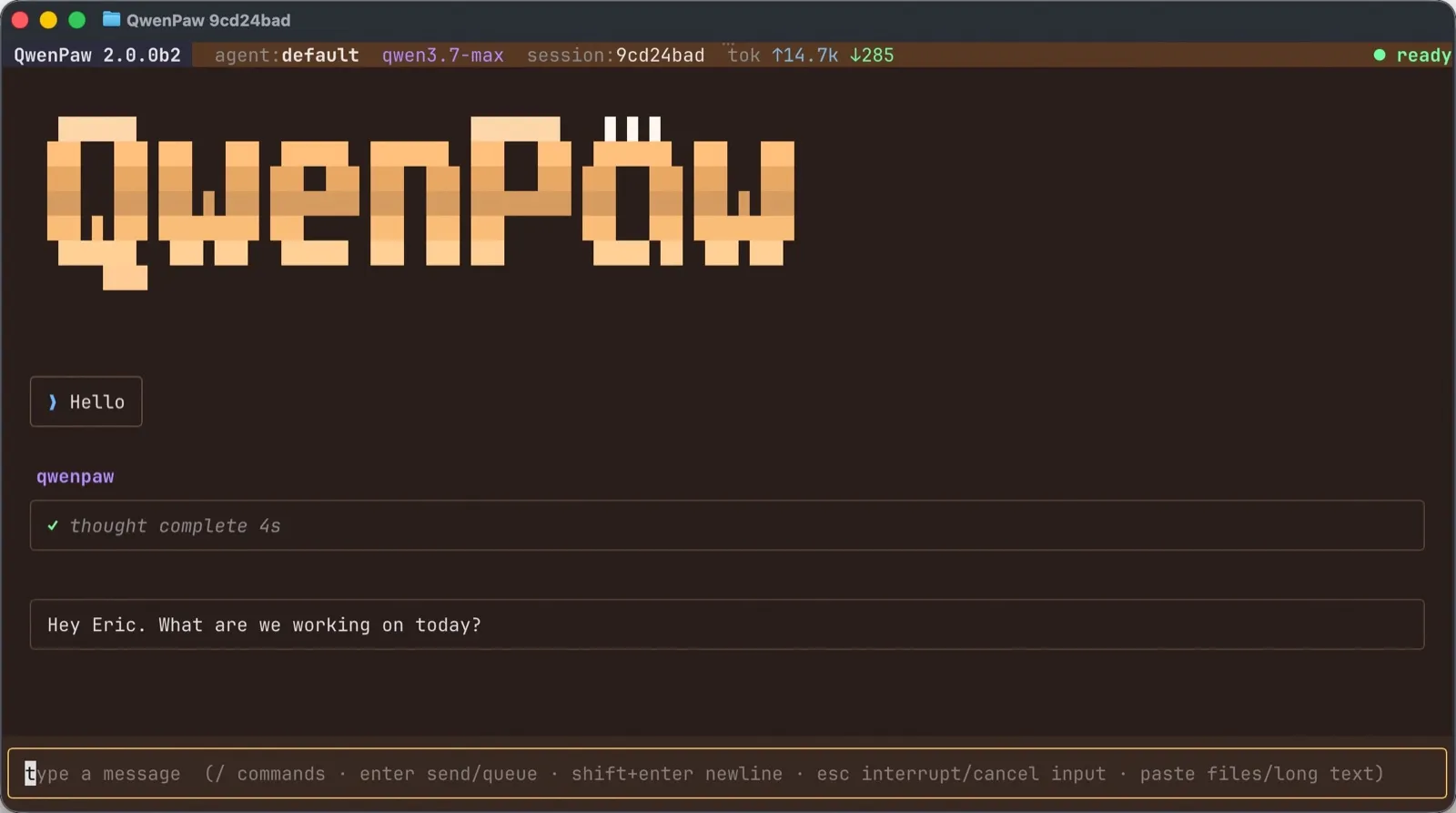
QwenPaw is in the same family as OpenClaw and nanobot: an agent on your machine that you reach from a web console, a terminal UI or chat apps, that remembers you, runs scheduled jobs and can act through a browser, a shell, MCP tools, skills and plugins. Two things set it apart: it is built to run entirely on local models, and it can run several independent agents side by side.
Installing it
You can install with pip (Python 3.11 to 3.13), an install script, or Docker. The script is the easy route: it sets up Python, Node.js and the web console on macOS, Linux or Windows. Alibaba also offers free one-click cloud deployment on its AgentScope Platform, though that is no longer self-hosting. Desktop apps for Windows and macOS exist but are in beta.
The web console covers channels, cron jobs, heartbeat, skills, MCP and files, and the docs walk through each. Releases are frequent, with many betas, so expect to update often and read the notes when you do.
Telemetry: read the init command
QwenPaw sends anonymous install data once per version during qwenpaw init: version, install method, operating system, Python version, CPU architecture and whether a GPU is present. The team says it collects no personal data, files, credentials or IP addresses (README).
The catch is how consent works. The interactive setup asks you to opt in, but the quick-start command the docs recommend, qwenpaw init --defaults, accepts it automatically. If you want nothing sent, run the interactive qwenpaw init and decline. It’s a small amount of data, but it is on by default if you follow the quick start.
Sandboxing: off, and weaker in Docker
QwenPaw has more security layers than most agents in this category. The security docs describe Tool Guard, File Guard, skill scanning, access policies and an optional kernel-level sandbox for commands.
That sandbox is off by default (source), and inside Docker it falls back to no isolation at all. That second point is counterintuitive: running QwenPaw in Docker does not give you the command sandbox, only whatever separation the container itself provides. If you install it on your main machine, turn the sandbox on before you connect any chat channel.
Local models are the strong point
QwenPaw works with 20+ cloud providers, including DashScope (Qwen), OpenAI, Anthropic, Gemini, DeepSeek, Kimi and OpenRouter. It can also run fully offline with no API key: it has a built-in llama.cpp runtime, supports Ollama and LM Studio, and the team publishes its own small QwenPaw-Flash models trained for agent tasks (models docs).
That combination, a runtime and a model tuned for it from the same team, is less setup than wiring an agent to a separate local model server yourself. What a local model can handle still depends on your hardware, so try your real tasks before you drop a cloud provider.
Multiple agents and memory
Each agent has its own memory, skills and heartbeat, and agents can work together (multi-agent docs). Memory is a three-layer Markdown store you can read and edit. Heartbeat check-ins and cron jobs keep agents working while you’re away. Image generation comes through official plugins for Qwen-Image or GPT Image 2.
Channels
Coverage is strongest for Chinese platforms: DingTalk, Feishu, WeChat and QQ, alongside Telegram, Discord and Slack. iMessage works only on a Mac with a third-party helper and Full Disk Access, which is broad access to grant. There is no WhatsApp channel (channels docs).
Who should use it
QwenPaw suits people who want a self-hosted agent that runs entirely on local models, users of DingTalk, Feishu, WeChat or QQ, and anyone who wants a small team of specialist agents on one machine. It is a weaker pick if you need WhatsApp, or want a sandbox that is on without you touching settings.
How it compares
- nanobot is the closest match: Python, MIT, a polished WebUI, local models, and no telemetry by default, though its shell sandbox is also off by default.
- ZeroClaw has its OS sandbox on under the recommended profile and sends no telemetry, but configuration is a TOML file.
- OpenClaw has the larger ecosystem and WhatsApp support, with sandboxing off by default.
See best local AI agent and OpenClaw alternatives for more.
Pricing
| Open source | Free |
|
|---|
Features
| Web search | Yes |
|---|---|
| Image generation | Yes |
| Voice mode | Yes |
| File uploads | Yes |
| Memory | Yes |
| Takes actions for you | Yes |
| App integrations | Yes |
| Works on its own | Yes |
| Messages you first | Yes |
| Runs several bots | Yes |
Strengths
- Runs fully offline with a built-in llama.cpp runtime and purpose-trained QwenPaw-Flash models, no API key needed
- Several independent agents, each with its own memory, skills and heartbeat, that can work together
- Layered security: Tool Guard, File Guard, skill scanning, access policies and an optional kernel-level sandbox
- Broad chat coverage, especially for Chinese platforms such as DingTalk, Feishu, WeChat and QQ, alongside Telegram, Discord, Slack and iMessage
- Well-documented web console for channels, cron jobs, heartbeat, skills, MCP and files
Weaknesses
- The command sandbox is off by default, and inside Docker it falls back to no isolation
- The recommended setup command accepts anonymous install telemetry automatically
- No WhatsApp channel, and iMessage works only on a Mac with a third-party helper and Full Disk Access
- Desktop apps are still in beta, and the project moves fast, with frequent beta releases
Best for
- People who want a self-hosted agent that can run entirely on local models
- Users of DingTalk, Feishu, WeChat or QQ who want an agent in those apps
- Running a small team of specialist agents on one machine
Sources
- agentscope-ai/QwenPaw on GitHub (Apache-2.0, README with install options and telemetry)
- QwenPaw documentation
- QwenPaw v1.1.0 release notes: CoPaw rebrands to QwenPaw
- copaw on PyPI (first release February 2026)
- QwenPaw docs: Channels
- QwenPaw docs: Models (cloud providers, llama.cpp, Ollama, LM Studio)
- QwenPaw docs: Security (Tool Guard, File Guard, sandbox)
- QwenPaw source: security.sandbox_enabled defaults to off
- QwenPaw docs: Heartbeat
- QwenPaw docs: Multi-agent
- QwenPaw docs: Comparison (voice and video interaction)
- QwenPaw docs: Desktop application (beta)
- QwenPaw docs: Plugins (GPT Image 2 image generation plugin)
- QwenPaw Qwen-Image tool plugin (image generation and editing)