
QwenPaw(CoPaw)评测:阿里巴巴的开源个人智能体
QwenPaw(原名 CoPaw)是阿里巴巴采用 Apache-2.0 许可证、可完全离线运行的智能体。本文介绍安装方式、沙箱和遥测默认设置,以及它适合谁。
QwenPaw 是阿里巴巴 AgentScope 团队推出的开源个人助手。如果你知道的是 CoPaw,那就是同一个项目:它于 2026 年 2 月以 CoPaw 之名发布,并在 2026 年 4 月更名为 QwenPaw,v1.1.0 发布说明对此有解释。在较早的指南和 PyPI 上的 copaw 包中,你仍会看到旧名字。截至我们 2026 年 11 月 8 日查看时,该仓库有 37,495 颗 GitHub 星。
它是什么
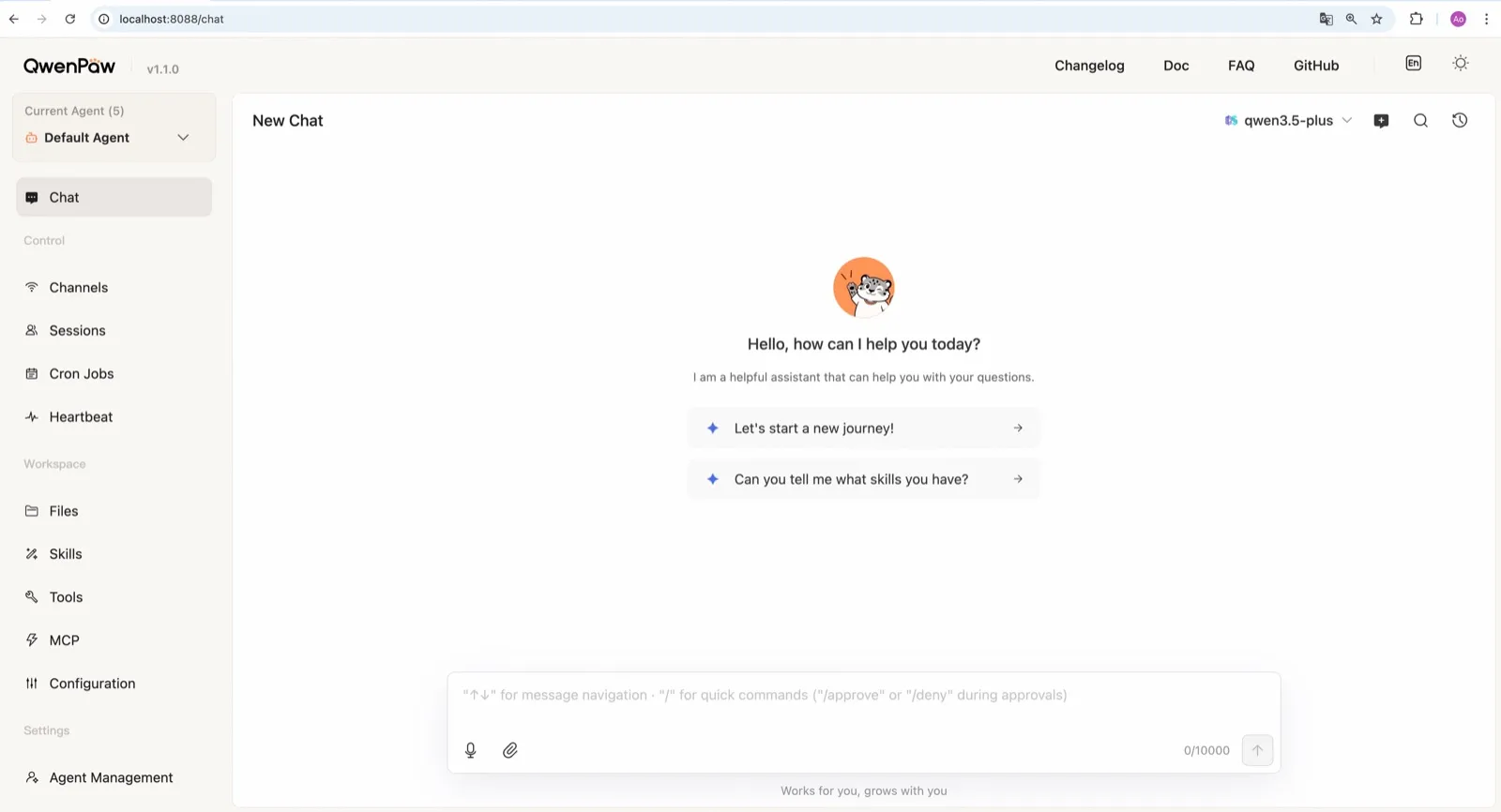
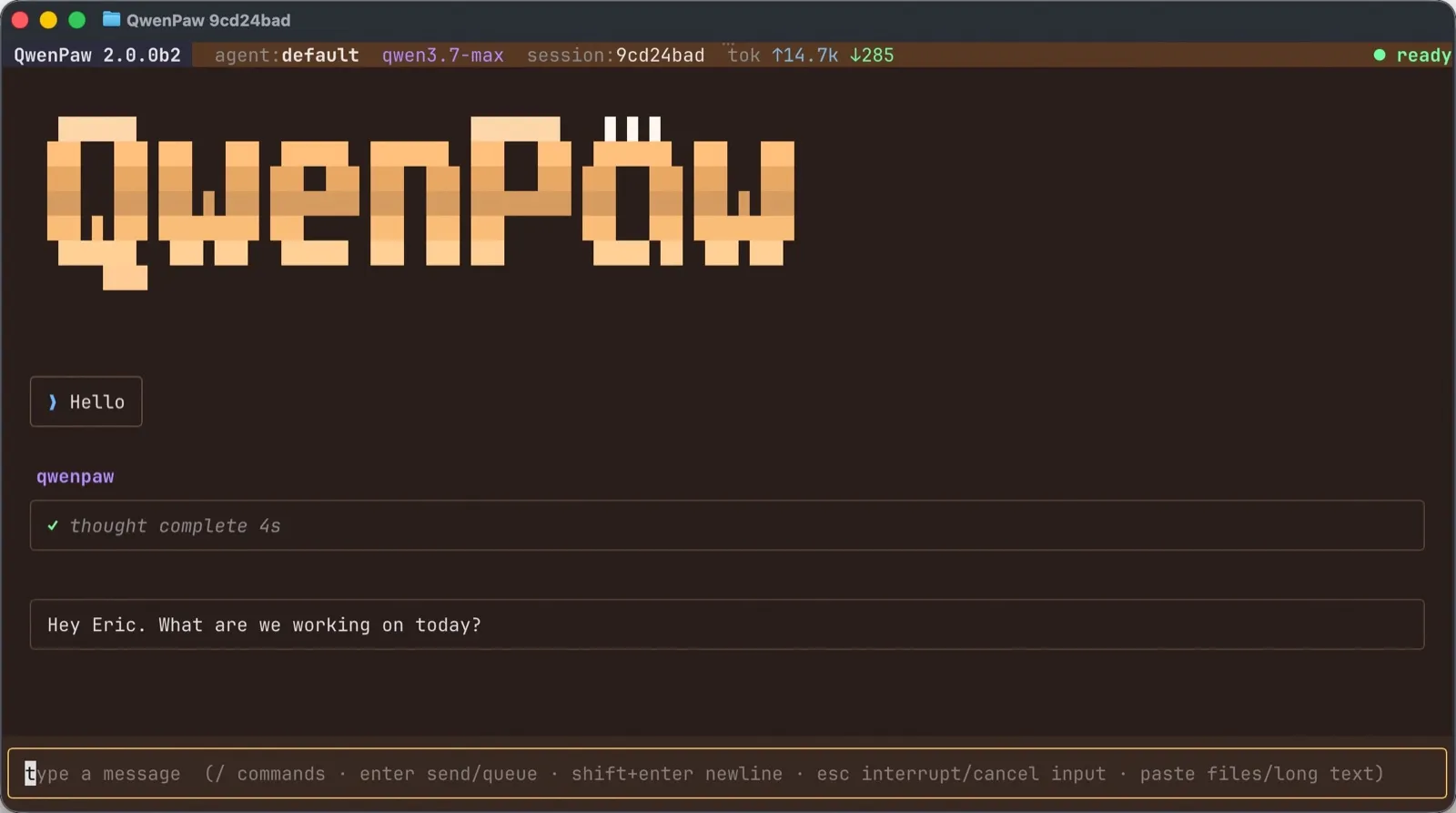
QwenPaw 和 OpenClaw、nanobot 属于同一类:一个运行在你机器上的智能体,你可以通过 Web 控制台、终端界面或聊天应用访问它;它会记住你、运行定时任务,并能通过浏览器、shell、MCP 工具、技能和插件执行操作。它有两点与众不同:它生来就能完全运行在本地模型上,而且可以并排运行多个独立的智能体。
安装
你可以通过 pip(Python 3.11 到 3.13)、安装脚本或 Docker 安装。脚本是最简单的路径:它会在 macOS、Linux 或 Windows 上配置好 Python、Node.js 和 Web 控制台。阿里巴巴还在其 AgentScope Platform 上提供免费的一键云端部署,不过那就不再是自托管了。Windows 和 macOS 有桌面应用,但处于 beta 阶段。
Web 控制台涵盖渠道、cron 任务、heartbeat、技能、MCP 和文件,文档逐一做了介绍。版本发布很频繁,beta 版也很多,所以请预期需要经常更新,并在更新时阅读说明。
遥测:看清 init 命令
QwenPaw 会在 qwenpaw init 期间为每个版本发送一次匿名安装数据:版本、安装方式、操作系统、Python 版本、CPU 架构以及是否有 GPU。团队表示不收集任何个人数据、文件、凭据或 IP 地址(README)。
问题在于同意机制。交互式设置会询问你是否同意,但文档推荐的快速入门命令 qwenpaw init --defaults 会自动接受。如果你不想发送任何数据,请运行交互式的 qwenpaw init 并拒绝。数据量很小,但如果你按快速入门操作,它默认就是开启的。
沙箱:默认关闭,在 Docker 中更弱
QwenPaw 比这个领域的大多数智能体拥有更多安全层。安全文档介绍了 Tool Guard、File Guard、技能扫描、访问策略,以及一个可选的内核级命令沙箱。
这个沙箱默认关闭(源码),而在 Docker 中它会退化为完全没有隔离。第二点有些反直觉:在 Docker 中运行 QwenPaw 并不会给你命令沙箱,只有容器本身提供的那点隔离。如果你把它装在主力机器上,请在连接任何聊天渠道之前开启沙箱。
本地模型是强项
QwenPaw 支持 20 多个云端提供商,包括 DashScope(Qwen)、OpenAI、Anthropic、Gemini、DeepSeek、Kimi 和 OpenRouter。它也可以完全离线运行,无需 API 密钥:它内置了 llama.cpp 运行时,支持 Ollama 和 LM Studio,团队还发布了自己专为智能体任务训练的小型 QwenPaw-Flash 模型(模型文档)。
运行时和为其调优的模型出自同一团队,这种组合比你自己把智能体接到一个单独的本地模型服务器要省事。本地模型能胜任什么仍取决于你的硬件,所以在放弃云端提供商之前,先用你的真实任务试一试。
多智能体与记忆
每个智能体都有自己的记忆、技能和 heartbeat,智能体之间还能协作(多智能体文档)。记忆是一个三层的 Markdown 存储,你可以阅读和编辑。heartbeat 签到和 cron 任务让智能体在你不在时继续工作。图像生成通过 Qwen-Image 或 GPT Image 2 的官方插件实现。
渠道
对中国平台的覆盖最强:钉钉(DingTalk)、飞书(Feishu)、微信(WeChat)和 QQ,此外还有 Telegram、Discord 和 Slack。iMessage 只能在 Mac 上配合第三方辅助程序和“完全磁盘访问权限”使用,这是一项很宽泛的授权。没有 WhatsApp 渠道(渠道文档)。
适合谁用
QwenPaw 适合想要一个完全运行在本地模型上的自托管智能体的人、钉钉、飞书、微信或 QQ 的用户,以及想在一台机器上运行一小组专业智能体的人。如果你需要 WhatsApp,或者想要一个不用碰设置就默认开启的沙箱,它就不太合适。
横向对比
- nanobot 是最接近的选择:Python、MIT、精致的 WebUI、本地模型,默认无遥测,不过它的 shell 沙箱同样默认关闭。
- ZeroClaw 在推荐配置下开启操作系统沙箱,也不发送遥测,但配置方式是一个 TOML 文件。
- OpenClaw 拥有更大的生态并支持 WhatsApp,沙箱默认关闭。
更多内容请参阅最佳本地 AI 智能体和 OpenClaw 替代品。
价格
| Open source | 免费 |
|
|---|
功能
| 联网搜索 | 是 |
|---|---|
| 图像生成 | 是 |
| 语音模式 | 是 |
| 文件上传 | 是 |
| 记忆 | 是 |
| 代你执行操作 | 是 |
| 应用集成 | 是 |
| 自主运行 | 是 |
| 主动给你发消息 | 是 |
| 可运行多个机器人 | 是 |
优点
- Runs fully offline with a built-in llama.cpp runtime and purpose-trained QwenPaw-Flash models, no API key needed
- Several independent agents, each with its own memory, skills and heartbeat, that can work together
- Layered security: Tool Guard, File Guard, skill scanning, access policies and an optional kernel-level sandbox
- Broad chat coverage, especially for Chinese platforms such as DingTalk, Feishu, WeChat and QQ, alongside Telegram, Discord, Slack and iMessage
- Well-documented web console for channels, cron jobs, heartbeat, skills, MCP and files
缺点
- The command sandbox is off by default, and inside Docker it falls back to no isolation
- The recommended setup command accepts anonymous install telemetry automatically
- No WhatsApp channel, and iMessage works only on a Mac with a third-party helper and Full Disk Access
- Desktop apps are still in beta, and the project moves fast, with frequent beta releases
适合人群
- People who want a self-hosted agent that can run entirely on local models
- Users of DingTalk, Feishu, WeChat or QQ who want an agent in those apps
- Running a small team of specialist agents on one machine
来源
- agentscope-ai/QwenPaw on GitHub (Apache-2.0, README with install options and telemetry)
- QwenPaw documentation
- QwenPaw v1.1.0 release notes: CoPaw rebrands to QwenPaw
- copaw on PyPI (first release February 2026)
- QwenPaw docs: Channels
- QwenPaw docs: Models (cloud providers, llama.cpp, Ollama, LM Studio)
- QwenPaw docs: Security (Tool Guard, File Guard, sandbox)
- QwenPaw source: security.sandbox_enabled defaults to off
- QwenPaw docs: Heartbeat
- QwenPaw docs: Multi-agent
- QwenPaw docs: Comparison (voice and video interaction)
- QwenPaw docs: Desktop application (beta)
- QwenPaw docs: Plugins (GPT Image 2 image generation plugin)
- QwenPaw Qwen-Image tool plugin (image generation and editing)