
Agent Zero 评测:拥有自己 Linux 电脑的 AI 智能体
Agent Zero 运行在带终端、浏览器和 Linux 桌面的 Docker 容器中。本文介绍这种隔离覆盖哪些范围、默认的更新检查,以及它所需的硬件。
Agent Zero 是一款开源智能体,出自捷克小公司 Agent Zero s.r.o.。它比我们列表中的大多数工具都更早:首个版本发布于 2024 年 6 月,并于 2026 年 11 月 1 日发布 v2.15(releases)。截至 2026 年 11 月 8 日我们查看时,它在 GitHub 上有 19,799 颗星。
OpenClaw 及其轻量级同类运行在你的电脑上,而 Agent Zero 给 AI 配了一台属于它自己的电脑。正是这一个设计选择,决定了自托管它的大部分体验。

智能体自己的电脑
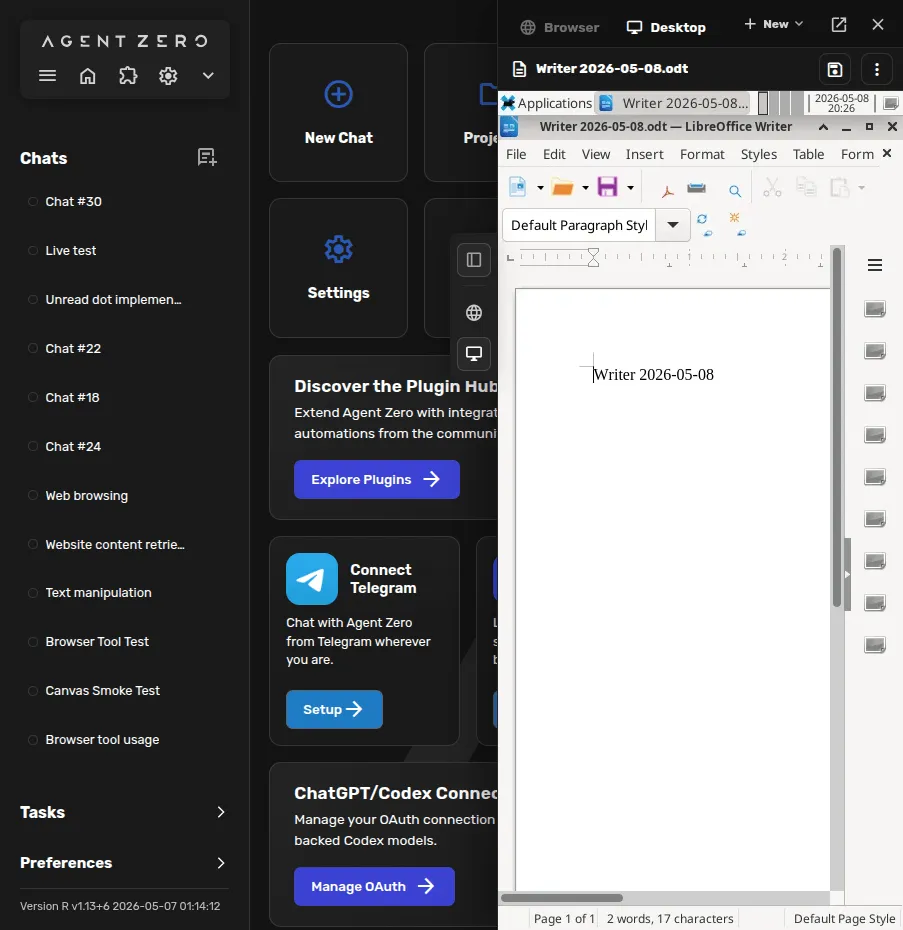
Agent Zero 运行在一个 Docker 容器里,容器中是完整的 Linux 环境:终端、内置浏览器、Linux 桌面和 LibreOffice。你可以通过 Web UI 观看智能体工作,也可以随时接管。它浏览网页时用的是自己的浏览器,而不是你的。
对自托管用户来说,这是最大的吸引力。智能体可以安装软件包、把东西弄坏、运行代码,而不会碰到你的机器。访问你自己的文件、命令和浏览器需要主动开启,通过桌面 Launcher 或 A0 CLI 实现。Projects 按任务分别隔离记忆、文件、密钥、指令和模型选择,工作区快照则让你可以回滚。
它的边界值得弄清楚。目前,智能体运行的代码与 Agent Zero 本身在同一个容器中执行。这能让智能体远离你的电脑,但它运行的代码与 Agent Zero 自己的文件和设置之间没有任何隔离。按任务划分的独立 gVisor 沙箱曾在 2026 年 8 月的 v3 预览中展示过,但 v2 版本中并没有。
安装
根据安装文档,有三种安装方式:
- 适用于 macOS、Windows 和 Linux 的桌面 Launcher,会替你配置好 Docker 和实例
- 面向服务器的安装脚本
- 一条普通的 Docker 命令
Launcher 隐藏了大部分 Docker 操作。代价是体积。镜像是一个完整的 Linux 桌面环境,而不是一个小服务,VPS 指南要求至少 2 GB 内存、20 GB 存储和一个 vCPU,推荐 4 GB 内存。这就排除了 ZeroClaw 和 PicoClaw 所瞄准的树莓派级硬件,但任何普通的 VPS 或家用服务器都够用。
日常维护意味着要跟上很快的发布节奏:从 2026 年 8 月下旬到 11 月初,先后发布了 v2.11 到 v2.15。
遥测:可以关闭的更新检查
Agent Zero 默认只发出一种外部请求。你发送消息时(有冷却时间),它会把已安装的版本号和一个匿名 ID(实例持久 ID 的哈希值)发送到 api.agent-zero.ai 以检查更新。你可以阅读更新检查代码,并通过更新检查设置将其关闭。代码中没有发现其他分析功能。如果你希望完全不向外回传,首次运行时就关掉这个设置。
模型、搜索和语音
你可以接入 OpenAI、Anthropic、Google、DeepSeek、Mistral、xAI、Groq、OpenRouter、AWS Bedrock、Azure 以及其他 OpenAI 兼容端点,用 ChatGPT 账号登录以使用 Codex 模型,或通过 Ollama、LM Studio、llama.cpp、vLLM 或 oMLX 运行本地模型。
Agent Zero 比大多数同类保留了更多本地化的组件。网页搜索通过内置的 SearXNG 实例完成,而不是调用搜索 API;语音转文字和文字转语音也可以在本地运行。再配上一个本地模型,你就完全不需要任何 AI 或搜索 API 密钥。它没有内置图像生成;文档展示了如何自己教它使用图像 API。
该项目还为质押其 A0T 加密代币的持有者运营一个通往 Venice.ai 的模型代理。这是可选的,你完全可以忽略。
聊天应用和插件
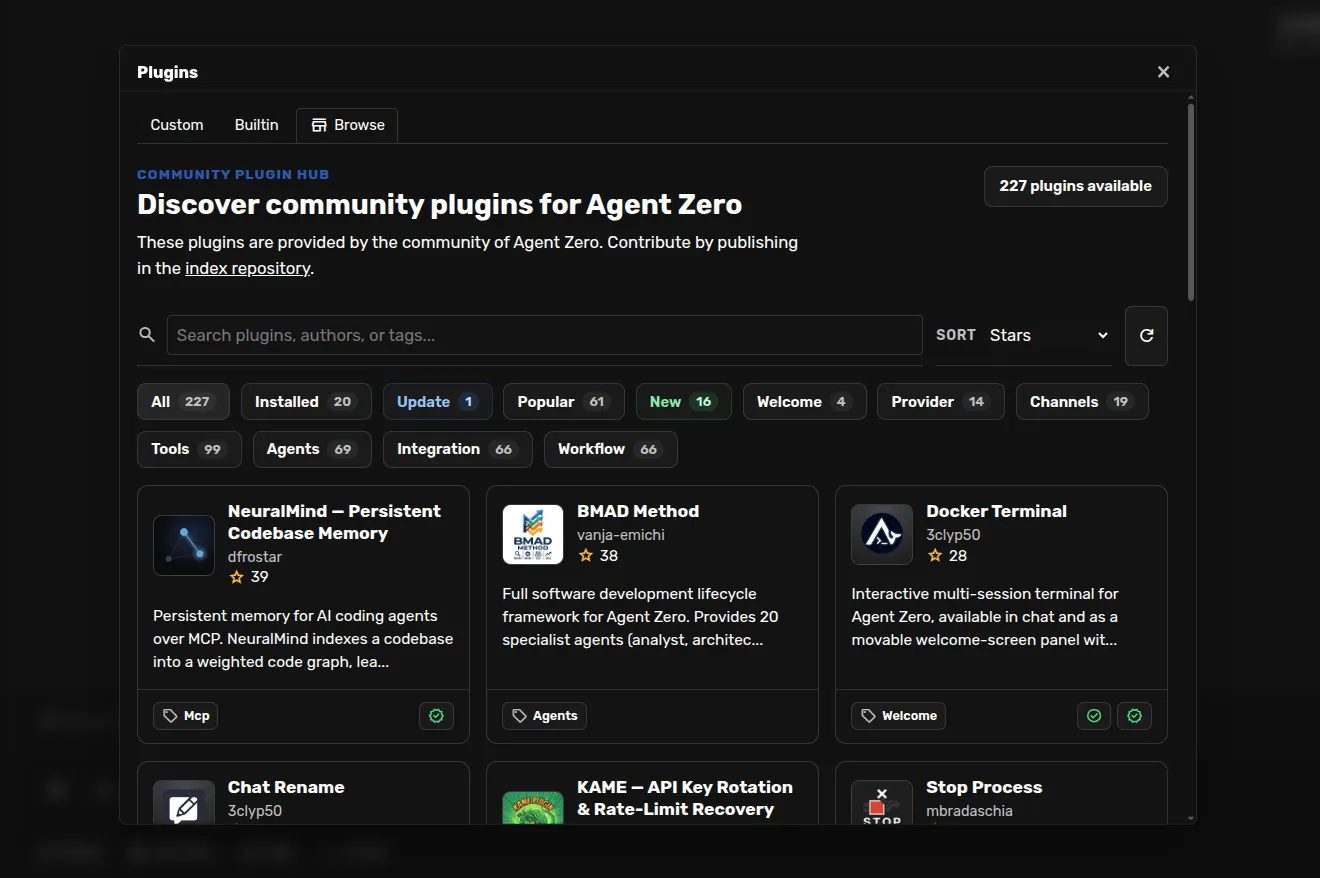
Telegram、WhatsApp 和邮件以内置插件形式提供,此外还有调度器、MCP,以及拥有 200 多个插件的社区 Plugin Hub。WhatsApp 是通过一个需要 Node.js 的 Baileys 桥接来关联手机账号实现的,而不是官方的 WhatsApp Business API。和任何插件市场一样,社区插件是在智能体容器内运行的第三方代码。
适合谁用
Agent Zero 适合想要一个能使用整台电脑、却不碰自己电脑的智能体的人,也适合想阅读和修改每一条提示词和每一个工具的开发者。它很适合在家用服务器或 VPS 上做研究、文档和编程类工作。如果你用的是小型开发板,或者希望智能体默认直接在你自己的应用和文件中工作,它就不太合适。
横向对比
- Rakazo(我们开发的产品)采用类似的思路,为每个机器人提供一台带浏览器、终端和桌面的沙箱电脑,同样需要 Docker。它另外提供移动应用和 Slack 支持,目前处于 beta 阶段。
- NanoClaw 同样把智能体隔离在容器中,围绕 Claude 和 Claude Code 构建。
- OpenClaw 运行在你的主机上,沙箱默认关闭,拥有最大的生态。
更多内容请参阅最佳自托管 AI 智能体榜单和 OpenClaw 替代品。
价格
| Open source | 免费 |
|
|---|
功能
| 联网搜索 | 是 |
|---|---|
| 图像生成 | 否 |
| 语音模式 | 是 |
| 文件上传 | 是 |
| 记忆 | 是 |
| 代你执行操作 | 是 |
| 应用集成 | 是 |
| 自主运行 | 是 |
| 主动给你发消息 | 是 |
| 可运行多个机器人 | 是 |
优点
- Free and MIT licensed, with frequent releases (v2.11 to v2.15 between late August and early November 2026)
- The agent works in its own Linux workspace with a terminal, browser, desktop apps and LibreOffice, isolated from your computer unless you grant host access
- Web search runs through a local SearXNG instance, and speech-to-text and text-to-speech can run locally
- Projects keep memory, files, secrets, instructions and model choices separate per job, with workspace snapshots you can roll back
- Built-in Telegram, WhatsApp and email channels, a scheduler, MCP and a community Plugin Hub with 200+ plugins
缺点
- Needs Docker, and the container image is a full Linux desktop environment rather than a small service
- No built-in image generation; the docs show teaching it an image API yourself
- By default it checks for updates with Agent Zero's server, sending your version and a hashed instance ID
- Code runs in the same container as Agent Zero itself today; per-task sandboxes are only a v3 prototype
- WhatsApp works by linking a phone account through a Baileys bridge, which needs Node.js, rather than the official WhatsApp Business API
适合人群
- People who want an agent that can use a full computer without touching their own
- Developers who want to read and change every prompt and tool
- Running research, document and coding jobs on a home server or VPS
来源
- agent0ai/agent-zero on GitHub (MIT, README, safety model)
- Agent Zero releases (v0.2 in June 2024 to v2.15 on November 1, 2026)
- Agent Zero homepage
- Agent Zero docs: Installation (Launcher, A0 Install, Docker, local models)
- Agent Zero docs: VPS deployment (hardware requirements)
- Agent Zero model provider list
- Agent Zero update check code (version and hashed ID sent to api.agent-zero.ai)
- Agent Zero built-in Telegram integration plugin
- Agent Zero built-in WhatsApp integration plugin
- Agent Zero built-in plugins (scheduler, notify user, email, SearXNG search, Whisper STT, Kokoro TTS)
- Agent Zero docs: Memory guide
- Agent Zero docs: Agent Profiles
- Agent Zero docs: API integration (adding image generation yourself)
- Agent Zero v3: A Sneak Peek Inside the Sandbox (August 17, 2026)
- Agent Zero LLM API (Venice.ai proxy for A0T token stakers)